Write on PDF para PC
Samsung Electronics Co., Ltd.
Descarga Write on PDF en PC con GameLoop Emulator
Write on PDF en PC
Write on PDF, proveniente del desarrollador Samsung Electronics Co., Ltd., se ejecuta en el sistema Android en el pasado.
Ahora, puedes jugar Write on PDF en PC con GameLoop sin problemas.
Descárgalo en la biblioteca de GameLoop o en los resultados de búsqueda. No más mirar la batería o llamadas frustrantes en el momento equivocado nunca más.
Simplemente disfrute de Write on PDF PC en la pantalla grande de forma gratuita!
Write on PDF Introducción
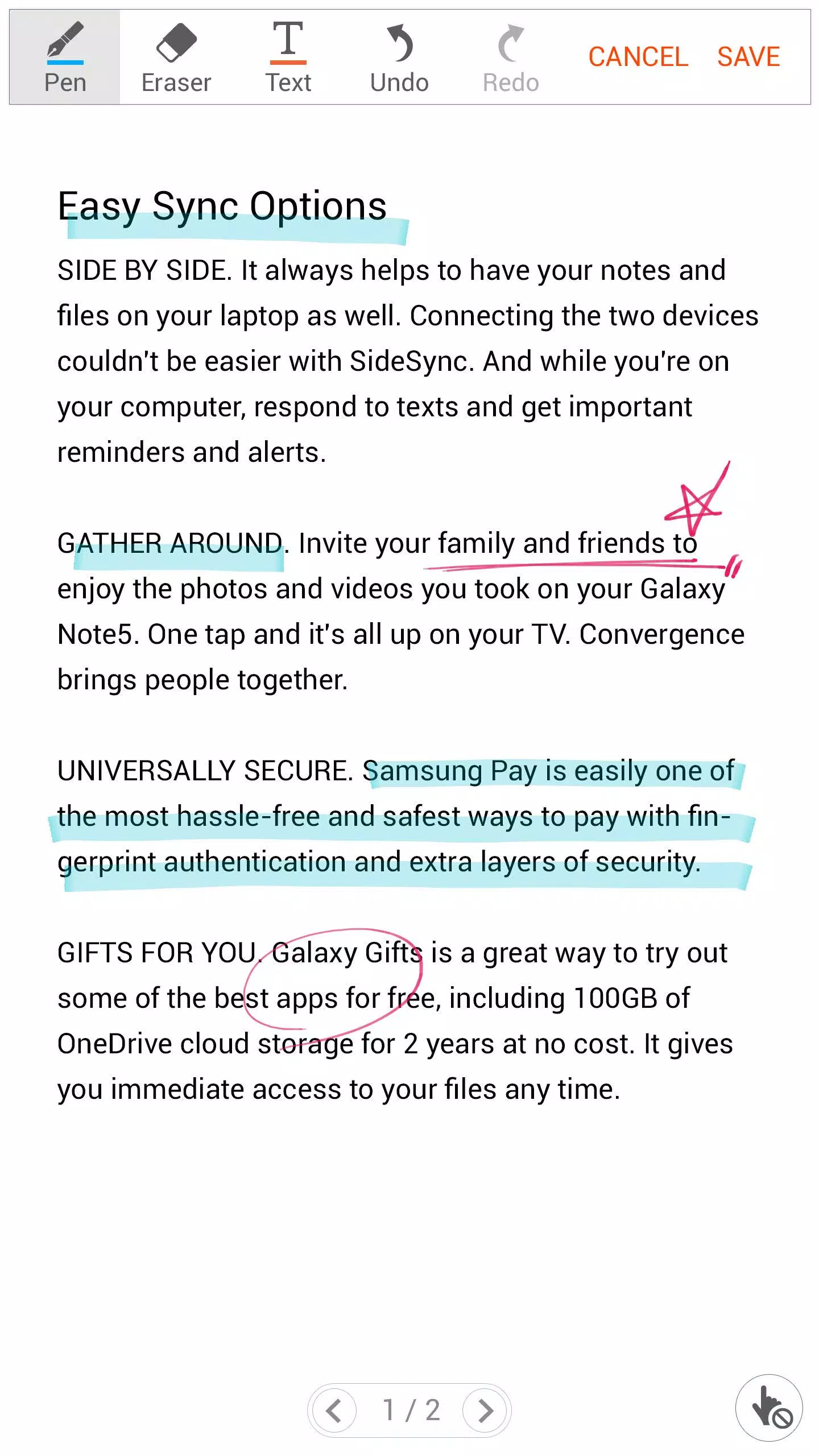
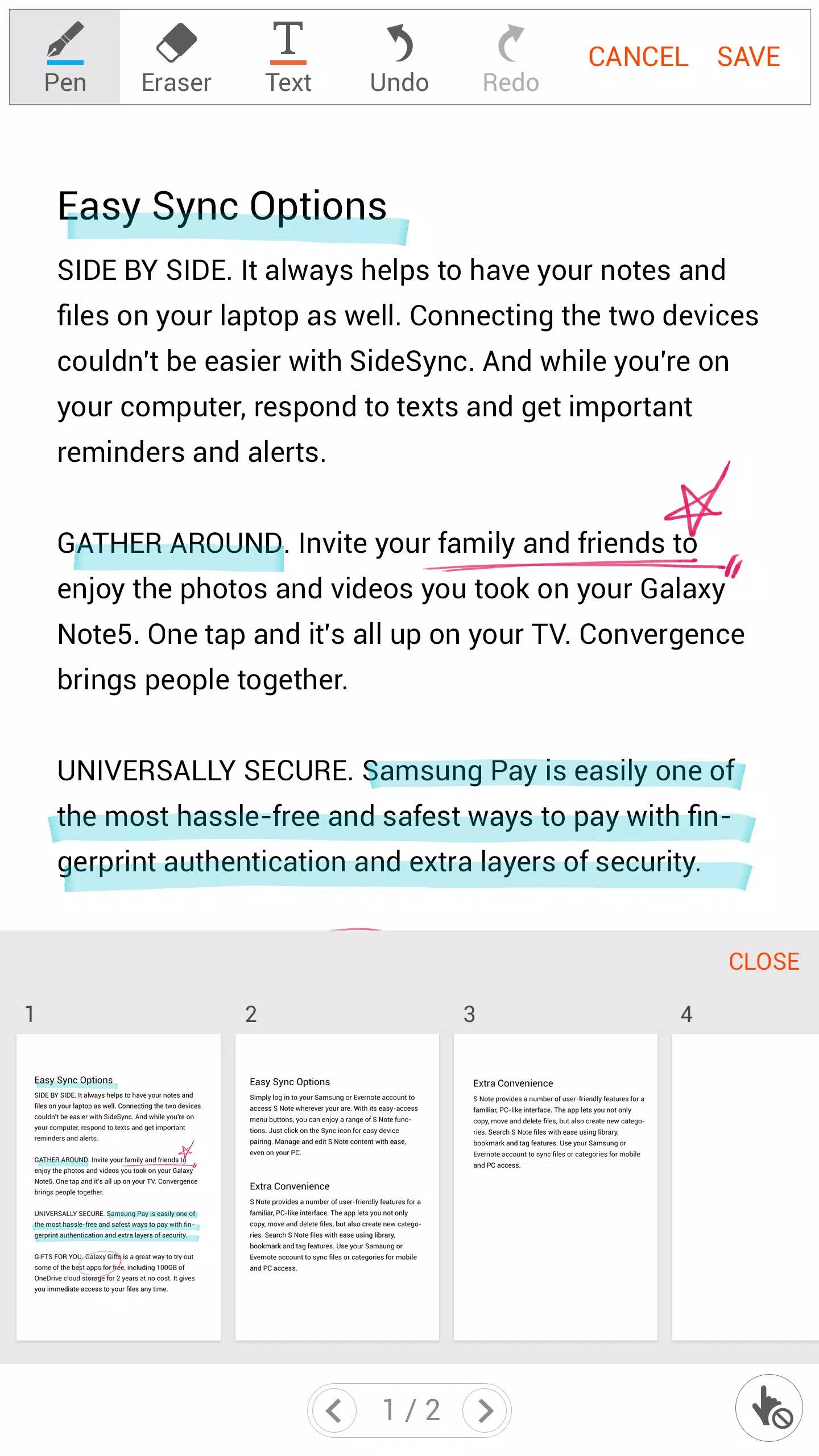
Write on PDF is a convenient PDF annotator for you.
You can take notes by your own handwriting with a variety of Pen and tools.
• Features :
- List of all PDF files in your device
- Save a PDF file with your text and drawing content
- Share a PDF file
- PDF viewer
• The following permissions are required for the app service. For optional permissions, the default functionality of the service is turned on, but not allowed.
[Required permissions]
- Storage: To access the PDF files stored on your phone.
- Contacts: To access the PDF files stored on Google Drive.
(Contact permission is optional from Write on PDF v2.4.23.0 or higher.)
[Optional permissions]
- Location: To provide location information when accessing links in PDF files.
(Location permission is not required from Write on PDF v2.4.23.0 or higher.)
• Support for following devices :
[Phone]
Galaxy Note9, Galaxy Note8, Galaxy Note Fan Edition, Galaxy Note5, Galaxy Note4, Galaxy Note Edge, Galaxy Note3, Galaxy Note3 Neo,
Galaxy S8, Galaxy S8+, Galaxy S7, Galaxy S7 Edge, Galaxy S6, Galaxy S6 Edge, Galaxy S6 Edge+, Galaxy S5, Galaxy S5 Mini, Galaxy S4,
Galaxy A8, Galaxy A9 Pro, Galaxy-A9,
Galaxy A3, Galaxy A3(2016),Galaxy A5, Galaxy A5(2016), Galaxy A7, Galaxy A7(2016),
Galaxy J, Galaxy J2, Galaxy J3, Galaxy J3(2016), Galaxy J5, Galaxy J5(2016), Galaxy J7, Galaxy J7(2016),
Galaxy On5, Galaxy On7, Galaxy Mega2, Galaxy Alpha, Galaxy Grand Prime, Galaxy Grand Max,
Galaxy J5 Prime, Galaxy J7 Prime, Galaxy On7(2016), Galaxy A8(2016),
Grand Prime Plus, Galaxy A3(2017), Galaxy A5(2017), Galaxy A7 (2017),
Galaxy Elite, Galaxy Feel, Galaxy Xcover4,
Galaxy J3 Pop, Galaxy J7 Pop, Galaxy J3 Pro, Galaxy J7 Pro,
Galaxy J5(2017), Galaxy J7(2017), Galaxy J7 Max
[Tablet]
Galaxy Tab S 8.4 / 10.5, Galaxy Tab S2 8.0 / 9.7, Galaxy Tab S3, Galaxy Tab S4,
Galaxy Note Pro 12.2, Galaxy Note 10.1(2014E),
Galaxy Tab A 7.0/ 8.0 / 9.7/10.1
Galaxy Tab A Plus 8.0 / 9.7/10.1
Galaxy Tab4 7.0 / 8.0 / 10.1,
Galaxy Tab Active,
Galaxy Tab E 8.0 / 9.6,
Galaxy View
Avance
Etiquetas
ProductividadInformación
Desarrollador
Samsung Electronics Co., Ltd.
La última versión
2.4.15.10
Última actualización
2018-12-14
Categoría
Productividad
Disponible en
Google Play
Mostrar más
Cómo jugar Write on PDF con GameLoop en PC
1. Descargue GameLoop desde el sitio web oficial, luego ejecute el archivo exe para instalar GameLoop.
2. Abra GameLoop y busque "Write on PDF", busque Write on PDF en los resultados de búsqueda y haga clic en "Instalar".
3. Disfruta jugando Write on PDF en GameLoop.
Minimum requirements
OS
Windows 8.1 64-bit or Windows 10 64-bit
GPU
GTX 1050
CPU
i3-8300
Memory
8GB RAM
Storage
1GB available space
Recommended requirements
OS
Windows 8.1 64-bit or Windows 10 64-bit
GPU
GTX 1050
CPU
i3-9320
Memory
16GB RAM
Storage
1GB available space