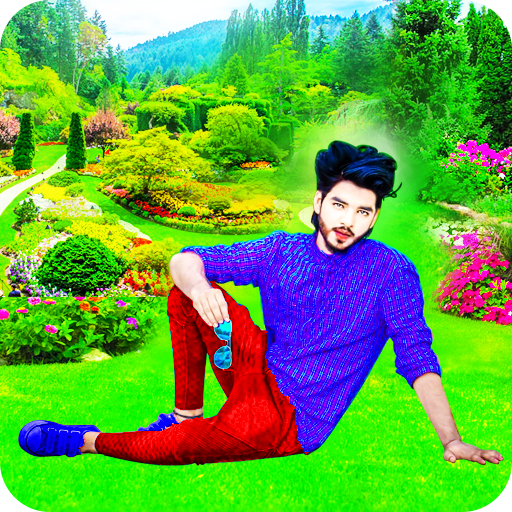
Garden Photo Editor para PC
Benzyl Labs
Descarga Garden Photo Editor en PC con GameLoop Emulator
Garden Photo Editor en PC
Garden Photo Editor, proveniente del desarrollador Benzyl Labs, se ejecuta en el sistema Android en el pasado.
Ahora, puedes jugar Garden Photo Editor en PC con GameLoop sin problemas.
Descárgalo en la biblioteca de GameLoop o en los resultados de búsqueda. No más mirar la batería o llamadas frustrantes en el momento equivocado nunca más.
Simplemente disfrute de Garden Photo Editor PC en la pantalla grande de forma gratuita!
Garden Photo Editor Introducción
Create, Edit & Share Photos with Style
Garden Photo Editor and Photo Frames is an all-in-one photo editing app designed for anyone who loves to enhance pictures with beautiful frames, creative backgrounds, stickers, and professional editing tools. With an intuitive design, powerful filters, and endless updates, it’s the perfect photo editor for Android that makes every image stand out.
Turn ordinary photos into extraordinary memories with landscape frames, portrait frames, collage layouts, and stylish photo borders. Whether you want to create a personalized greeting, enhance a selfie, or decorate a family picture, you’ll find the right tools here.
🌟 Highlight Features
📸 Photo Frames & Collages
Portrait and landscape frames for every mood
Multi-photo layouts for quick collages
Artistic, seasonal, and love photo frames
Regular updates with fresh frame collections
🌄 Background Changer & Enhancer
Replace or add portrait and landscape backgrounds
Blend photos seamlessly with overlays and textures
Access online background collections with endless new options
🎨 Stickers & Decorations
Expressive stickers to add fun and personality
Emoji, decorative shapes, and creative clipart
Frequently updated sticker packs for every occasion
✂️ Pro Editing Tools
Crop, rotate, and mirror for perfect angles
Eraser tool for precision editing and cutouts
Adjust brightness, contrast, and saturation
Mosaic, blur, and splash effects for artistic depth
Paint and doodle directly on your photos
Blend, overlay, and Pixlab-style filters
🎨 Filters & Photo Effects
Stylish color filters to set the mood
Vintage, retro, and modern effects
Cinematic overlays for professional results
Easy one-tap photo enhancements
✨ Smooth Experience
Clean and user-friendly interface
Quick photo editing without complexity
Optimized for speed and performance
🌐 Always Fresh
New frames, backgrounds, and stickers added online
Regular content updates for endless creativity
📤 Easy Sharing & Saving
Share photos directly on social media platforms
Export in high resolution for printing and archiving
💡 Why Choose Garden Photo Editor and Frames?
Unlike basic editing apps, this tool combines photo editor features, photo frame collections, background changer, and collage maker functions in one seamless package. You don’t need multiple apps—everything from filters and stickers to professional photo effects is here.
It’s the perfect choice for:
Photography lovers who enjoy editing and framing memories
Social media creators who want engaging, stylish content
Families and friends looking to decorate and share special photos
Anyone who wants an easy-to-use picture editor app with pro results
🚀 Designed for You
Garden Photo Editor and Photo Frames offers flexibility for both beginners and advanced creators. Whether you’re crafting a quick post, designing a greeting card, or editing photos for your collection, the app adapts to your needs.
✅ Trust & Compliance
Benzyl Labs is dedicated to safe, transparent, and user-first app experiences. This app fully complies with Google Play’s Developer Content Policy and Metadata Policy, ensuring no misleading claims, no spammy keywords, and no repetitive content.
We believe in creativity without limits—and we continuously update our app to deliver new frames, effects, and editing tools to inspire you every day.
🌸 Start Editing Today
Download Garden Photo Editor and Photo Frames to explore a world of creativity. With frames, stickers, backgrounds, filters, effects, and pro editing tools, your photos will always look their best. From selfies and portraits to landscapes and collages, everything you need is in one easy-to-use app.
Avance


Etiquetas
FotografíaInformación
Desarrollador
Benzyl Labs
La última versión
1.1.6
Última actualización
2025-09-10
Categoría
Fotografía
Disponible en
Google Play
Mostrar más
Cómo jugar Garden Photo Editor con GameLoop en PC
1. Descargue GameLoop desde el sitio web oficial, luego ejecute el archivo exe para instalar GameLoop.
2. Abra GameLoop y busque "Garden Photo Editor", busque Garden Photo Editor en los resultados de búsqueda y haga clic en "Instalar".
3. Disfruta jugando Garden Photo Editor en GameLoop.
Minimum requirements
OS
Windows 8.1 64-bit or Windows 10 64-bit
GPU
GTX 1050
CPU
i3-8300
Memory
8GB RAM
Storage
1GB available space
Recommended requirements
OS
Windows 8.1 64-bit or Windows 10 64-bit
GPU
GTX 1050
CPU
i3-9320
Memory
16GB RAM
Storage
1GB available space