DSLR Camera : Auto Blur Effect para PC
Style photo studio Apps
Descarga DSLR Camera : Auto Blur Effect en PC con GameLoop Emulator
DSLR Camera : Auto Blur Effect en PC
DSLR Camera : Auto Blur Effect, proveniente del desarrollador Style photo studio Apps, se ejecuta en el sistema Android en el pasado.
Ahora, puedes jugar DSLR Camera : Auto Blur Effect en PC con GameLoop sin problemas.
Descárgalo en la biblioteca de GameLoop o en los resultados de búsqueda. No más mirar la batería o llamadas frustrantes en el momento equivocado nunca más.
Simplemente disfrute de DSLR Camera : Auto Blur Effect PC en la pantalla grande de forma gratuita!
DSLR Camera : Auto Blur Effect Introducción
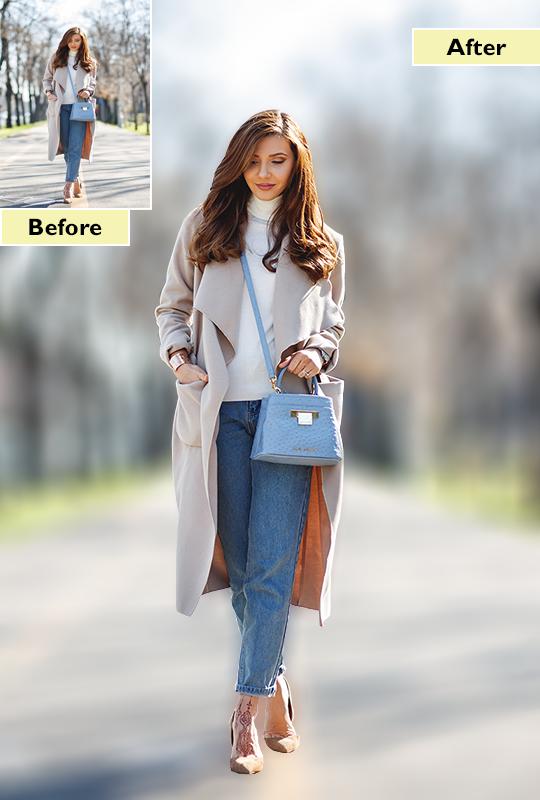
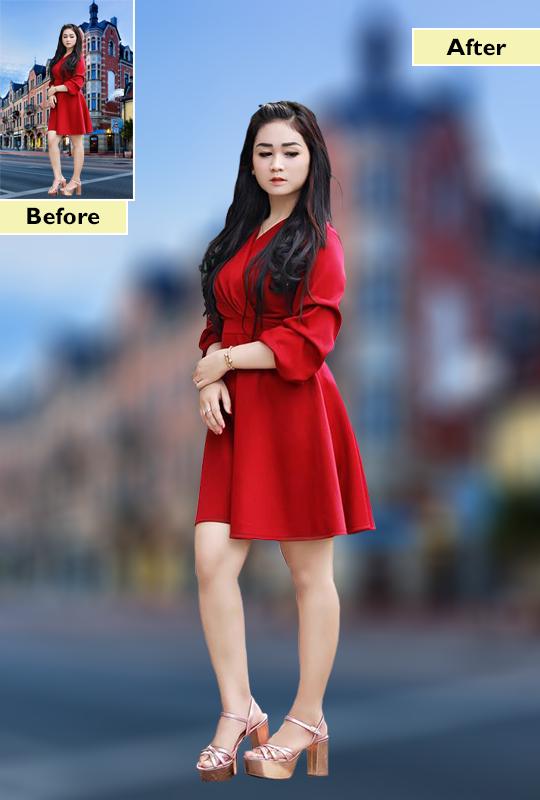
◙ DSLR Camera Auto Blur Background Bokeh PhotoEffect apps for android makes your moment more amazing. If you want to focus in your photo at particular area you can easy download this DSLR Camera Auto Blur Background Bokeh PhotoEffect app.
◙ DSLR Camera Auto Blur Background Bokeh PhotoEffect app can also blur user's image in many shapes as user want. DSLR Camera Auto Blur Background Bokeh PhotoEffect app makes your editing easy, smooth and will give you perfect auto blur background.
◙ DSLR Camera Auto Blur Background Bokeh PhotoEffect lets you selectively blur or un-blur the parts of your pictures so that you can manually focus on the subject properly.
◙ DSLR Camera Auto Blur Background Bokeh PhotoEffect with image blur tool allows you to blur the background of your photo very fast to create amazing photos with blurred background.
◙ DSLR Camera Auto Blur Background Bokeh PhotoEffect allows you to take excellent photos with your back & front camera in high 4K quality , it’s a very fast and simple app to capture amazing moments with your front and back camera.
How To Use:
◙ Take Photo from Camera or Gallery
◙ Crop image to set perfect size of photo
◙ Choose from Various Blur category is available like Round Blur, Line Blur , Shape Blur & Pixel Blur etc.
◙ Use Photo editing tools like Undo, Redo, Brush Size and more to accurately blur photos.
◙ App allows you to save photo in your blur effects.
◙ Share your Creation on social media like Instagram, whatsapp, facebook, gmail etc.
Key Feature :
◙ Select image to be blurred from gallery or album.
◙ Blur image background on finger movement.
◙ Accurate Face detection.
◙ Adjust blur level with the blurriness seek bar.
◙ Burst mode interval.
◙ Flash mode - auto, on, off, torch DSLR.
◙ Different focus area types (linear / round).
◙ Select color effects, white balance, scene modes, and exposure compensation.
◙ Give Curve to your photos and edit your photo more effective.
◙ Simple touch gestures to rotate, resize, Zoom in-out.
◙ Add Emotions, Smiles, Clipart, Stickers, and Text to your photos.
◙ Share your Creation on social media like Instagram, whatsapp, facebook, gmail etc.
Avance
Etiquetas
FotografíaInformación
Desarrollador
Style photo studio Apps
La última versión
2.7
Última actualización
2022-10-13
Categoría
Fotografía
Disponible en
Google Play
Mostrar más
Cómo jugar DSLR Camera : Auto Blur Effect con GameLoop en PC
1. Descargue GameLoop desde el sitio web oficial, luego ejecute el archivo exe para instalar GameLoop.
2. Abra GameLoop y busque "DSLR Camera : Auto Blur Effect", busque DSLR Camera : Auto Blur Effect en los resultados de búsqueda y haga clic en "Instalar".
3. Disfruta jugando DSLR Camera : Auto Blur Effect en GameLoop.
Minimum requirements
OS
Windows 8.1 64-bit or Windows 10 64-bit
GPU
GTX 1050
CPU
i3-8300
Memory
8GB RAM
Storage
1GB available space
Recommended requirements
OS
Windows 8.1 64-bit or Windows 10 64-bit
GPU
GTX 1050
CPU
i3-9320
Memory
16GB RAM
Storage
1GB available space