
Photo Video Lock App para PC
Tomato Games MK
Descarga Photo Video Lock App en PC con GameLoop Emulator
Photo Video Lock App en PC
Photo Video Lock App, proveniente del desarrollador Tomato Games MK, se ejecuta en el sistema Android en el pasado.
Ahora, puedes jugar Photo Video Lock App en PC con GameLoop sin problemas.
Descárgalo en la biblioteca de GameLoop o en los resultados de búsqueda. No más mirar la batería o llamadas frustrantes en el momento equivocado nunca más.
Simplemente disfrute de Photo Video Lock App PC en la pantalla grande de forma gratuita!
Photo Video Lock App Introducción
Looking for a secure and easy-to-use app to protect your private photos and videos? Look no further than Photo Video Lock! This top-rated app allows you to password protect your entire app as well as individual photo albums, keeping your most sensitive files safe and hidden from potential intruders.
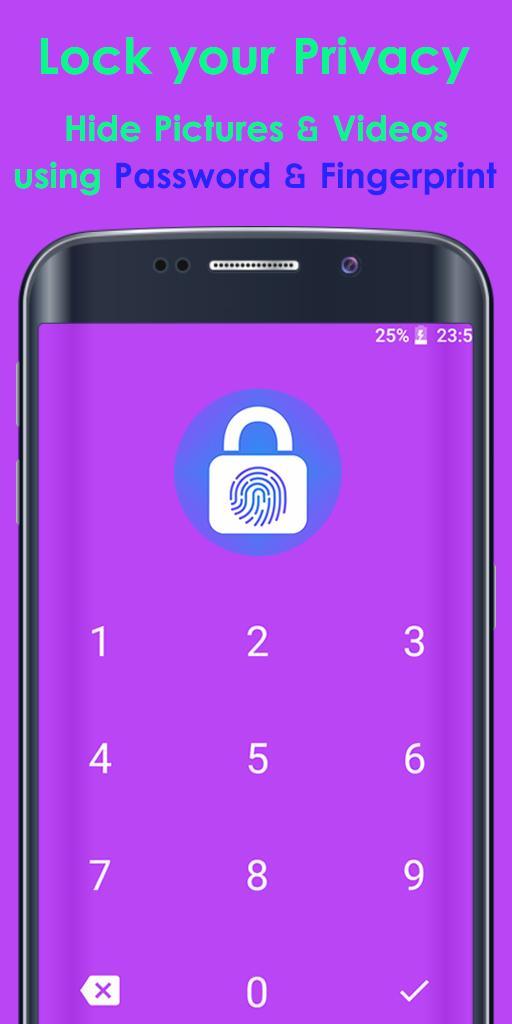
With Photo Video Lock, you can enjoy military-grade AES encryption, login with a pin or fingerprint, and hide and encrypt unlimited images and videos. The app also features full SD-card support and is incredibly fast and easy to use.
But that's not all - Photo Video Lock also respects your privacy, and doesn't collect any private data for the highest level of protection. And if you ever need to uninstall the app, just remember to unhide all files before doing so, as all hidden files will be erased forever after uninstalling.
So if you're looking for a powerful and secure app to protect your private photos and videos, give Photo Video Lock a try today and experience the best in gallery lock, image lock, hide gallery, hide pictures and videos, and video lock technology. With the app, you can easily protect your files from prying eyes and feel secure knowing that your files are safe and private.
★ The best app to keep photos and videos truly private:
* AES encryption
* Login with pin, fingerprint
* Hide + encrypt unlimited images
* Hide + encrypt unlimited videos
* Full SD-Card support
* Easy to use & blazing fast
INSTRUCTION:
Your files are locked and stored inside application internal memory.
Before uninstall application unhide all files, becouse after uninstall,
application will erase all hide files and will lost forever.
Find more information about privacy at: http://privacy.tomatogames.top
Avance

Etiquetas
PersonalizaciónInformación
Desarrollador
Tomato Games MK
La última versión
13.1
Última actualización
2023-07-10
Categoría
Personalización
Disponible en
Google Play
Mostrar más
Cómo jugar Photo Video Lock App con GameLoop en PC
1. Descargue GameLoop desde el sitio web oficial, luego ejecute el archivo exe para instalar GameLoop.
2. Abra GameLoop y busque "Photo Video Lock App", busque Photo Video Lock App en los resultados de búsqueda y haga clic en "Instalar".
3. Disfruta jugando Photo Video Lock App en GameLoop.
Minimum requirements
OS
Windows 8.1 64-bit or Windows 10 64-bit
GPU
GTX 1050
CPU
i3-8300
Memory
8GB RAM
Storage
1GB available space
Recommended requirements
OS
Windows 8.1 64-bit or Windows 10 64-bit
GPU
GTX 1050
CPU
i3-9320
Memory
16GB RAM
Storage
1GB available space