
Sleepy App para PC
Sleepy App
Descarga Sleepy App en PC con GameLoop Emulator
Sleepy App en PC
Sleepy App, proveniente del desarrollador Sleepy App, se ejecuta en el sistema Android en el pasado.
Ahora, puedes jugar Sleepy App en PC con GameLoop sin problemas.
Descárgalo en la biblioteca de GameLoop o en los resultados de búsqueda. No más mirar la batería o llamadas frustrantes en el momento equivocado nunca más.
Simplemente disfrute de Sleepy App PC en la pantalla grande de forma gratuita!
Sleepy App Introducción
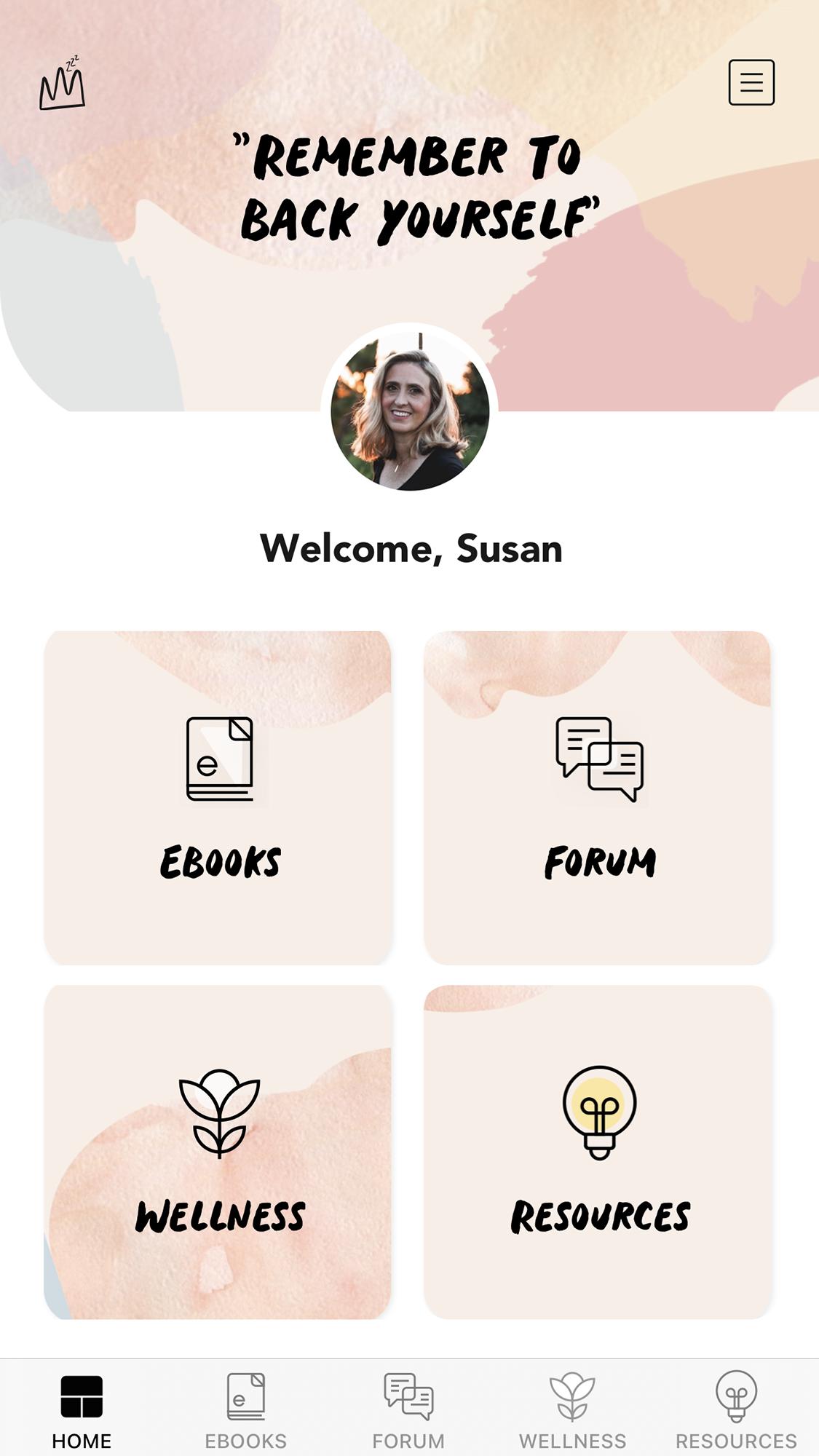
Sleepy App is our way of looking after mum's wellbeing. This isn’t just an app, it’s a baby sleep support group that can help and ensure you’re not feeling frustrated or alone. As mothers, we know our guides work because we've road tested them ourselves. We also know that it's important to build in flexibility, and to follow your intuition. Our guidance helps you do that.
We believe in taking a holistic approach to healthy sleep. This means we look at sleep as 24-hour big picture, even the smallest tweak can have a big effect elsewhere in day day, And we aim to create solid sleep foundations so better sleep isn't just a short-term thing.
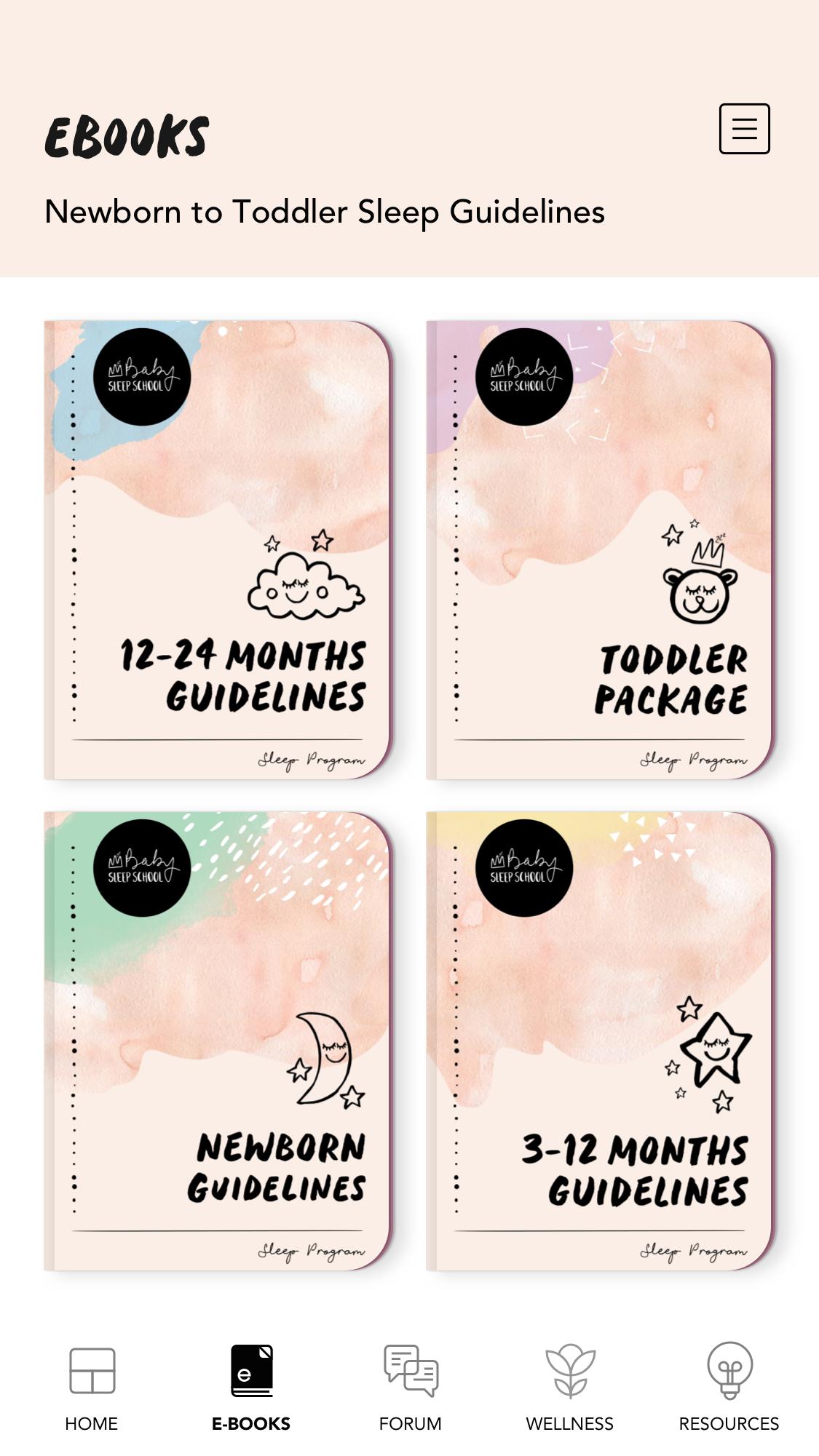
The app contains 4 detailed baby sleep eBooks that hold the answers to baby sleep, with different eBooks categorized by age.
The app also has a forum for all parents to share questions, tips and techniques on baby sleep for newborns all the way to toddlers. Our baby sleep experts will answer selected questions as well.
The wellness section contains everything you need to know to keep you happy and healthy. And the resources section has all the must-know articles and information regarding baby sleep.
Avance
Etiquetas
Paternidad y maternidadInformación
Desarrollador
Sleepy App
La última versión
2.2.1
Última actualización
2023-11-22
Categoría
Paternidad y maternidad
Disponible en
Google Play
Mostrar más
Cómo jugar Sleepy App con GameLoop en PC
1. Descargue GameLoop desde el sitio web oficial, luego ejecute el archivo exe para instalar GameLoop.
2. Abra GameLoop y busque "Sleepy App", busque Sleepy App en los resultados de búsqueda y haga clic en "Instalar".
3. Disfruta jugando Sleepy App en GameLoop.
Minimum requirements
OS
Windows 8.1 64-bit or Windows 10 64-bit
GPU
GTX 1050
CPU
i3-8300
Memory
8GB RAM
Storage
1GB available space
Recommended requirements
OS
Windows 8.1 64-bit or Windows 10 64-bit
GPU
GTX 1050
CPU
i3-9320
Memory
16GB RAM
Storage
1GB available space