
Music Player - MP3 Music App para PC
SoulApps Studio
Descarga Music Player - MP3 Music App en PC con GameLoop Emulator
Music Player - MP3 Music App en PC
Music Player - MP3 Music App, proveniente del desarrollador SoulApps Studio, se ejecuta en el sistema Android en el pasado.
Ahora, puedes jugar Music Player - MP3 Music App en PC con GameLoop sin problemas.
Descárgalo en la biblioteca de GameLoop o en los resultados de búsqueda. No más mirar la batería o llamadas frustrantes en el momento equivocado nunca más.
Simplemente disfrute de Music Player - MP3 Music App PC en la pantalla grande de forma gratuita!
Music Player - MP3 Music App Introducción
🎵 Mido Music Player - MP3 Music App – Your Music App Without Internet!
Looking for a reliable offline music player? Mido music player mp3 player is fast and powerful, designed for true music lovers! With support for all major audio formats, beautiful themes, customizable playlists, and a built-in equalizer, this offline mp3 player turns every moment into a musical journey.
🎧 All-in-One MP3 Player App
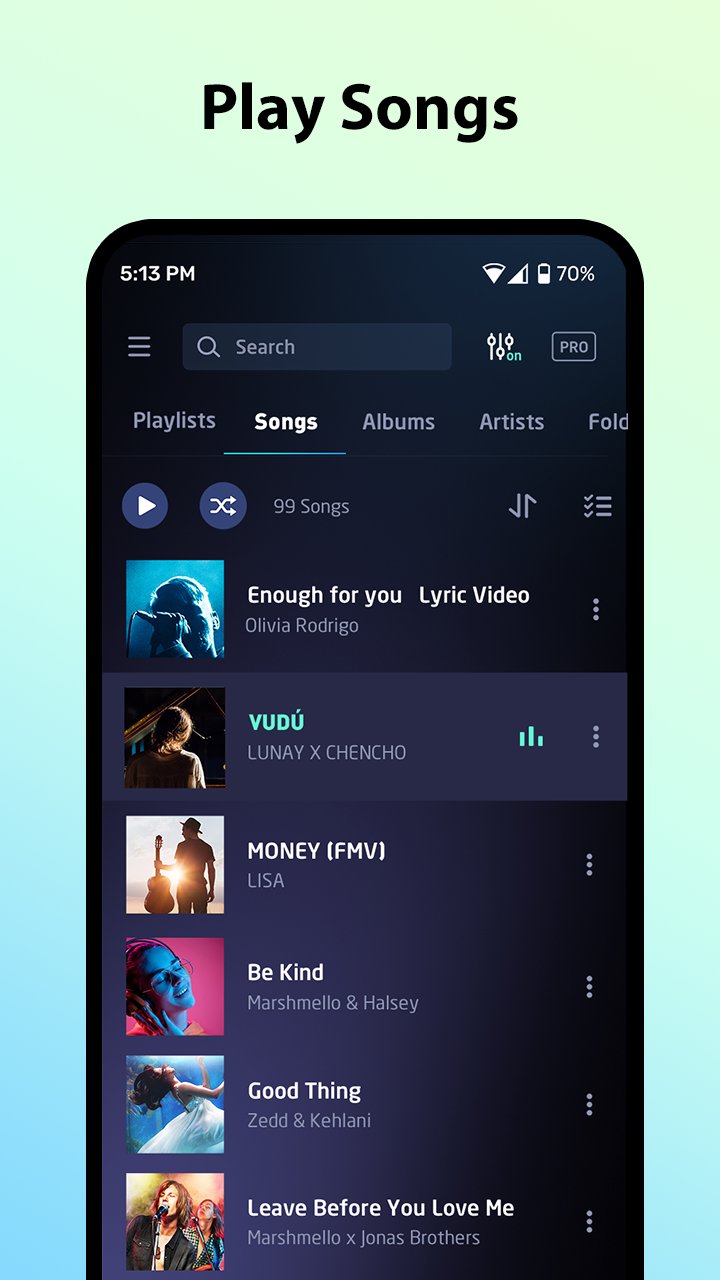
The free music player for android is more than just an offline mp3 player. It supports all popular audio formats including MP3, M4A, WAV, FLAC, AAC, MIDI, APE, and more. No more music apps — this single music player mp3 player does it all!
🔎 Quick & Smart Song Search
Search your music library by artist, album, genre, folder, or simply type a keyword. This music player app makes it easy to locate your favorite tunes in seconds and listen to music offline.
📝 Import & Edit Lyrics
Add lyrics to your songs and edit them anytime. Whether you're singing along or learning new tracks, Mido audio player makes it simple and fun with lyrics support.
🎵 Customizable Playback
Enjoy different playback screen styles and switch between layouts to suit your mood while listening in the music app without internet.
🎚️ Powerful Equalizer & Audio Effects
Boost your music with a 10-band equalizer, bass booster, 3D audio, and a virtualizer. Tweak the sound from deep bass to sparkling highs!
🎨 Themes & Playback Modes
Choose from a variety of beautiful themes. Play songs in order, shuffle mode, or loop. Use "Add to Queue" to create a custom playback flow.
🎧 Headphone & Lock Screen Controls
Control free music easily from your headphone buttons or lock screen. Play, pause, or skip tracks without unlocking your phone. Hands-free experience!
🕒 Smart Sleep Timer
Fall asleep with your favorite songs. Set a timer and the free music player will stop automatically.
🗂️ Playlist Management & Tag Editor
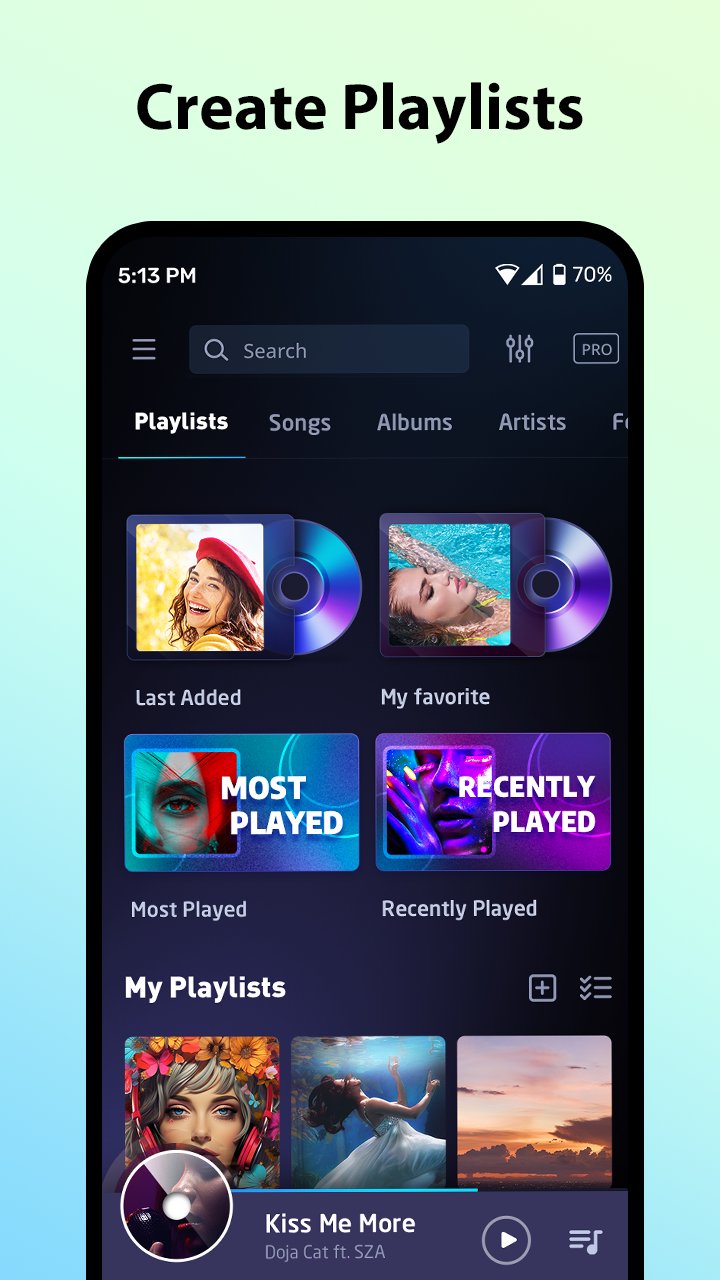
Create and manage unlimited playlists. Add songs based on your mood, genre, or occasion. Edit song info, album, and artist name to organize your music.
🔊 Cool Offline Music Player Mp3 Player Experience
No Wi-Fi? No problem! Mido is your free offline music player — play music wherever you are. Whether commuting, traveling, or working out, this offline mp3 player is always ready to play.
⏩ Video Player
Watch and manage your videos in the free video player.
🎉 Download Mido Music Player - MP3 Music App Now!
Rediscover your favorite songs, explore new vibes, and enjoy total control with this elegant mp3 player app. Try Mido free music player today! 🎧📲
Note:
Music Player - MP3 Music App is for playing local music and audio files offline. It's not a music downloader.
Avance
Etiquetas
Music-&Información
Desarrollador
SoulApps Studio
La última versión
2.2.5
Última actualización
2026-05-21
Categoría
Music-audio
Disponible en
Google Play
Mostrar más
Cómo jugar Music Player - MP3 Music App con GameLoop en PC
1. Descargue GameLoop desde el sitio web oficial, luego ejecute el archivo exe para instalar GameLoop.
2. Abra GameLoop y busque "Music Player - MP3 Music App", busque Music Player - MP3 Music App en los resultados de búsqueda y haga clic en "Instalar".
3. Disfruta jugando Music Player - MP3 Music App en GameLoop.
Minimum requirements
OS
Windows 8.1 64-bit or Windows 10 64-bit
GPU
GTX 1050
CPU
i3-8300
Memory
8GB RAM
Storage
1GB available space
Recommended requirements
OS
Windows 8.1 64-bit or Windows 10 64-bit
GPU
GTX 1050
CPU
i3-9320
Memory
16GB RAM
Storage
1GB available space