
TraffiX para PC
Control-J
Descarga TraffiX en PC con GameLoop Emulator
TraffiX en PC
TraffiX, proveniente del desarrollador Control-J, se ejecuta en el sistema Android en el pasado.
Ahora, puedes jugar TraffiX en PC con GameLoop sin problemas.
Descárgalo en la biblioteca de GameLoop o en los resultados de búsqueda. No más mirar la batería o llamadas frustrantes en el momento equivocado nunca más.
Simplemente disfrute de TraffiX PC en la pantalla grande de forma gratuita!
TraffiX Introducción
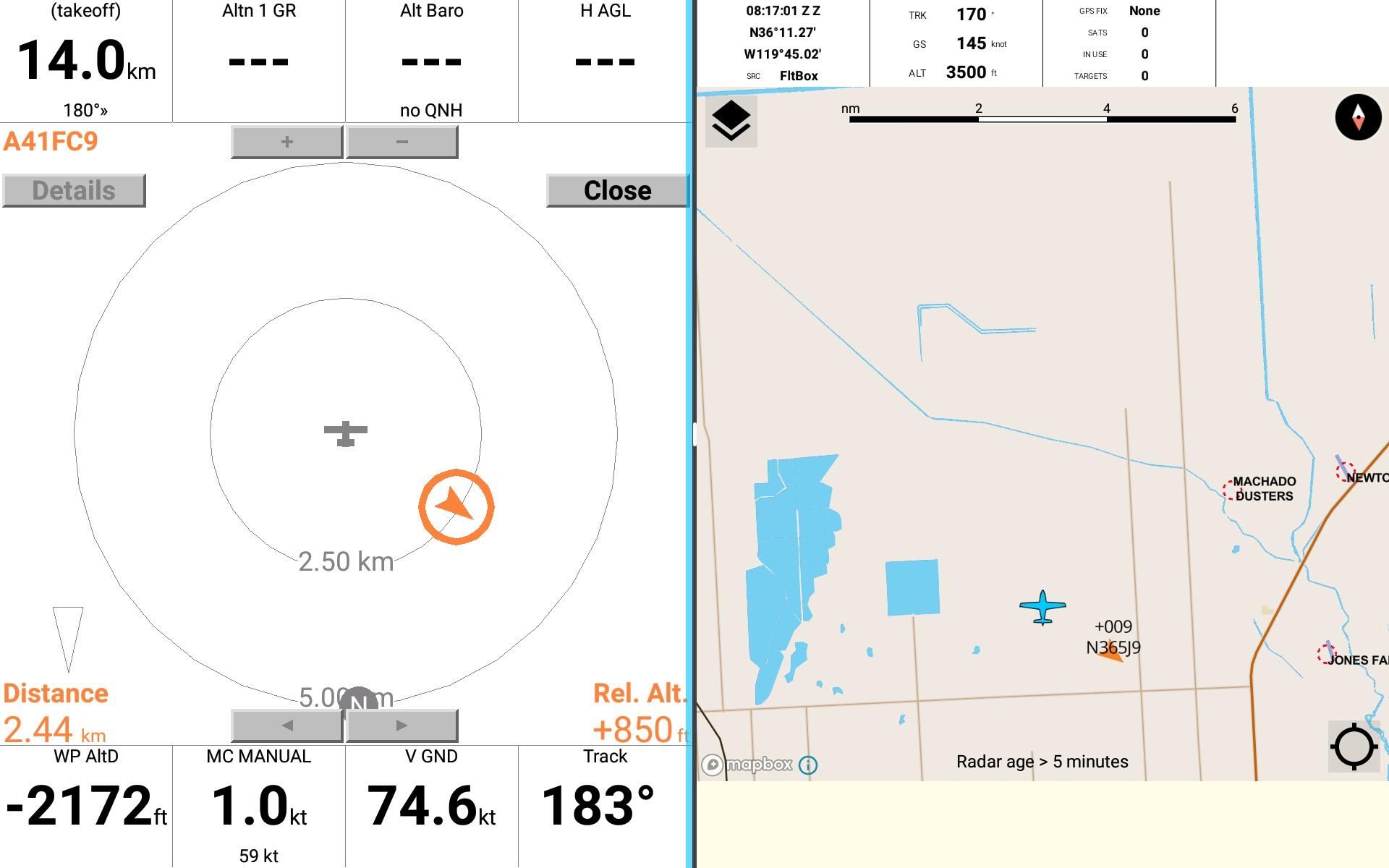
Receives ADSB traffic information via WiFi from a GDL90 source such as Stratux or SkyEcho.
Traffic can be displayed on a map, and/or relayed via a network port to other apps on the same device.
If you're a glider pilot using XCSoar on an Android device, this app will allow you to stream
SkyEcho traffic data and GPS location to XCSoar. Since XCSoar does not natively read GDL90 format
data, TraffiX receives data from a SkyEcho or other GDL90 source and converts it to FLARM format,
then retransmits this via a UDP port.
Then simply setting one of XCSoar's input devices to UDP, port 4353 and FLARM decoding will
result in ADSB traffic being displayed inside XCSoar just like FLARM traffic.
TraffiX will remain running in the background when XCSoar is active.
For setup instructions see the help page inside the app, or https://www.control-j.com/TraffiX
Avance

Etiquetas
Maps-&Información
Desarrollador
Control-J
La última versión
0.2.14
Última actualización
2022-11-28
Categoría
Maps-navigation
Disponible en
Google Play
Mostrar más
Cómo jugar TraffiX con GameLoop en PC
1. Descargue GameLoop desde el sitio web oficial, luego ejecute el archivo exe para instalar GameLoop.
2. Abra GameLoop y busque "TraffiX", busque TraffiX en los resultados de búsqueda y haga clic en "Instalar".
3. Disfruta jugando TraffiX en GameLoop.
Minimum requirements
OS
Windows 8.1 64-bit or Windows 10 64-bit
GPU
GTX 1050
CPU
i3-8300
Memory
8GB RAM
Storage
1GB available space
Recommended requirements
OS
Windows 8.1 64-bit or Windows 10 64-bit
GPU
GTX 1050
CPU
i3-9320
Memory
16GB RAM
Storage
1GB available space