
Alarm Clock: Calendar & Tasks para PC
Caynax
Descarga Alarm Clock: Calendar & Tasks en PC con GameLoop Emulator
Alarm Clock: Calendar & Tasks en PC
Alarm Clock: Calendar & Tasks, proveniente del desarrollador Caynax, se ejecuta en el sistema Android en el pasado.
Ahora, puedes jugar Alarm Clock: Calendar & Tasks en PC con GameLoop sin problemas.
Descárgalo en la biblioteca de GameLoop o en los resultados de búsqueda. No más mirar la batería o llamadas frustrantes en el momento equivocado nunca más.
Simplemente disfrute de Alarm Clock: Calendar & Tasks PC en la pantalla grande de forma gratuita!
Alarm Clock: Calendar & Tasks Introducción
Join over 1,600,000 users who trust Caynax Alarm Clock – a smart alarm clock app and daily planner for better mornings and productivity.
This advanced time management app combines an alarm clock, calendar app, to-do list, and smart task reminders in one powerful daily organization tool. Whether you are a heavy sleeper who needs a guaranteed wake up app or a professional looking for a reliable work schedule organizer, this alarm app is designed to fit your unique lifestyle.
⏰ 7 SPECIALIZED CATEGORIES FOR EVERY ROUTINE
Everyone has a different sleep cycle. Seven specialized types cover every schedule and organization need:
• Quick Alert: Set a morning alarm or a short nap alarm in two clicks.
• Everyday: A standard scheduled alert for a consistent morning routine.
• Work days: Optimized for professionals – runs only on selected working days to manage your work-life balance.
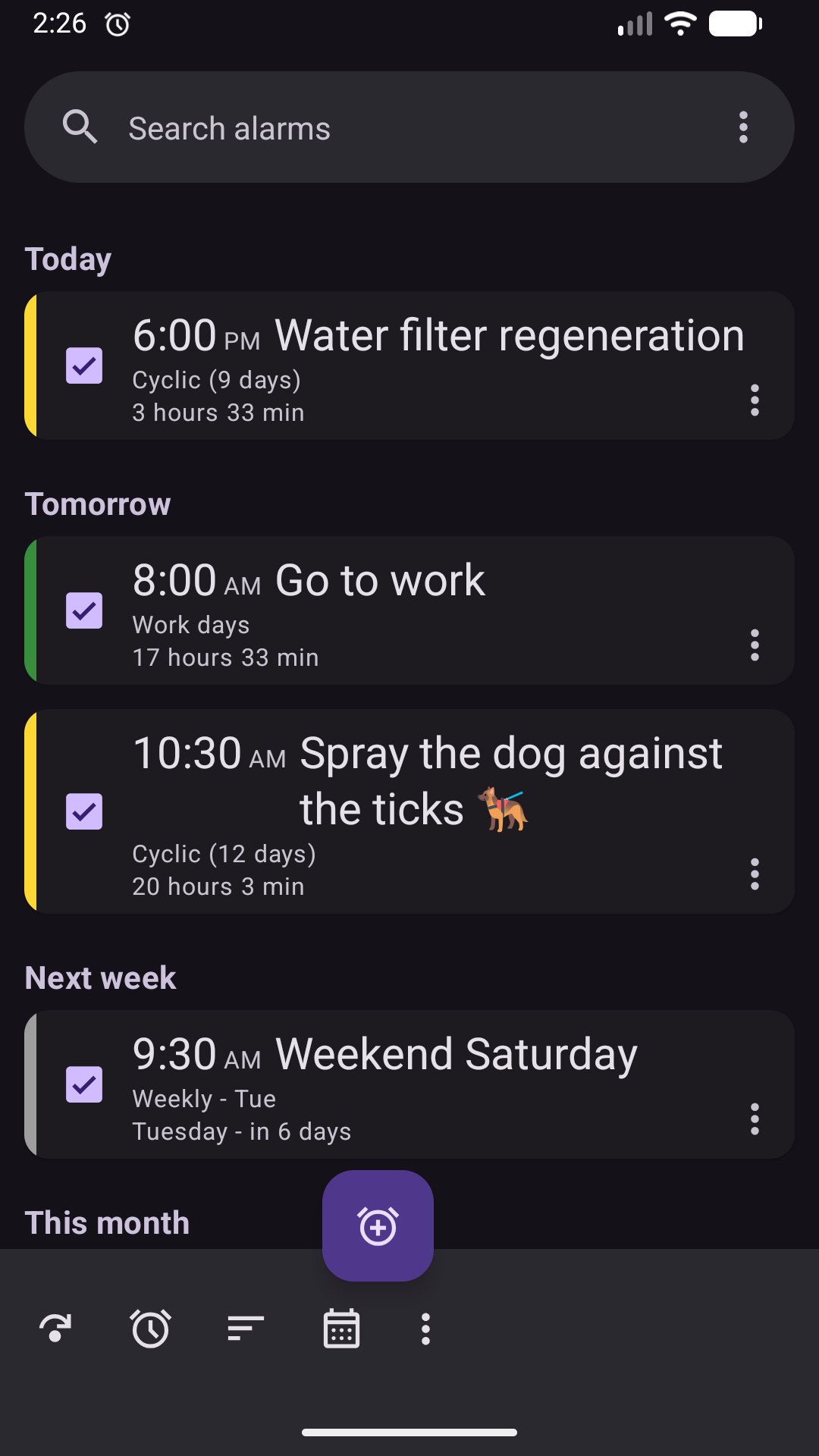
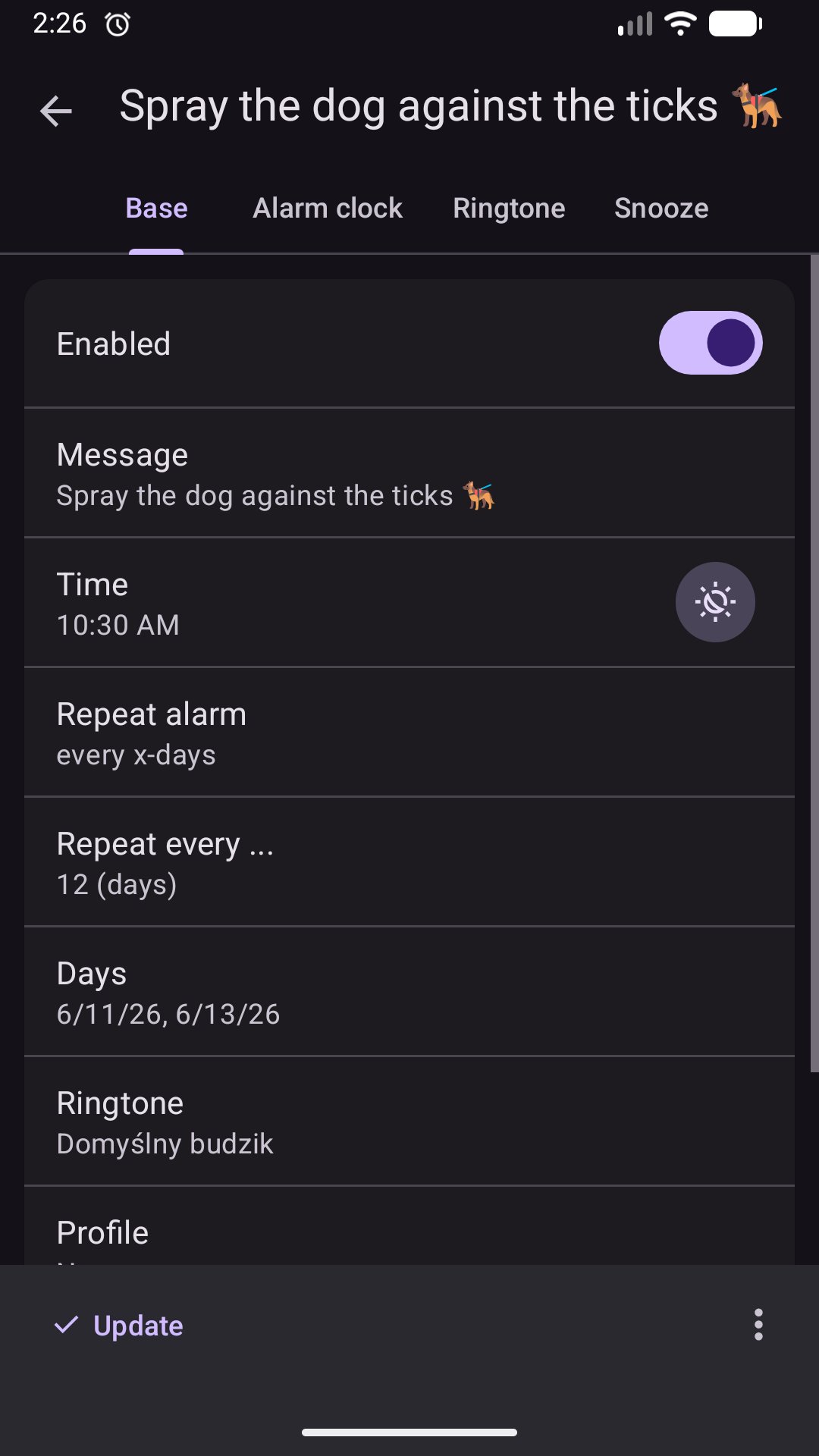
• Cyclic: A unique feature and the best shift work alarm for nurses, doctors, or security staff. It is also perfect for medicine reminders. Set it to repeat every x-th day, week, or month (PRO version).
• Timer: A versatile countdown wake-up reminder for gym sessions, meditation, or kitchen tasks.
• Any Day: Customizable calendar selection – pick specific days for one-off appointments.
• Annual: Never forget a birthday or anniversary (PRO version).
💪 THE ULTIMATE SOLUTION FOR HEAVY SLEEPERS
Stop hitting snooze subconsciously! Our alarm system ensures you are awake with advanced wake up challenge options:
• Math Problems: Solve equations (from easy to hard) to stop the alert and trigger your brain.
• Numbers order: Click numbers in the correct order to prove you are alert and conscious.
• Shake to Snooze: Physically shake your phone to delay the notification (PRO version).
• Gentle Wake Up: Increasing volume mode (fading in) for a peaceful and natural wake up experience.
📅 INTEGRATED CALENDAR & TASK MANAGEMENT
Boost efficiency by managing your appointments and objectives in one intuitive productivity app:
• Alarm with tasks: Create a dedicated tasks list and assign alerts to specific items. Stay on top of task management and deadlines.
• Daily Planner: View upcoming calendar events and scheduled alerts in one view.
• Desktop Widgets: Use the reminder with alarm widget to track your schedule directly from your home screen.
• Android Wear Support: Receive and manage your notifications directly on your wrist.
⚙️ FULLY CUSTOMIZABLE & PERSONALIZED
Personalize alerts with independent settings to match your needs:
• Individual alert length, ringtone selection, and custom volume levels.
• Flexible snooze durations and snooze count (up to 100 in PRO).
• Support for full profiles to switch between work, home, or vacation routines (PRO version).
🌟 GO PRO FOR MAXIMUM EFFICIENCY
For users who want full control over their time and mornings.
• Ad-Free: Enjoy a clean, distraction-free interface for better focus.
• Advanced Cyclic Alarms: Repeat complex patterns for up to 90 days.
• Sunrise & Sunset: Set alerts based on local dawn and dusk times.
Use Caynax as a flexible reminder app with scheduled notifications for tasks, appointments, and daily routines.
⚠️ IMPORTANT RELIABILITY NOTE:
To ensure your alarm and reminders trigger on time, add the app to the "White List" or "Ignore Battery Optimization" in your settings. Aggressive Android battery saver modes can prevent background apps from sounding.
Join over 1.6 million users worldwide. Whether you need a reminder, a smart planner, or a to-do list, Caynax is the only tool you need to wake up organized and stay focused.
Download Caynax Alarm Clock today and transform your morning routine!
Avance
Etiquetas
Estilo de vidaProductividadInformación
Desarrollador
Caynax
La última versión
15.8.4
Última actualización
2026-06-16
Categoría
Estilo de vida
Disponible en
Google Play
Mostrar más
Cómo jugar Alarm Clock: Calendar & Tasks con GameLoop en PC
1. Descargue GameLoop desde el sitio web oficial, luego ejecute el archivo exe para instalar GameLoop.
2. Abra GameLoop y busque "Alarm Clock: Calendar & Tasks", busque Alarm Clock: Calendar & Tasks en los resultados de búsqueda y haga clic en "Instalar".
3. Disfruta jugando Alarm Clock: Calendar & Tasks en GameLoop.
Minimum requirements
OS
Windows 8.1 64-bit or Windows 10 64-bit
GPU
GTX 1050
CPU
i3-8300
Memory
8GB RAM
Storage
1GB available space
Recommended requirements
OS
Windows 8.1 64-bit or Windows 10 64-bit
GPU
GTX 1050
CPU
i3-9320
Memory
16GB RAM
Storage
1GB available space