
Color Muse para PC
Variable, Inc
Descarga Color Muse en PC con GameLoop Emulator
Color Muse en PC
Color Muse, proveniente del desarrollador Variable, Inc, se ejecuta en el sistema Android en el pasado.
Ahora, puedes jugar Color Muse en PC con GameLoop sin problemas.
Descárgalo en la biblioteca de GameLoop o en los resultados de búsqueda. No más mirar la batería o llamadas frustrantes en el momento equivocado nunca más.
Simplemente disfrute de Color Muse PC en la pantalla grande de forma gratuita!
Color Muse Introducción
Color Match Made Easy®
Measure Color. Match with Confidence.
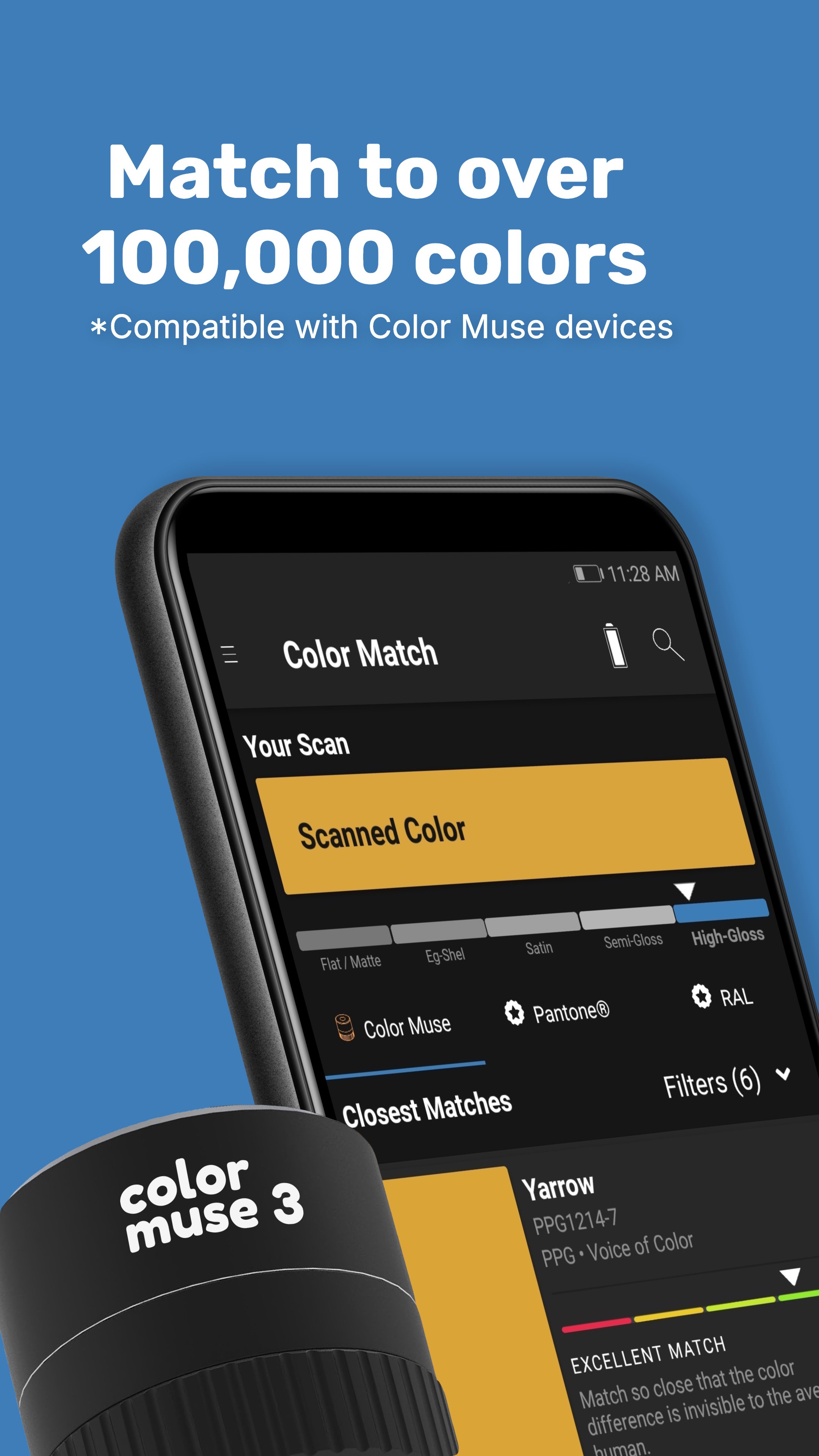
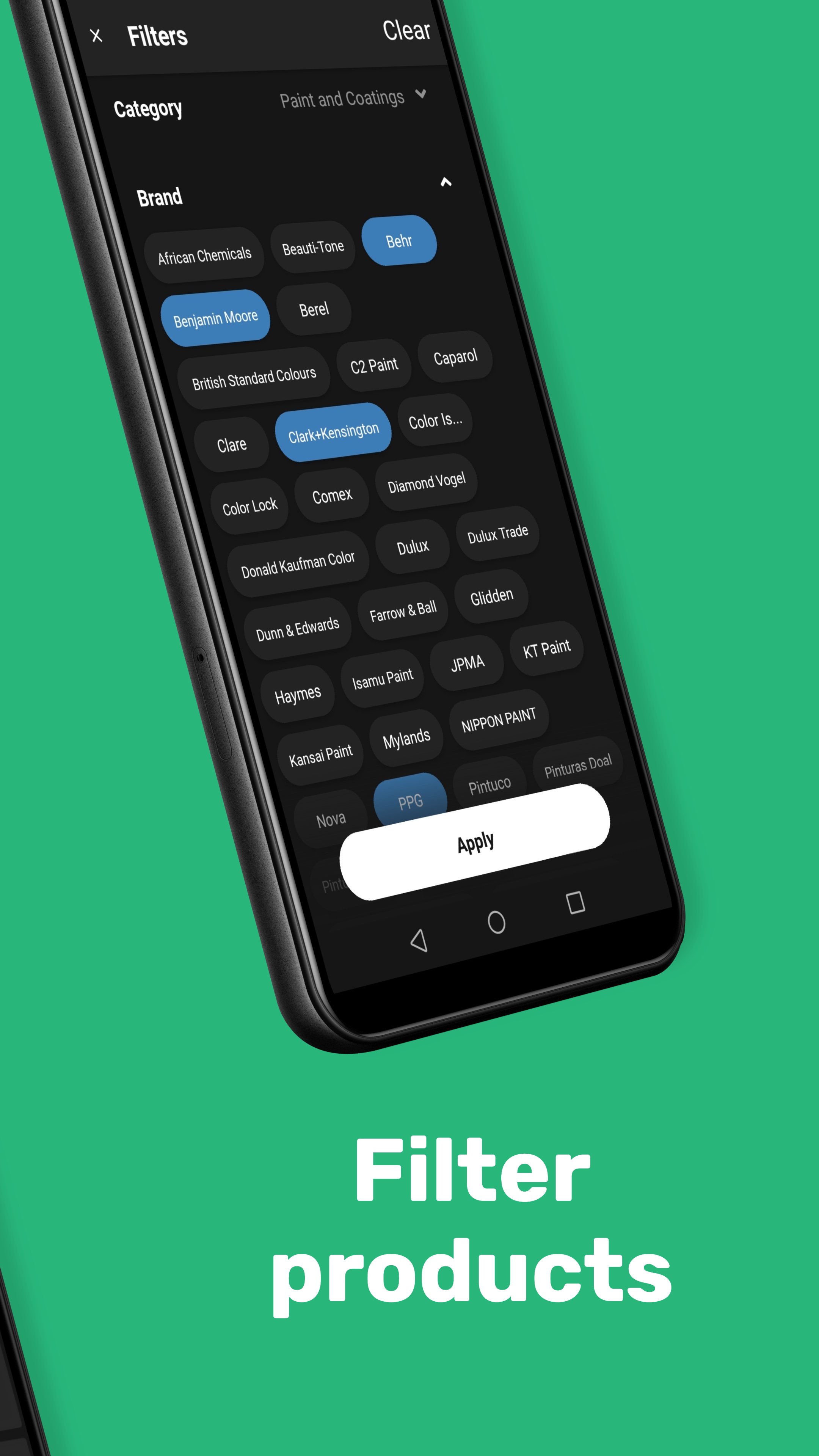
Color Muse® is the ultimate companion app for professionals who need fast, reliable, and accurate color matching. Wirelessly pair with any Color Muse device—Color Muse, Color Muse SE, Color Muse 2, or the new Color Muse 3—to instantly identify paint and product colors from over 100K colors from leading brands like Sherwin-Williams, Benjamin Moore, Behr, PPG, and many more.
After wirelessly connecting your Color Muse, Color Muse SE, Color Muse 2, or Color Muse 3 device, the Color Muse app streamlines your color selection process for a faster and more confident color matching experience. No more hassling with cumbersome fan decks, paint chips or color swatches. Scan colors and find products that match, coordinate, and complement.
Now featuring Surface Smart Technology
Color Muse 3 is the only device in its class capable of measuring both color and surface sheen with our updated technology. Whether you're working with matte paint, glossy tile, textured plastics, or anything in between, you’ll get accurate results that reflect the true appearance of your surface.
Key Features:
• Measure Color Instantly – Scan any surface to capture its precise color values in CIE Lab, HEX, RGB, LCH, CMYK, and more.
• Sheen + Color Matching (Color Muse 2 and 3 only) – Automatically detect and measure gloss at 60° and differentiate between matte, eg-shell, satin, semi-gloss, and high gloss finishes.
• Match to over 100,000 Colors – Compare scans to top paint brands and product libraries from around the world.
• Save and Organize Colors – Create custom folders, share palettes, or export values for seamless integration into manufacturing, design, and QA workflows.
• Cross-Material Accuracy – Scan across paint, plastics, fabrics, and even printed materials with industry-leading consistency.
• Compact & Portable – All Color Muse devices are pocket-sized and Bluetooth-enabled for on-the-go use.
• Project Folders & Notes – Store scanned colors in your folders and record notes or project details for future reference.
• Share with Your Network – Easily share your saved colors with your connections through email or text.
In-app Purchases Available:
• Color Muse® + PANTONE® Color Subscription - works with Color Muse, Color Muse SE, and Color Muse 2 devices. Color Muse 3 SUPPORT COMING SOON. Users can access more than 16,500 Pantone colors directly through the Color Muse® app when they subscribe to a Pantone Color Subscription in the app.
• Color Muse® + RAL Color Subscription - works with Color Muse, Color Muse SE, Color Muse 2, and Color Muse 3 devices. Subscribed users can access up to 1,800+ colors from RAL, including the RAL K5 and D2 collections.
Works with All Color Muse Devices:
• Color Muse
• Color Muse SE
• Color Muse 2
• Color Muse 3 (New)
Avance
Etiquetas
House-&Información
Desarrollador
Variable, Inc
La última versión
12.12.3.28
Última actualización
2025-10-09
Categoría
House-home
Disponible en
Google Play
Mostrar más
Cómo jugar Color Muse con GameLoop en PC
1. Descargue GameLoop desde el sitio web oficial, luego ejecute el archivo exe para instalar GameLoop.
2. Abra GameLoop y busque "Color Muse", busque Color Muse en los resultados de búsqueda y haga clic en "Instalar".
3. Disfruta jugando Color Muse en GameLoop.
Minimum requirements
OS
Windows 8.1 64-bit or Windows 10 64-bit
GPU
GTX 1050
CPU
i3-8300
Memory
8GB RAM
Storage
1GB available space
Recommended requirements
OS
Windows 8.1 64-bit or Windows 10 64-bit
GPU
GTX 1050
CPU
i3-9320
Memory
16GB RAM
Storage
1GB available space