
Smart Power Nap para PC
Radluk Apps
Descarga Smart Power Nap en PC con GameLoop Emulator
Smart Power Nap en PC
Smart Power Nap, proveniente del desarrollador Radluk Apps, se ejecuta en el sistema Android en el pasado.
Ahora, puedes jugar Smart Power Nap en PC con GameLoop sin problemas.
Descárgalo en la biblioteca de GameLoop o en los resultados de búsqueda. No más mirar la batería o llamadas frustrantes en el momento equivocado nunca más.
Simplemente disfrute de Smart Power Nap PC en la pantalla grande de forma gratuita!
Smart Power Nap Introducción
Simple, intelligent alarm clock designed to give you a perfect-length (26-28 minutes) power nap.
Smart Nap will start countdown only when you are really sleeping.
How does it know that you are sleeping?
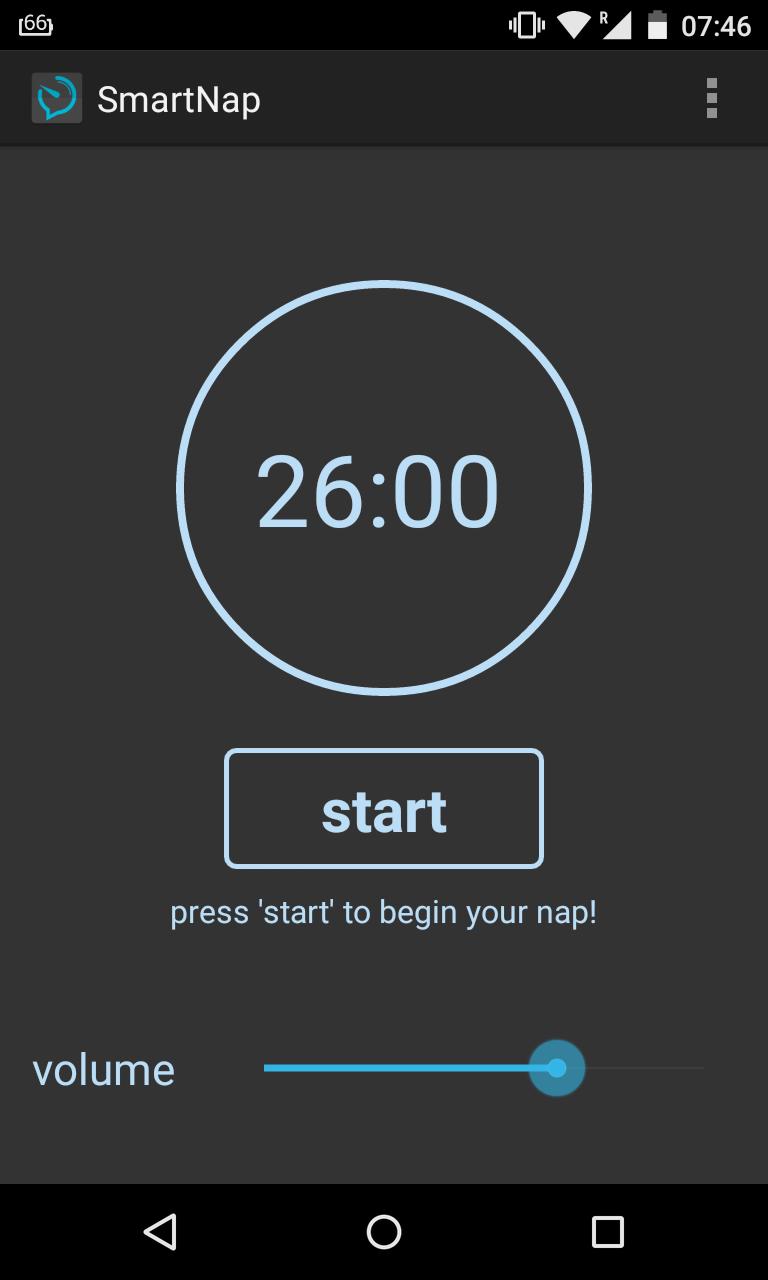
When you're ready to take a nap, lie down on your bed. Press the 'start' button, and lie your palm on the phone screen. Every two minutes Smart Nap will ask you to tap the screen (which will be confirmed by the cute button sound!).
If you do, that means you're still not fully asleep, so the countdown will be postponed for another 2 minutes.
If you won't tap the screen though, that means you're sleeping and the timer will run, waking you up in 26 minutes (ideal nap time length based on research).
-----------------------------------------------------------------------------------
√ Smart Nap starts working only when you are sleeping
√ You don't need to set the timer, it's fixed, calculated to give you a perfect length nap
√ Look at the screenshot for recommended phone / palm position
-----------------------------------------------------------------------------------
Although coffee is well known energy source, studies show that the good nap will be far more efficient for your emotional, mental and physical health.
Contrary to the popular belief, ideal nap shouldn't take too long - no longer than 30 minutes. The exact time varies from study to study, but it is safe to say that the ideal power nap is 26 to 28 minutes long. This is enough time to give you a focus and productivity boost, which can last for several hours .Longer nap can lead to sleep inertia, and if waking up in that state, you might be experiencing feeling of disorientation.
Smart Nap is designed to wake you up in the Power Nap Time. No more, no less!
-----------------------------------------------------------------------------------
MAIN FEATURES
* Perfect Length Power Nap! Smart Nap is pre-set to give you a perfect 26 - 28 minutes nap
* Smart Nap is a no-cables, no-sensors, no-detectors, no-nonsense app. All you need is your touchscreen phone
* Smart Nap is very simple to use, there really is only one button to navigate
* Our built in Smart Nap Lock system prevents you from switching the app off by accident
* You can set the volume of the voice command and button sound, but the alarm sound volume is fixed-set to maximum, because the goal is to wake you up
-----------------------------------------------------------------------------------
It just works!
Enjoy Your Power Nap, stay efficient!
PS. To boost your efficiency even more, it is recommended to drink a coffee right before taking a nap. Coffee takes on average 40 minutes to fully kick in. Combination of Smart Nap and good coffee will rocket-fuel your productivity! Ask us for coffee recommendations!
Avance
Etiquetas
Health-&Información
Desarrollador
Radluk Apps
La última versión
R1.4
Última actualización
2016-10-23
Categoría
Health-fitness
Disponible en
Google Play
Mostrar más
Cómo jugar Smart Power Nap con GameLoop en PC
1. Descargue GameLoop desde el sitio web oficial, luego ejecute el archivo exe para instalar GameLoop.
2. Abra GameLoop y busque "Smart Power Nap", busque Smart Power Nap en los resultados de búsqueda y haga clic en "Instalar".
3. Disfruta jugando Smart Power Nap en GameLoop.
Minimum requirements
OS
Windows 8.1 64-bit or Windows 10 64-bit
GPU
GTX 1050
CPU
i3-8300
Memory
8GB RAM
Storage
1GB available space
Recommended requirements
OS
Windows 8.1 64-bit or Windows 10 64-bit
GPU
GTX 1050
CPU
i3-9320
Memory
16GB RAM
Storage
1GB available space