
Inuheat para PC
Inuheat Group AB
Descarga Inuheat en PC con GameLoop Emulator
Inuheat en PC
Inuheat, proveniente del desarrollador Inuheat Group AB, se ejecuta en el sistema Android en el pasado.
Ahora, puedes jugar Inuheat en PC con GameLoop sin problemas.
Descárgalo en la biblioteca de GameLoop o en los resultados de búsqueda. No más mirar la batería o llamadas frustrantes en el momento equivocado nunca más.
Simplemente disfrute de Inuheat PC en la pantalla grande de forma gratuita!
Inuheat Introducción
Remotely control the heat level and settings for your Inuheat compatible clothing.
Features:
• Time Control – Keeps you warm throughout your whole outdoor stay
• Branded Interface – One app, easy to use, for all your Inuheat compatible heated clothes
CONNECT YOUR SMARTPHONE TO THE POWERPACKS
Conveniently control the Inuheat PowerPacks from a Bluetooth 4 compatible Android phone.
EASY TO GET STARTED
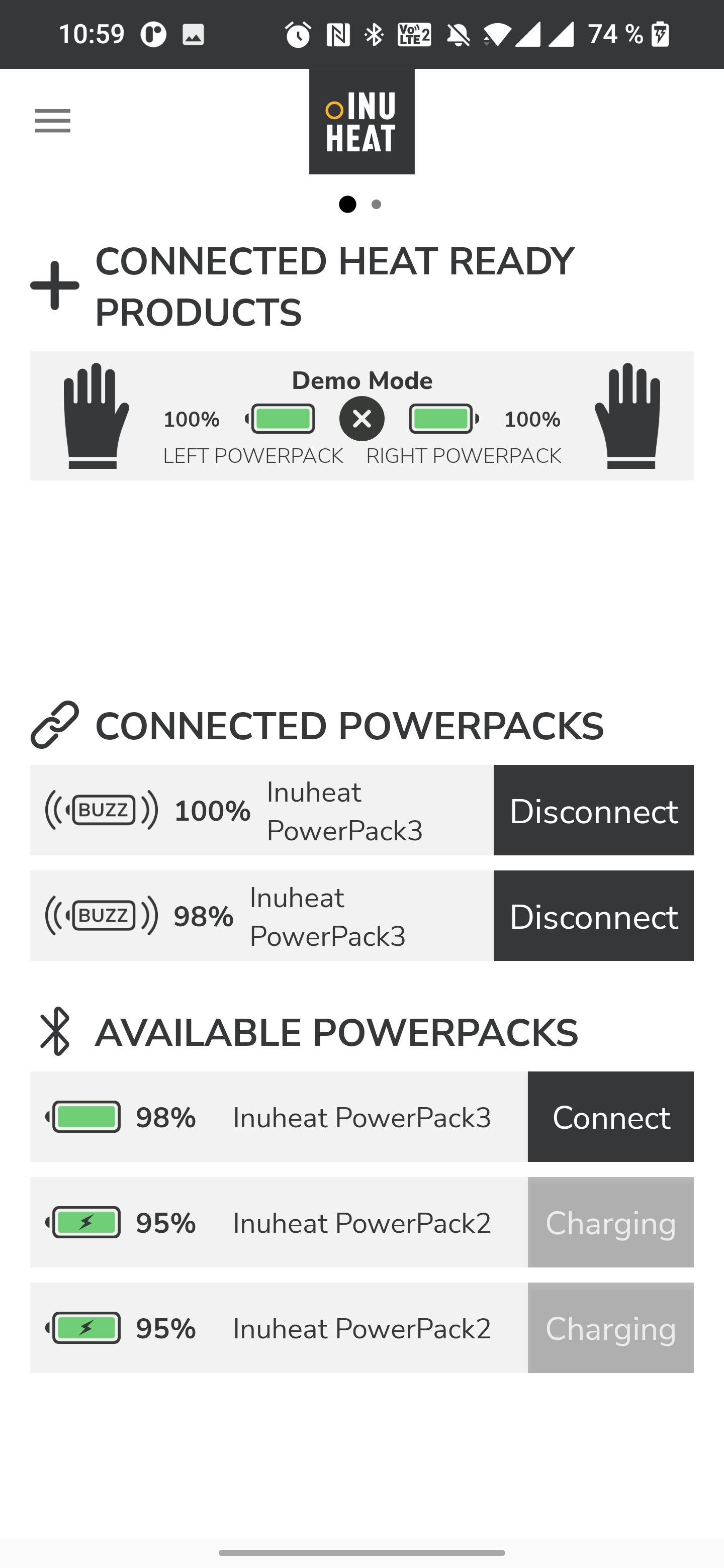
When a PowerPack is turned ON, it is automatically detected and will be listed in the connections window under “Available PowerPacks”. Connect those PowerPacks you want to use.
Slip a PowerPack in to the Inuheat label on your apparel. The PowerPack will then recognise the specific product and show it in the app.
In the app, swipe to the left when you are ready to turn on the heat. If you have several products you easily swipe between them for individual control.
Paired PowerPacks talk to each other. If you control the heat setting from the button on the PowerPack you only have to adjust the heat on one pack and the new setting will pass on to the other one.
Avance
Etiquetas
Health-&Información
Desarrollador
Inuheat Group AB
La última versión
2.1.8
Última actualización
2024-11-26
Categoría
Health-fitness
Disponible en
Google Play
Mostrar más
Cómo jugar Inuheat con GameLoop en PC
1. Descargue GameLoop desde el sitio web oficial, luego ejecute el archivo exe para instalar GameLoop.
2. Abra GameLoop y busque "Inuheat", busque Inuheat en los resultados de búsqueda y haga clic en "Instalar".
3. Disfruta jugando Inuheat en GameLoop.
Minimum requirements
OS
Windows 8.1 64-bit or Windows 10 64-bit
GPU
GTX 1050
CPU
i3-8300
Memory
8GB RAM
Storage
1GB available space
Recommended requirements
OS
Windows 8.1 64-bit or Windows 10 64-bit
GPU
GTX 1050
CPU
i3-9320
Memory
16GB RAM
Storage
1GB available space