
Unfair Wheel - Spin the wheel para PC
dev0808
Descarga Unfair Wheel - Spin the wheel en PC con GameLoop Emulator
Unfair Wheel - Spin the wheel en PC
Unfair Wheel - Spin the wheel, proveniente del desarrollador dev0808, se ejecuta en el sistema Android en el pasado.
Ahora, puedes jugar Unfair Wheel - Spin the wheel en PC con GameLoop sin problemas.
Descárgalo en la biblioteca de GameLoop o en los resultados de búsqueda. No más mirar la batería o llamadas frustrantes en el momento equivocado nunca más.
Simplemente disfrute de Unfair Wheel - Spin the wheel PC en la pantalla grande de forma gratuita!
Unfair Wheel - Spin the wheel Introducción
◆ ABOUT【Ad-free】"Unfair Wheel - Spin the wheel"
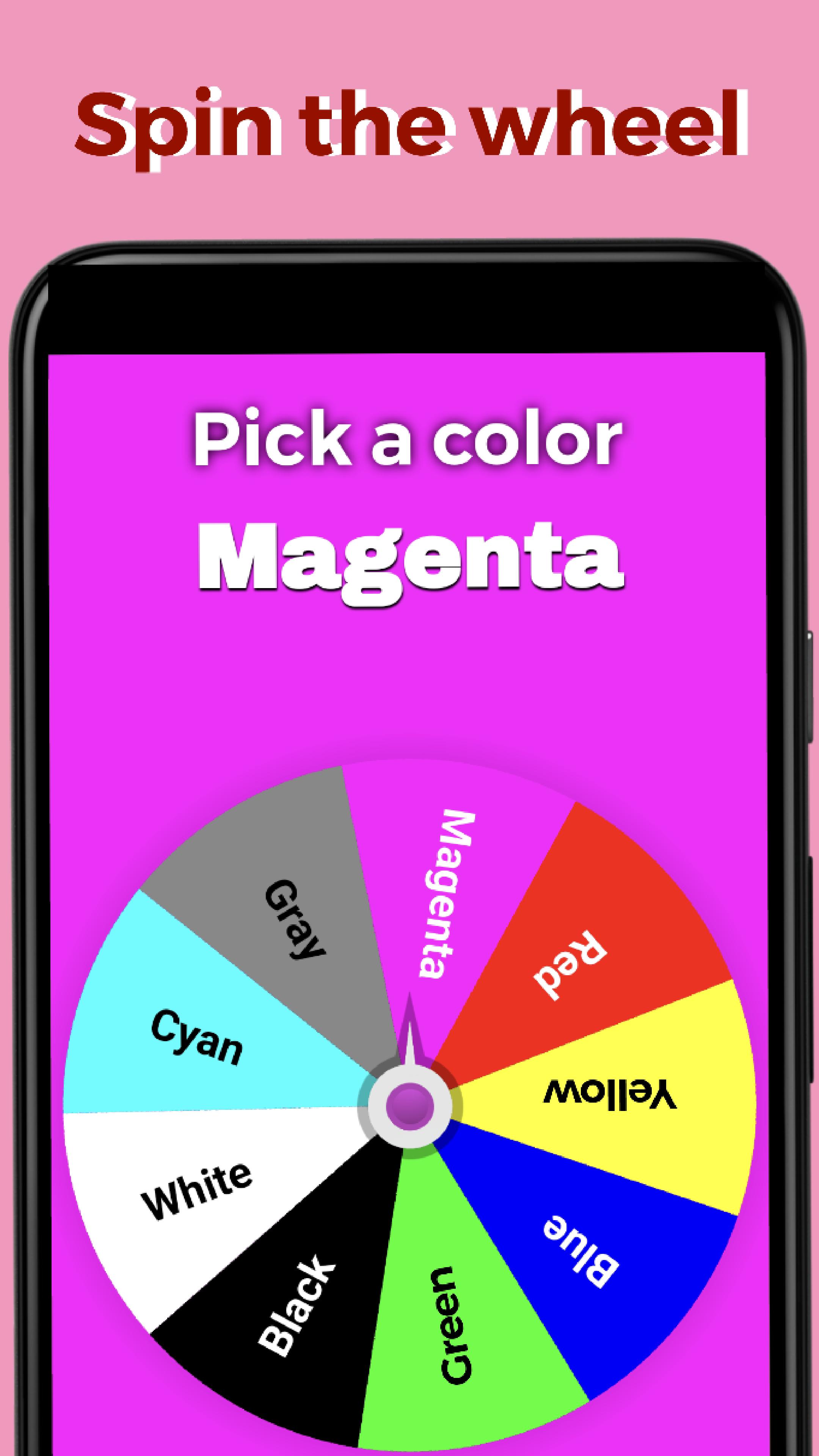
It's a manipulable decision-making app that allows you to create your own custom wheels with up to 100 labels and spin away with cheat! ※App name will be "SpinTheWheel"
Note:Some Realme, Oppo, Vivo, Xiaomi, and Huawei models have reported issues with spin animations not starting. We are currently working on a solution. We apologize for the inconvenience, and appreciate your patience.
[UPDATE] We have implemented solutions for these issues in the version 3.7 update. We would appreciate it if you could let us know through your reviews whether they have been resolved.
◆ KEY FEATURES
・ Adjust the weight/ratio of each entry
・ Create wheels with up to 100 entries
・ Spin the wheel with a swipe gesture
・ Fullscreen spinning experience
・ Customize font colors and wheel colors for each entry
・ Save your custom wheels (up to 100 wheels supported)
・ Choose from 10+ pre-designed templates like Yes or No, Pick a color, and more
・ Get random results with the Random mode
・ Use the Cheat mode to get desired results every time
・ Tap to stop the wheel from spinning
・ Display the probability of stopping at the result entry for a sec
・ Enjoy a simple and smooth spinning experience
・ The spinning speed adapts to your swipe speed
・ The startup wheel will be the last wheel you used
・ Customize the result message that appears when the wheel stops
・ Your entered entries and weights will remain intact after restarting
・ Set the settings button as transparent
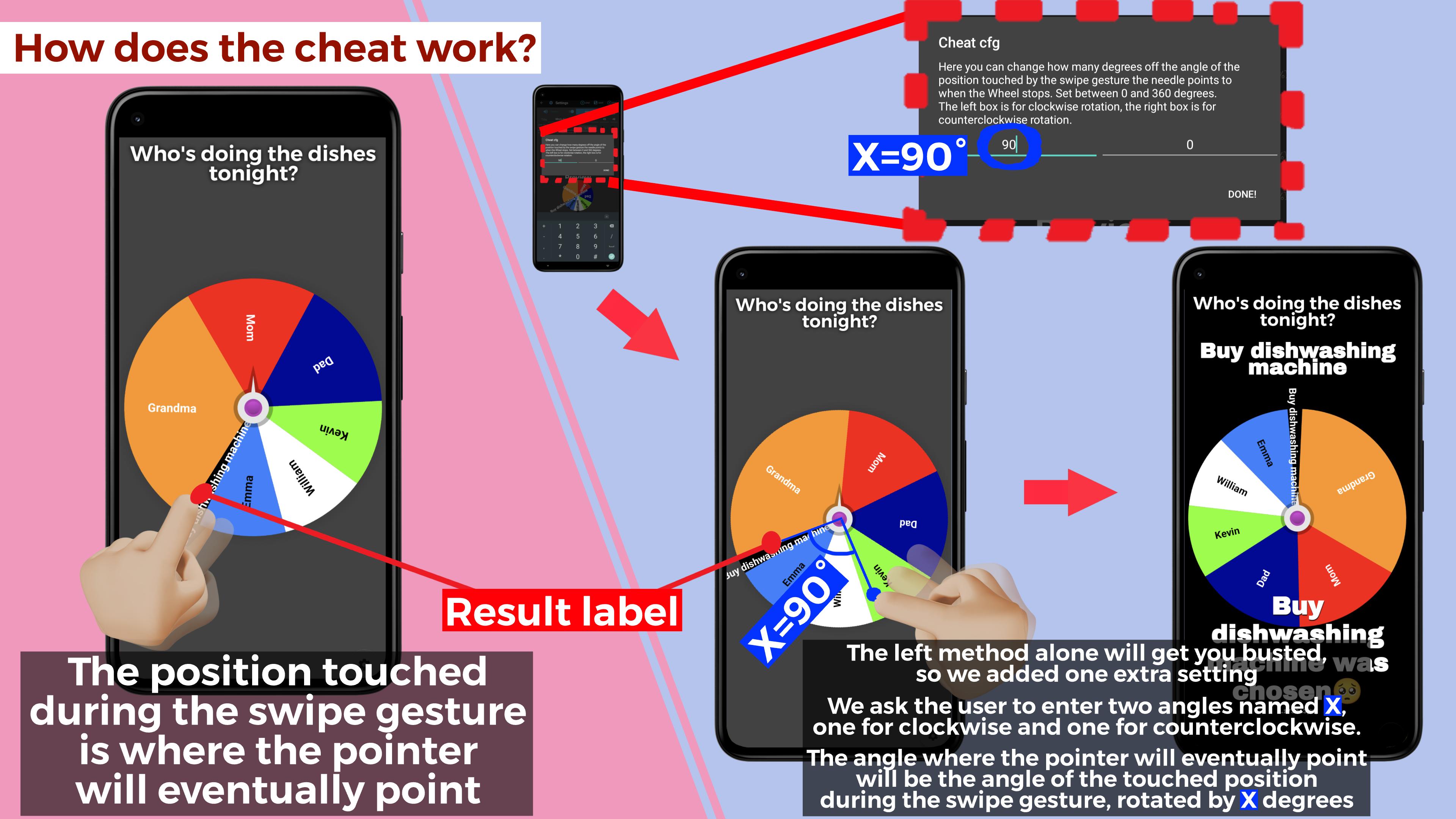
◆ HOW DOES THE CHEAT WORK?
To enable cheats, go to the settings and activate the "Enable Cheat SWITCH."
▶︎ DEFAULT SETTING
The wheel will stop at the exact position touched during the swipe gesture.
▶︎ EXTRA SETTING
When you long-press the button "INFO.(ABOUT CHEAT)," the extra settings dialog box appears with two text boxes. The left box controls the clockwise spin, and the right box controls the counter-clockwise spin.
Entering a value from 0 to 360 degrees in these boxes will make the wheel stop with the pointer pointing ahead of the spot touched by the swipe gesture by the angle of the entered value.
For instance, entering 180 in both boxes will make the pointer point to the position directly opposite the spot touched during the swipe, regardless of the rotation direction.
◆ HOW TO PLAY
1.Launch the app and press the gear icon in the lower right corner to access settings
2.Enter the entries on the left and their weights on the right in the center text boxes, starting from 1 without skipping. Use the color changer to customize font and wheel colors for each entry
3.At the top, you will find a text box where you can enter a title. Enter your desired title in this box. To customize the font size of the title, use the box located to its right. Additionally, to adjust the font size of the wheel's entries, use the box further to the right
4.Now you have your very own custom wheel! Press the "SPIN!" button on the upper right to play!
◆ Q&A
Q.I have overwritten the template. Can I undo it?
A.Yes. Go to settings, press Load to access the Load and Save screen, and load the Data at the bottom to restore the templates. However, data saved from the 5th to 14th position from the top will be lost
Q.When returning from settings, the action bar will remain and cannot be played in full screen
A.To prevent this issue, simply turn off the keyboard when you are done typing on settings
Q.How do I make the settings button transparent?
A.Press and hold the settings button
Avance
Etiquetas
EntretenimientoInformación
Desarrollador
dev0808
La última versión
3.7
Última actualización
2023-09-21
Categoría
Entretenimiento
Disponible en
Google Play
Mostrar más
Cómo jugar Unfair Wheel - Spin the wheel con GameLoop en PC
1. Descargue GameLoop desde el sitio web oficial, luego ejecute el archivo exe para instalar GameLoop.
2. Abra GameLoop y busque "Unfair Wheel - Spin the wheel", busque Unfair Wheel - Spin the wheel en los resultados de búsqueda y haga clic en "Instalar".
3. Disfruta jugando Unfair Wheel - Spin the wheel en GameLoop.
Minimum requirements
OS
Windows 8.1 64-bit or Windows 10 64-bit
GPU
GTX 1050
CPU
i3-8300
Memory
8GB RAM
Storage
1GB available space
Recommended requirements
OS
Windows 8.1 64-bit or Windows 10 64-bit
GPU
GTX 1050
CPU
i3-9320
Memory
16GB RAM
Storage
1GB available space