ODY Upshot:Archery para PC
Odyssey Toys
Descarga ODY Upshot:Archery en PC con GameLoop Emulator
ODY Upshot:Archery en PC
ODY Upshot:Archery, proveniente del desarrollador Odyssey Toys, se ejecuta en el sistema Android en el pasado.
Ahora, puedes jugar ODY Upshot:Archery en PC con GameLoop sin problemas.
Descárgalo en la biblioteca de GameLoop o en los resultados de búsqueda. No más mirar la batería o llamadas frustrantes en el momento equivocado nunca más.
Simplemente disfrute de ODY Upshot:Archery PC en la pantalla grande de forma gratuita!
ODY Upshot:Archery Introducción
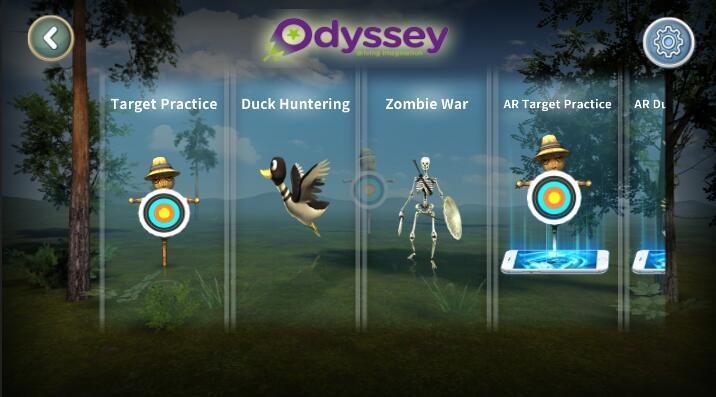
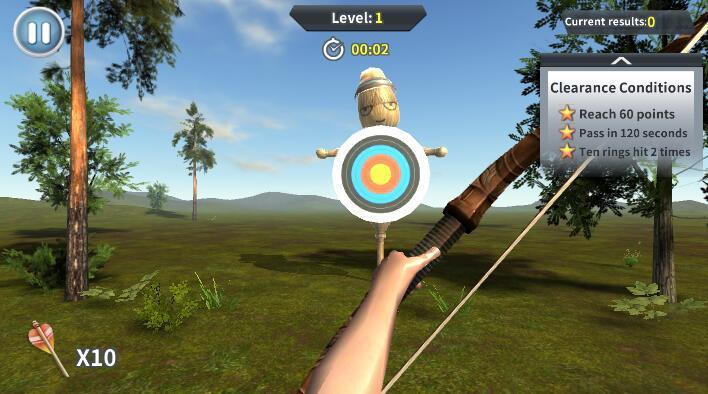
Introducing a brand new, virtual way to game that puts you in the middle of the action!It’s no secret that augmented reality (AR) has dominated today’s gaming landscape. It’s easy to see why – who doesn’t want to feel like they’re actually a part of the game that they’re playing? Odyssey Toys introduces the Upshot Bow & Arrow, which puts you right in the middle of the heart-pounding action by turning you into an augmented realty first-person archer! The Upshot: Archery app lets you download various settings and worlds – hunt ducks in a pond and get points for getting as many as you can, or access the world of tribal warriors and go to war with your opponent.
Avance
Información
Desarrollador
Odyssey Toys
La última versión
1.2
Última actualización
2018-07-07
Categoría
Entretenimiento
Disponible en
Google Play
Mostrar más
Cómo jugar ODY Upshot:Archery con GameLoop en PC
1. Descargue GameLoop desde el sitio web oficial, luego ejecute el archivo exe para instalar GameLoop.
2. Abra GameLoop y busque "ODY Upshot:Archery", busque ODY Upshot:Archery en los resultados de búsqueda y haga clic en "Instalar".
3. Disfruta jugando ODY Upshot:Archery en GameLoop.
Minimum requirements
OS
Windows 8.1 64-bit or Windows 10 64-bit
GPU
GTX 1050
CPU
i3-8300
Memory
8GB RAM
Storage
1GB available space
Recommended requirements
OS
Windows 8.1 64-bit or Windows 10 64-bit
GPU
GTX 1050
CPU
i3-9320
Memory
16GB RAM
Storage
1GB available space