
VSmart Ebook Reader para PC
Vibal Group
Descarga VSmart Ebook Reader en PC con GameLoop Emulator
VSmart Ebook Reader en PC
VSmart Ebook Reader, proveniente del desarrollador Vibal Group, se ejecuta en el sistema Android en el pasado.
Ahora, puedes jugar VSmart Ebook Reader en PC con GameLoop sin problemas.
Descárgalo en la biblioteca de GameLoop o en los resultados de búsqueda. No más mirar la batería o llamadas frustrantes en el momento equivocado nunca más.
Simplemente disfrute de VSmart Ebook Reader PC en la pantalla grande de forma gratuita!
VSmart Ebook Reader Introducción
V-Smart is an integrated learning management system for the mobile age, engineered by Filipinos. It has been developed in partnership with education experts to give teachers and school administrators all the tools they need to create a 21st-century digital classroom.
This app features an interactive e-textbook reader, gradebooks, social streams, a quiz creator, learning analytics tools, and gamified learning. When used in conjunction with the V-Smart School Server, it can connect devices even with low bandwidth or no internet access.
Students can:
• Read e-textbooks, measure lesson mastery performance, and win medals based on scores
• Answer quizzes deployed by the teacher in Test Guru
• Exchange ideas though Social Stream
• Be up to date with the latest school events and announcements through School Stream
Teachers can:
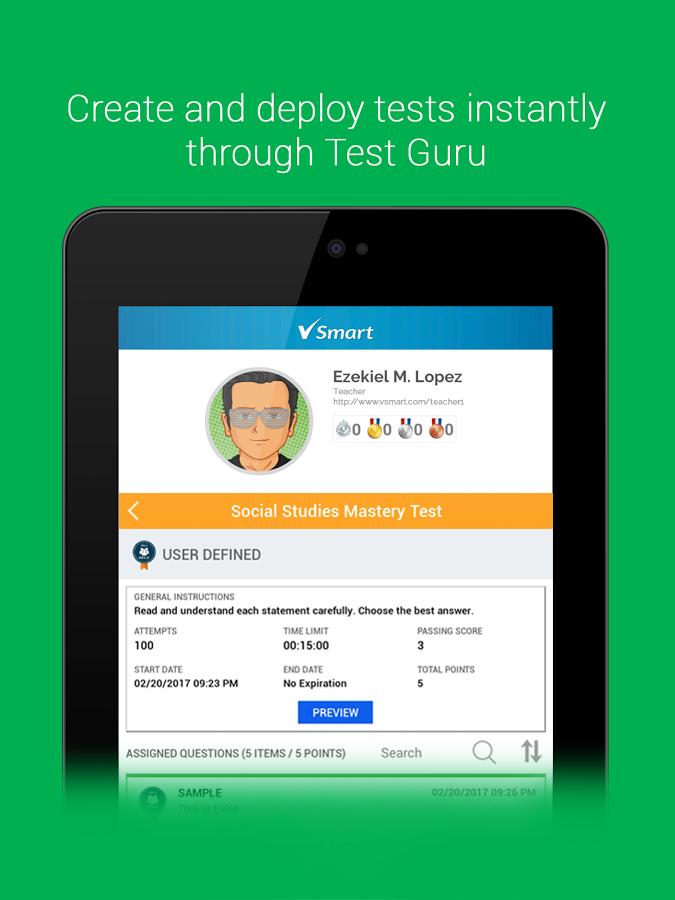
• Create and deploy tests instantly through Test Guru
• Record scores automatically in the Teacher's Gradebook
• Create their own lesson plan template
School admins can:
• Organize their school, classes, teachers, and students through the V-Smart Admin Panel
• Create their school's curriculum and map this to classes and teachers' lesson plans
• Be guided on the Philippine K to 12 Curriculum Standard through the Curriculum Guide
V-Smart also allows you to:
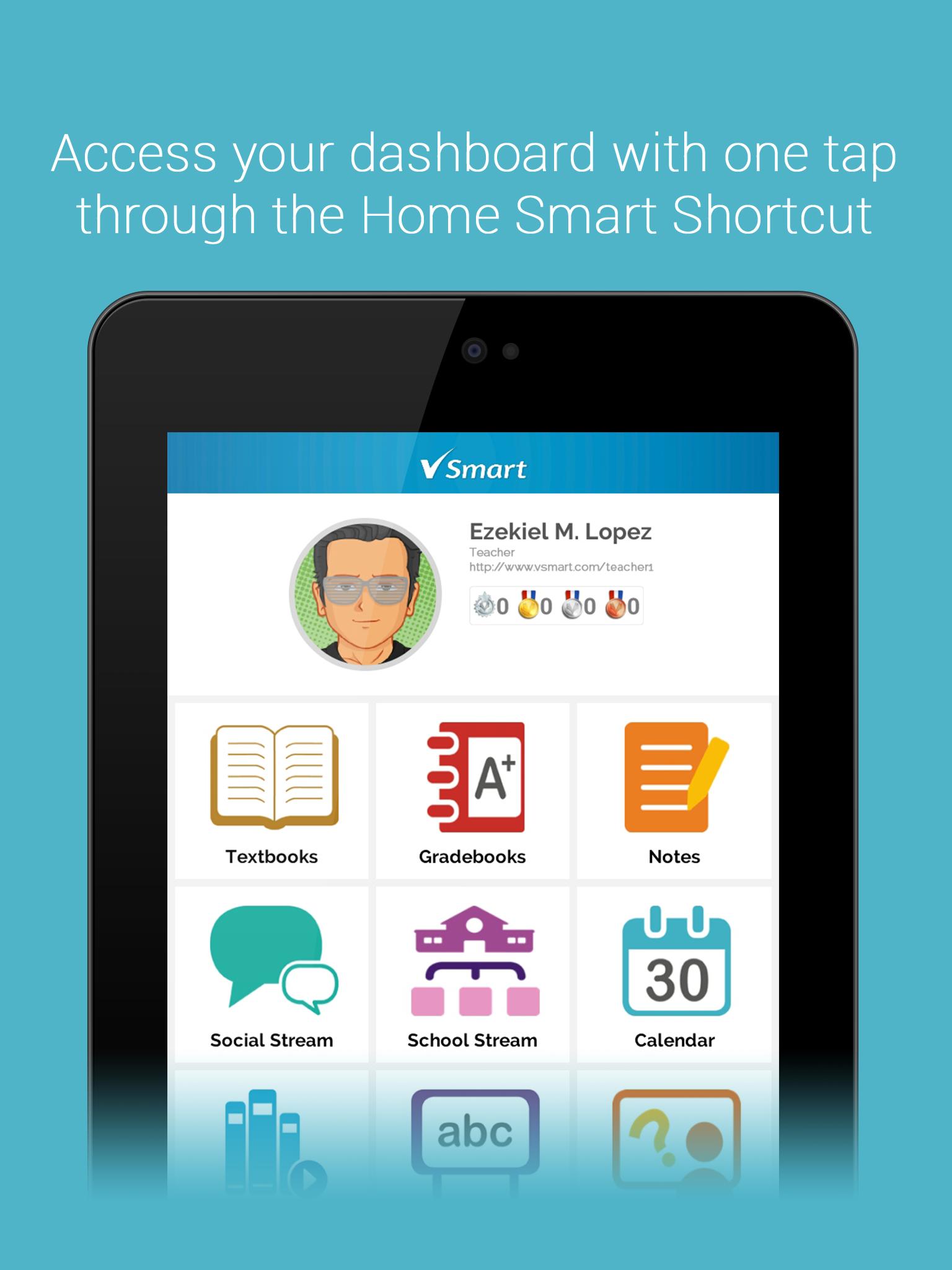
• Access your dashboard with one tap through the Home Smart Shortcut
• Instantly check your schedule with the Calendar Smart Shortcut
• Check out profiles through the People Smart Shortcut
• Record all important events in your own personalized Calendar
• Create and classify notes through Notes module
• Jot down ideas instantly with the Idea Pad
• Report issues through the Vibal Support site
• Download pre-purchased interactive e-textbooks via the V-Smart Storefront
Avance
Etiquetas
EducaciónInformación
Desarrollador
Vibal Group
La última versión
4.2.0
Última actualización
2020-10-22
Categoría
Educación
Disponible en
Google Play
Mostrar más
Cómo jugar VSmart Ebook Reader con GameLoop en PC
1. Descargue GameLoop desde el sitio web oficial, luego ejecute el archivo exe para instalar GameLoop.
2. Abra GameLoop y busque "VSmart Ebook Reader", busque VSmart Ebook Reader en los resultados de búsqueda y haga clic en "Instalar".
3. Disfruta jugando VSmart Ebook Reader en GameLoop.
Minimum requirements
OS
Windows 8.1 64-bit or Windows 10 64-bit
GPU
GTX 1050
CPU
i3-8300
Memory
8GB RAM
Storage
1GB available space
Recommended requirements
OS
Windows 8.1 64-bit or Windows 10 64-bit
GPU
GTX 1050
CPU
i3-9320
Memory
16GB RAM
Storage
1GB available space