
MarkSheet: answer sheet para PC
enoiu
Descarga MarkSheet: answer sheet en PC con GameLoop Emulator
MarkSheet: answer sheet en PC
MarkSheet: answer sheet, proveniente del desarrollador enoiu, se ejecuta en el sistema Android en el pasado.
Ahora, puedes jugar MarkSheet: answer sheet en PC con GameLoop sin problemas.
Descárgalo en la biblioteca de GameLoop o en los resultados de búsqueda. No más mirar la batería o llamadas frustrantes en el momento equivocado nunca más.
Simplemente disfrute de MarkSheet: answer sheet PC en la pantalla grande de forma gratuita!
MarkSheet: answer sheet Introducción
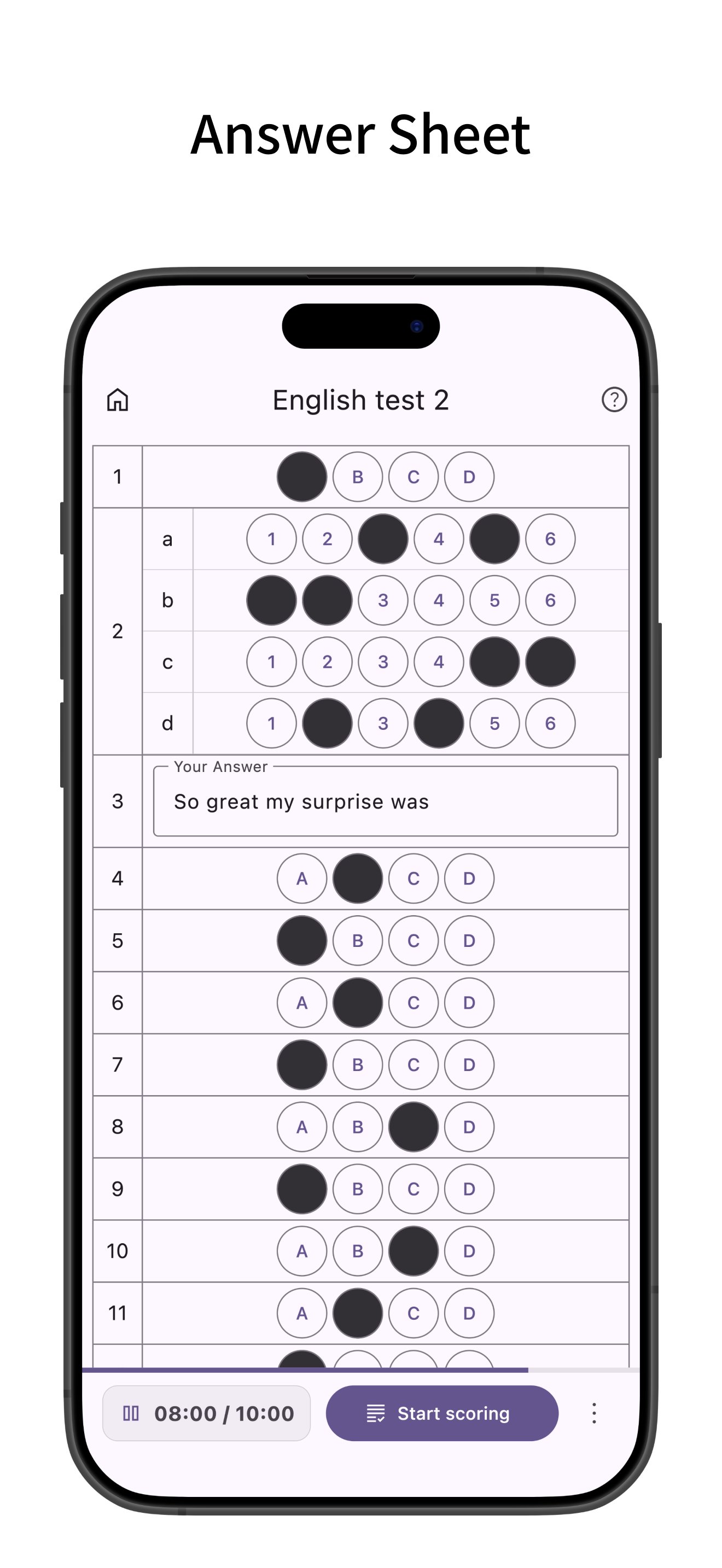
Answer sheet app for bubble sheet (OMR) exams.
Ideally suited for quizzes and tests, you can freely set the number of questions and choices.
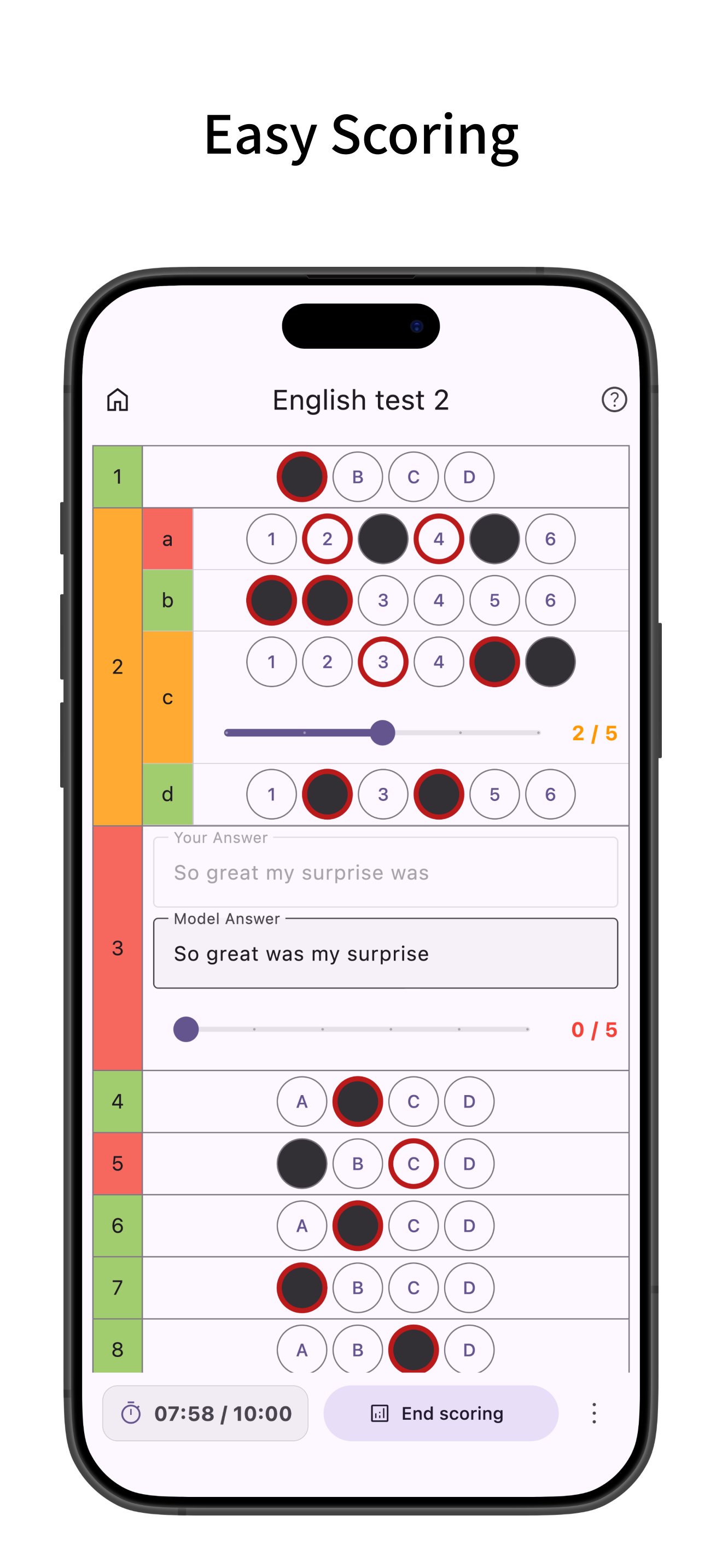
Easy scoring, supports multiple answers, sub-questions, and descriptive questions.
Creating Answer Sheets
- Create bubble sheet style answer sheets.
- Configure the number of questions and choices. Choices are customizable, and bubble size (width, height, font size) can be adjusted. You can also save configured choices as presets.
- Supports multiple answers, sub-questions, and descriptive questions. For descriptive questions, you can set character limits and model answers.
- Set timers and time limits.
- Pre-enter correct answers (you can also enter correct answers during scoring after answering).
- Set point allocation. You can input the total score and distribute points evenly across questions.
- Configure question numbers. You can renumber all questions based on the first question number.
Answering
- When using a timer, the time taken for each question is recorded and can be viewed in a graph after scoring.
- After finishing the test, it enters scoring mode where you can easily grade by just tapping the correct answer choices.
- Supports partial credit for multiple-choice and descriptive questions.
- After scoring, view percentage, score, and number of correct answers.
- Tap a main question number to see the total score and total time for sub-questions within that main question.
- Highlight rows (long press or checkbox).
Mark Sheet Management
- Add labels to sheets for easy filtering. You can filter by multiple labels.
- Filter by status: answering, scoring, or scoring completed.
- Tap the search bar to search sheets by title.
- Sort sheets by title, creation date, or last viewed.
- Edit labels or duplicate sheets from the menu on the right of each sheet.
- Long press to select multiple sheets for bulk deletion or labeling.
- Supports backup and restore of app data via ZIP files.
Mark Sheet Settings
- Manage choice presets. You can also save bubble sizes.
- Set the default number of questions, choices, and timer for new sheets. Defaults to the previously used settings.
- Configure row highlighting behavior: long press, checkbox, or off. Opacity of the highlight can be changed.
- Change the opacity of the mark fill.
- Change the default bubble size (width, height, font size).
- Keep the screen on while answering.
Customization
- Supports Dark Mode.
- Change theme colors.
- Simple design compliant with Material Design.
Avance
Etiquetas
EducaciónInformación
Desarrollador
enoiu
La última versión
4.1.1
Última actualización
2026-02-26
Categoría
Educación
Disponible en
Google Play
Mostrar más
Cómo jugar MarkSheet: answer sheet con GameLoop en PC
1. Descargue GameLoop desde el sitio web oficial, luego ejecute el archivo exe para instalar GameLoop.
2. Abra GameLoop y busque "MarkSheet: answer sheet", busque MarkSheet: answer sheet en los resultados de búsqueda y haga clic en "Instalar".
3. Disfruta jugando MarkSheet: answer sheet en GameLoop.
Minimum requirements
OS
Windows 8.1 64-bit or Windows 10 64-bit
GPU
GTX 1050
CPU
i3-8300
Memory
8GB RAM
Storage
1GB available space
Recommended requirements
OS
Windows 8.1 64-bit or Windows 10 64-bit
GPU
GTX 1050
CPU
i3-9320
Memory
16GB RAM
Storage
1GB available space