
K12 para PC
K12 inc.
Descarga K12 en PC con GameLoop Emulator
K12 en PC
K12, proveniente del desarrollador K12 inc., se ejecuta en el sistema Android en el pasado.
Ahora, puedes jugar K12 en PC con GameLoop sin problemas.
Descárgalo en la biblioteca de GameLoop o en los resultados de búsqueda. No más mirar la batería o llamadas frustrantes en el momento equivocado nunca más.
Simplemente disfrute de K12 PC en la pantalla grande de forma gratuita!
K12 Introducción
At K12, we offer tuition-free online public schools and tuition-based private schools. Explore K12 on your smartphone or tablet. With the K12 app, finding the right school, enrolling your student, preparing for the first day, and monitoring your school student’s academic progress is even easier.*
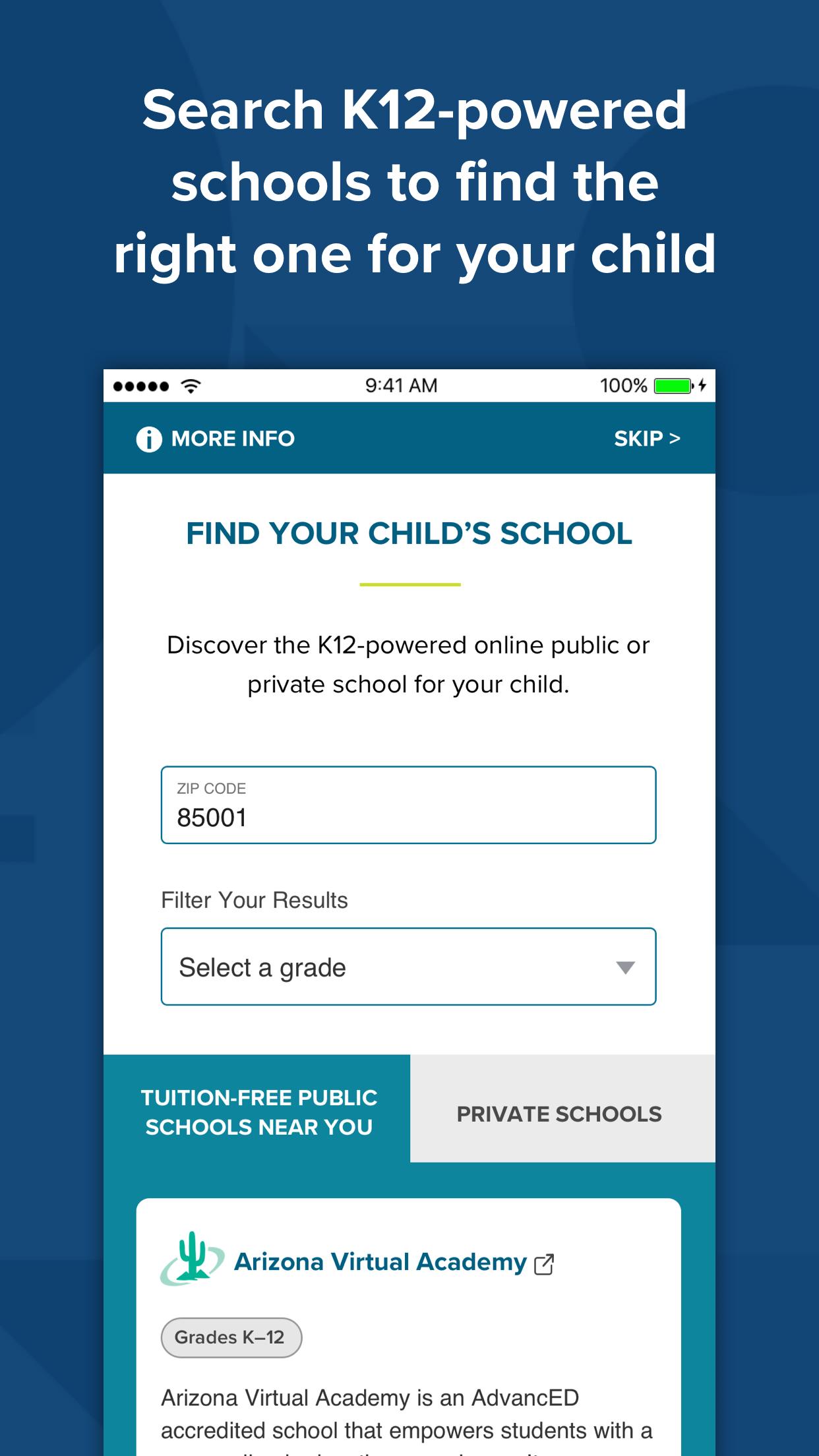
Find a School
Simply type in your zip code or state to see a list of K12-powered schools near you.
Enroll Your Student
Submit enrollment information and documents, and track and complete the
enrollment process in all one place.
Create Parent and Student School Accounts
A mobile-friendly way to set up your parent and student school accounts.
Receive Alerts and Notifications
Each step of the way, you’ll receive real-time updates‒such as when your student’s
materials have shipped, when courses and teachers have been assigned, and more.
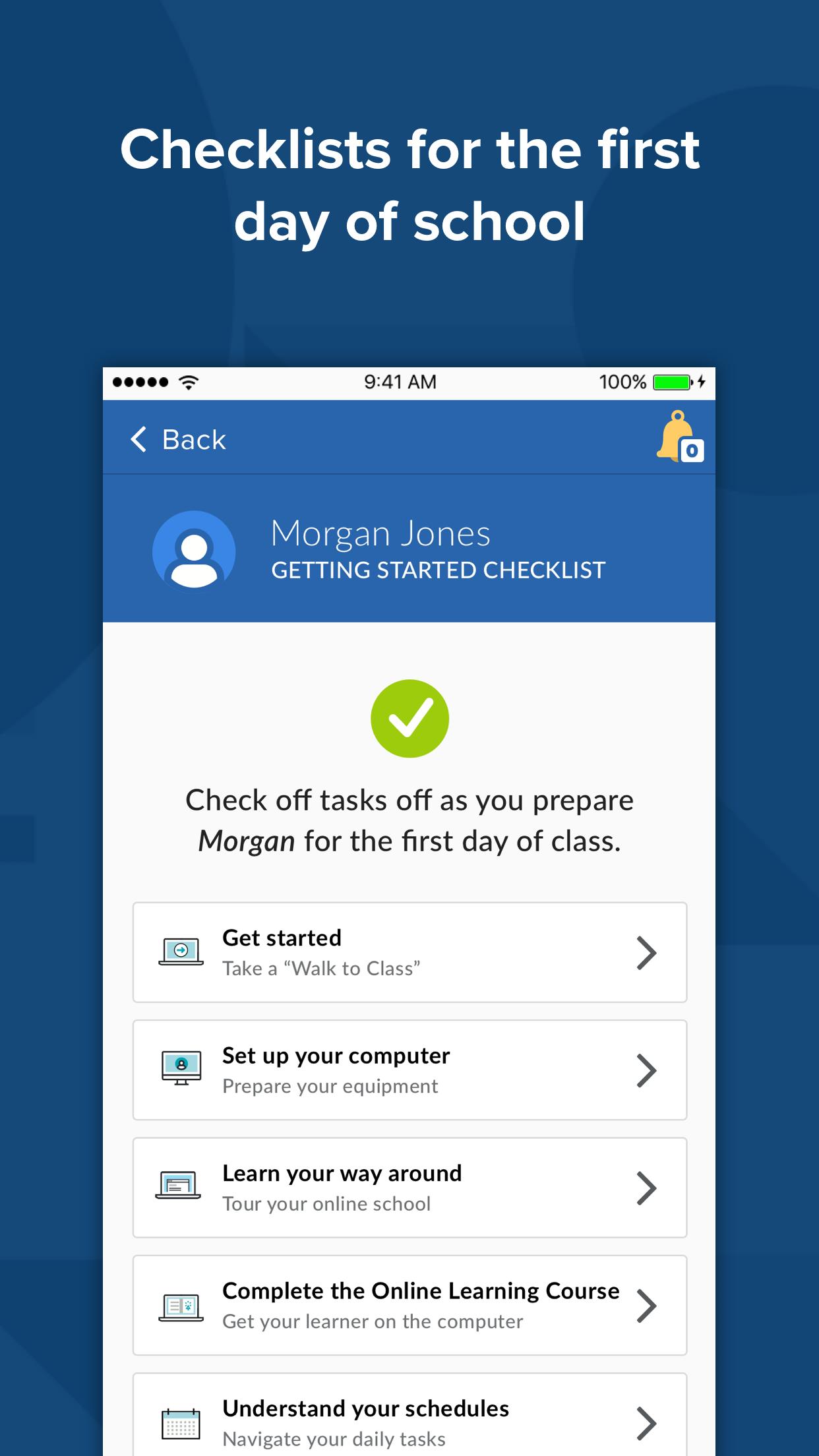
Prepare for the First Day of School
Easy-to-access videos and online orientation sessions help prepare you and your
student for the first day of school.
Monitor Progress
Parents can access information about your student’s grades, course programs, and
overdue assignments.*
View Daily Schedule
Stay up to date about your student’s online school experience with the schedule
viewing feature.*
Log Attendance**
Submit student’s daily attendance.*
Stay in Touch
Contact information for your school and teachers are conveniently indexed for you.
Re-Register
Parents can easily re-register students for the next term directly from the app.
The K12 app experience may vary by school. If you have questions, call 866.571.4316 for information.
Stay tuned! We are continually adding new app features.
*This feature is currently available for all MS and HS families, and many elementary families as well.
**Feature is only applicable to schools that require Learning Coach added attendance.
Most K12 app features are available for K12-powered online public schools and some K12-powered private schools at this time.
Please refer to K12’s Privacy Policy for more information regarding K12’s collection and use of your information.
Avance
Etiquetas
EducaciónInformación
Desarrollador
K12 inc.
La última versión
1.21.80
Última actualización
2024-08-20
Categoría
Educación
Disponible en
Google Play
Mostrar más
Cómo jugar K12 con GameLoop en PC
1. Descargue GameLoop desde el sitio web oficial, luego ejecute el archivo exe para instalar GameLoop.
2. Abra GameLoop y busque "K12", busque K12 en los resultados de búsqueda y haga clic en "Instalar".
3. Disfruta jugando K12 en GameLoop.
Minimum requirements
OS
Windows 8.1 64-bit or Windows 10 64-bit
GPU
GTX 1050
CPU
i3-8300
Memory
8GB RAM
Storage
1GB available space
Recommended requirements
OS
Windows 8.1 64-bit or Windows 10 64-bit
GPU
GTX 1050
CPU
i3-9320
Memory
16GB RAM
Storage
1GB available space