
Galton Box para PC
Samo Remec
Descarga Galton Box en PC con GameLoop Emulator
Galton Box en PC
Galton Box, proveniente del desarrollador Samo Remec, se ejecuta en el sistema Android en el pasado.
Ahora, puedes jugar Galton Box en PC con GameLoop sin problemas.
Descárgalo en la biblioteca de GameLoop o en los resultados de búsqueda. No más mirar la batería o llamadas frustrantes en el momento equivocado nunca más.
Simplemente disfrute de Galton Box PC en la pantalla grande de forma gratuita!
Galton Box Introducción
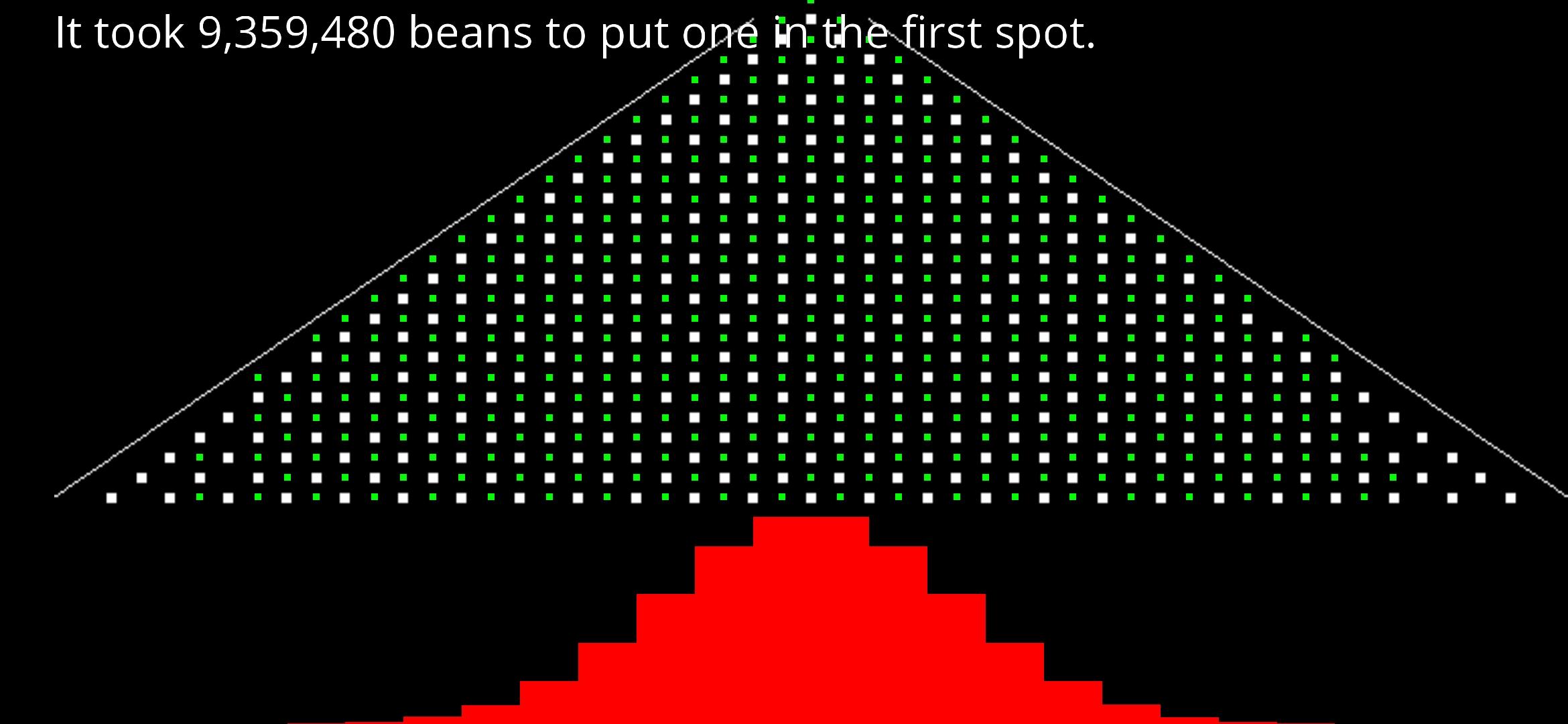
Galton box (also known as Galton board or bean machine) is a device used to demonstrate the central limit theorem, an important thing in the field of statistics.
The device is dropping "beans" from the top. For every row that a bean falls down, it has a 50/50 change of going either left or right.
This app simulates a Galton box, but it does it *very* fast. It can move millions of beans 60x a second or more (depending on your device). The simulation stops when the first bean hits the first column on the left. The stacks below the machine illustrate the number of beans that were dropped in each individual column. When enough beans fall down, the shape of the stacks approximate a normal distribution (also known as a Gaussian distribution or The Bell curve).
App also supports a "slow" mode, which just limits the number of beans to the number of CPU cores your device has. It makes it a bit more obvious, what's going on.
Avance
Etiquetas
EducaciónInformación
Desarrollador
Samo Remec
La última versión
1.5
Última actualización
2023-08-23
Categoría
Educación
Disponible en
Google Play
Mostrar más
Cómo jugar Galton Box con GameLoop en PC
1. Descargue GameLoop desde el sitio web oficial, luego ejecute el archivo exe para instalar GameLoop.
2. Abra GameLoop y busque "Galton Box", busque Galton Box en los resultados de búsqueda y haga clic en "Instalar".
3. Disfruta jugando Galton Box en GameLoop.
Minimum requirements
OS
Windows 8.1 64-bit or Windows 10 64-bit
GPU
GTX 1050
CPU
i3-8300
Memory
8GB RAM
Storage
1GB available space
Recommended requirements
OS
Windows 8.1 64-bit or Windows 10 64-bit
GPU
GTX 1050
CPU
i3-9320
Memory
16GB RAM
Storage
1GB available space