Voice Calculator para PC
APIC
Descarga Voice Calculator en PC con GameLoop Emulator
Voice Calculator en PC
Voice Calculator, proveniente del desarrollador APIC, se ejecuta en el sistema Android en el pasado.
Ahora, puedes jugar Voice Calculator en PC con GameLoop sin problemas.
Descárgalo en la biblioteca de GameLoop o en los resultados de búsqueda. No más mirar la batería o llamadas frustrantes en el momento equivocado nunca más.
Simplemente disfrute de Voice Calculator PC en la pantalla grande de forma gratuita!
Voice Calculator Introducción
Voice Calculator APP
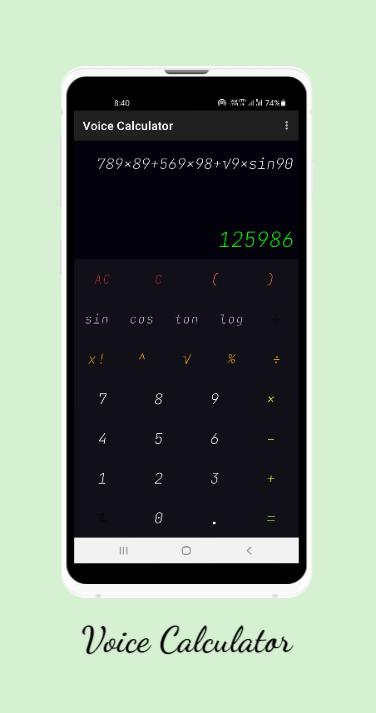
It provides one awesome feature of Tap once and calculate endless.
Voice Calculator app Features :-
1.It has a voice calculation options for
i. Addition
ii. Subtraction
iii. Multiplication
iv. Division
v. Quadratic eq. - Voice calculator
vi. Simple Interest - Voice Calculator
vii. Compound Interest - Voice Calculator
viii. GST- Voice Calculator
ix. Area and Perimeter Calculator
x. Volume Calculator
VOICE COMMAND FEATURES of Voice Calculator:-
2.For calculating square root You can say square root of ex:- 4
3.For calculating percentage You can directly speak ex:- (100+20 percent)
4.You can Calculate value of "sin" "cos" "tan" and "log" by voice commands
5.You can speak stop listening to stop voice inputs
6.You can speak Previous for going on previous calculation
7.You can close App by speaking Close Yourself
8.You can speak Bracket open and bracket close
9.You can give power ex:- (speak 4 power 3)
10.You can change language by speaking (English US or English India or speak(Hindi Language)) - THREE LANGUAGE SUPPORT
Privacy Policy:-
Voice Calculator > Privacy Policy
APIC - Developer built the Voice Calculator app as an Ad Supported app. This SERVICE is provided by APIC - Developer at no cost and is intended for use as is.
This page is used to inform visitors regarding my policies with the collection, use, and disclosure of Personal Information if anyone decided to use my Service.
If you choose to use my Service, then you agree to the collection and use of information in relation to this policy. The
Personal Information that I collect is used for providing and improving the Service. I will not use or share your information with anyone except as described in this Privacy Policy.
The terms used in this Privacy Policy have the same meanings as in our Terms and Conditions, which is accessible at Voice Calculator unless otherwise defined in this Privacy Policy.
Information Collection and Use
For a better experience, while using our Service, I may require you to provide us with certain personally identifiable information, including but not limited to This app uses permissions and don't store any data of user so no data can be leaked. The information that I request will be retained on your device and is not collected by me in any way.
The app does use third party services that may collect information used to identify you.
Link to privacy policy of third party service providers used by the app
Google Play Services
I want to inform you that whenever you use my Service, in a case of an error in the app I collect data and information (through third party products) on your phone called Log Data. This Log Data may include information such as your device Internet Protocol (?IP?) address, device name, operating system version, the configuration of the app when utilizing my Service, the time and date of your use of the Service, and other statistics.
Avance
Etiquetas
EducaciónInformación
Desarrollador
APIC
La última versión
1.0.4
Última actualización
2023-02-08
Categoría
Educación
Disponible en
Google Play
Mostrar más
Cómo jugar Voice Calculator con GameLoop en PC
1. Descargue GameLoop desde el sitio web oficial, luego ejecute el archivo exe para instalar GameLoop.
2. Abra GameLoop y busque "Voice Calculator", busque Voice Calculator en los resultados de búsqueda y haga clic en "Instalar".
3. Disfruta jugando Voice Calculator en GameLoop.
Minimum requirements
OS
Windows 8.1 64-bit or Windows 10 64-bit
GPU
GTX 1050
CPU
i3-8300
Memory
8GB RAM
Storage
1GB available space
Recommended requirements
OS
Windows 8.1 64-bit or Windows 10 64-bit
GPU
GTX 1050
CPU
i3-9320
Memory
16GB RAM
Storage
1GB available space