Lenovo MyHub para PC
Lenovo OA
Descarga Lenovo MyHub en PC con GameLoop Emulator
Lenovo MyHub en PC
Lenovo MyHub, proveniente del desarrollador Lenovo OA, se ejecuta en el sistema Android en el pasado.
Ahora, puedes jugar Lenovo MyHub en PC con GameLoop sin problemas.
Descárgalo en la biblioteca de GameLoop o en los resultados de búsqueda. No más mirar la batería o llamadas frustrantes en el momento equivocado nunca más.
Simplemente disfrute de Lenovo MyHub PC en la pantalla grande de forma gratuita!
Lenovo MyHub Introducción
Lenovo MyHub: A better way to connect throughout your day.
As the new generation of Lenovo CoChat, MyHub will serve as the best way to get employee news on the go and access employee systems and tools right from your fingertips on a mobile device.
【Main features of Lenovo MyHub】
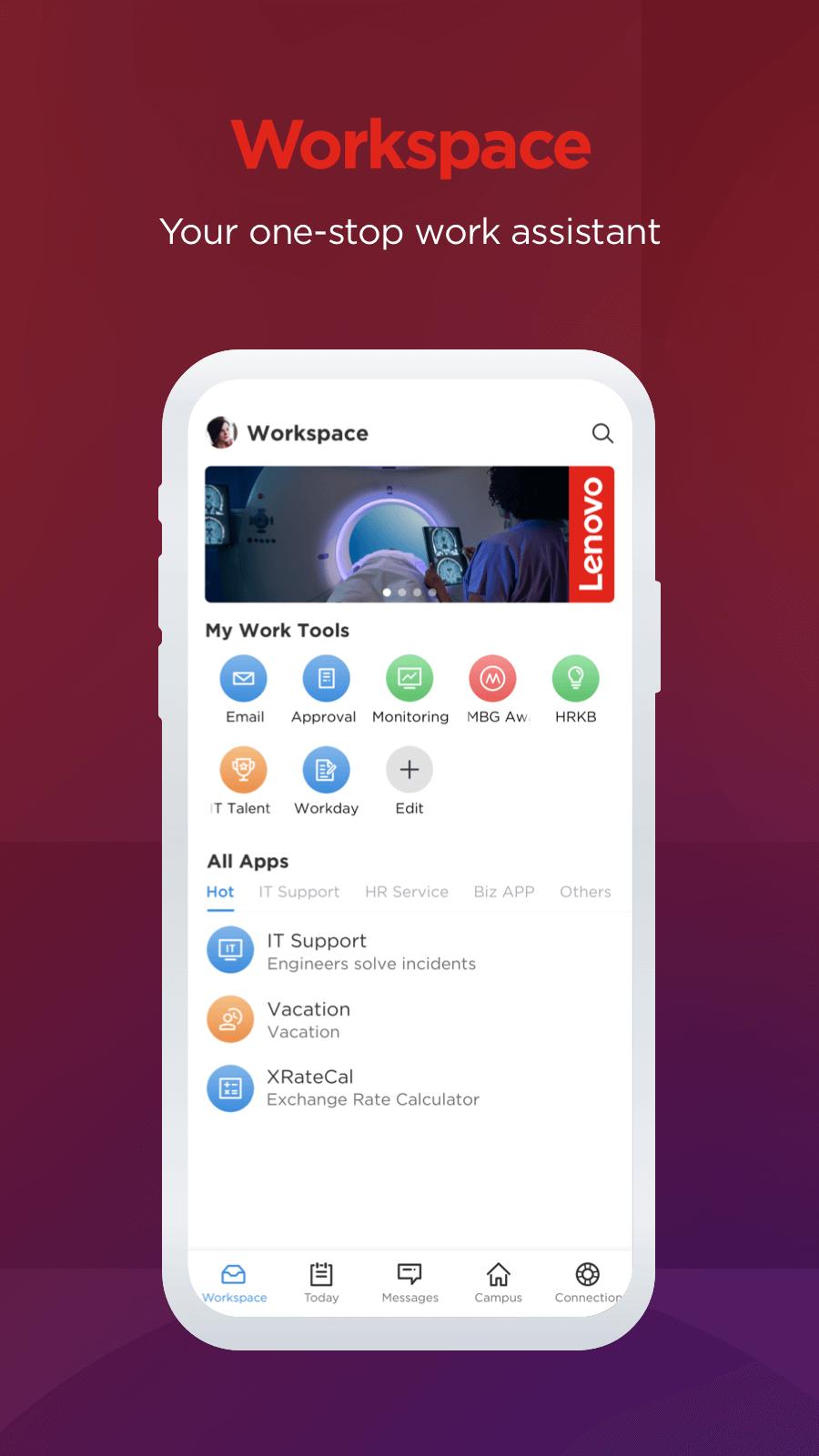
1)Workspace page
- My Work Tools: customize your frequently used work tools such as approval, time, HRKB, etc.
- All Apps: various types of Lenovo work apps such as IT service, HR service and Biz apps.
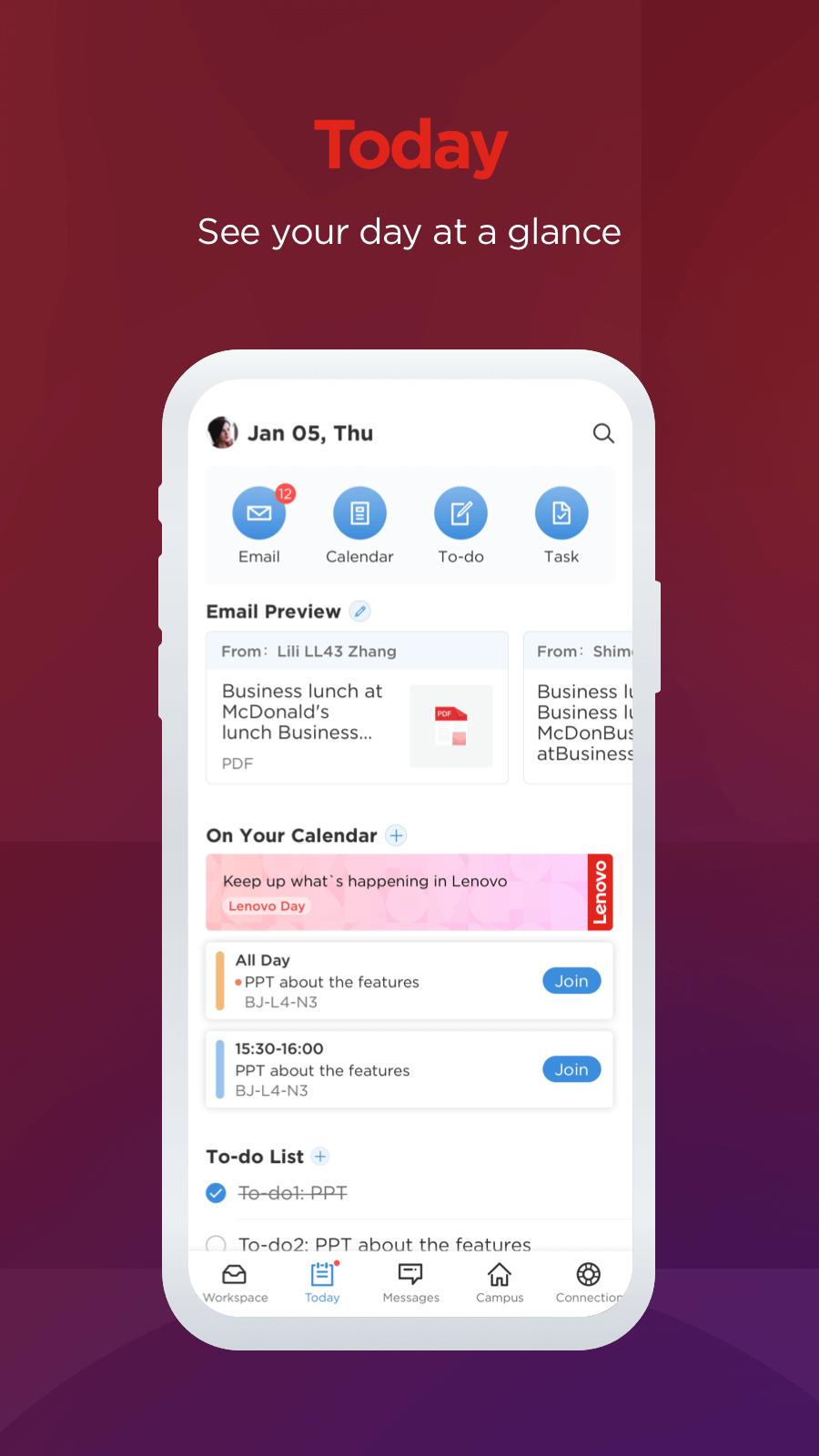
2)Today page
- Email & Calendar: all of your emails and events will be synchronized on MyHub after logging in to your Office 365 account.
- To-do & Task: two efficiency tools help you stay focused and efficient at work.
3)Messages & Contact page
- Instant messages with your Lenovo colleagues.
- Diverse groups chat.
- Integrated search system: a quick and easy way to find your colleagues.
4)Campus page
- Experience your customized and local campus services such as Campus Info, Space Utilization, Lenovo News, etc.
- Book a conference room: an easy and quick way to book a conference room on your mobile, and the booking system is synchronized with Outlook.
5)Connection page
- Connect your Lenovo colleagues across the globe.
- Social-related features such as Fitness and Moments: share your daily activities with your team.
- Participate in various internal activities such as Greeting Center, We Are Lenovo, Video Square, etc.
Avance
Etiquetas
ComunicacionesInformación
Desarrollador
Lenovo OA
La última versión
8.5.01
Última actualización
2025-07-24
Categoría
Comunicaciones
Disponible en
Google Play
Mostrar más
Cómo jugar Lenovo MyHub con GameLoop en PC
1. Descargue GameLoop desde el sitio web oficial, luego ejecute el archivo exe para instalar GameLoop.
2. Abra GameLoop y busque "Lenovo MyHub", busque Lenovo MyHub en los resultados de búsqueda y haga clic en "Instalar".
3. Disfruta jugando Lenovo MyHub en GameLoop.
Minimum requirements
OS
Windows 8.1 64-bit or Windows 10 64-bit
GPU
GTX 1050
CPU
i3-8300
Memory
8GB RAM
Storage
1GB available space
Recommended requirements
OS
Windows 8.1 64-bit or Windows 10 64-bit
GPU
GTX 1050
CPU
i3-9320
Memory
16GB RAM
Storage
1GB available space