Blue SMS - Messenger para PC
Messenger & Live Chat Video Call 2021
Descarga Blue SMS - Messenger en PC con GameLoop Emulator
Blue SMS - Messenger en PC
Blue SMS - Messenger, proveniente del desarrollador Messenger & Live Chat Video Call 2021, se ejecuta en el sistema Android en el pasado.
Ahora, puedes jugar Blue SMS - Messenger en PC con GameLoop sin problemas.
Descárgalo en la biblioteca de GameLoop o en los resultados de búsqueda. No más mirar la batería o llamadas frustrantes en el momento equivocado nunca más.
Simplemente disfrute de Blue SMS - Messenger PC en la pantalla grande de forma gratuita!
Blue SMS - Messenger Introducción
Set Blue SMS - Messenger as Default and let the magic begin! No need to use the boring and usual interface when you can have amazing themes with the latest version of our texting application.
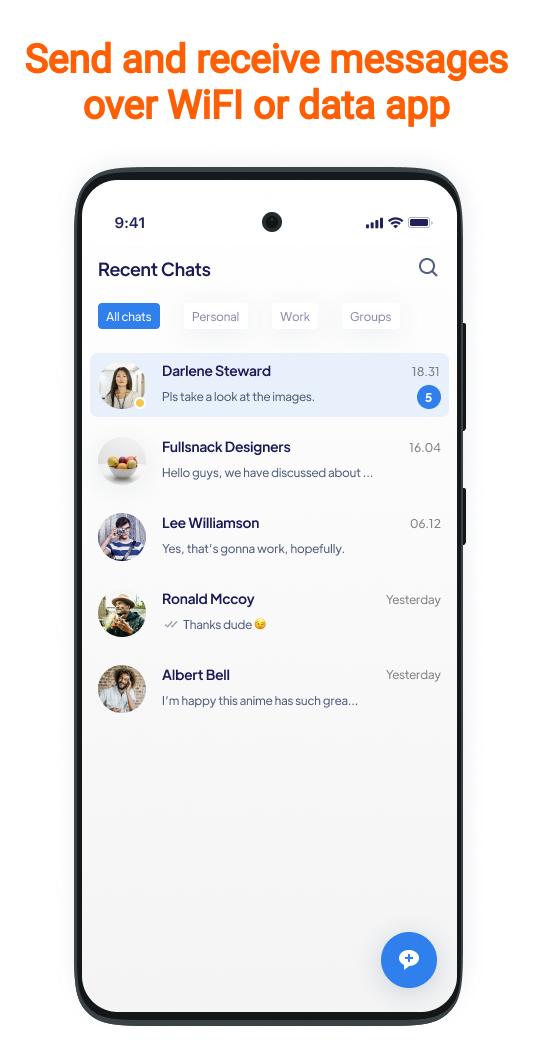
Replace your old and boring text Blue SMS - Messenger app! Blue SMS - Messenger is a new private texting app and is completely free, and bubble free. Keep in touch with all your contacts, send messages, or call any number in the world.
Make sms message more fun with this new version of the texting app. Customize your SMS messaging by applying our daily new themes. It's time to fall in love with bubble app all over again. Get started in no time. Just download and Install Blue SMS - Messenger.
This way with the latest Blue SMS - Messenger you can enjoy many themes at the same time. Blue SMS - Messenger also includes a Quick Apply Theme function so you can see and change your themes in an instant.
Here is what to expect from the latest Blue SMS - Messenger version 2020:
✔ Unparalleled design and fluid animations
✔ Endless global and per-conversation customization options, along with thousands of color choices
✔ Suggested Smart Replies within conversations
✔ Password protected, private conversations
✔ Share GIFs with your messages, from Giphy
✔ Powerful searching through messages and conversations
✔ Automatic message backup and restore with a Pulse account
✔ Preview web links
✔ Blacklist pesky spammers
✔ Delayed sending to give you time to edit or cancel messages you send
✔ Automated replies based on contacts, keywords, and driving/vacation modes
✔ plus so much more!
✔ Secure conversation so you can keep your stuff private
✔ Edit conversation option lets you change the appearance of any contact and message preview in your INBOX
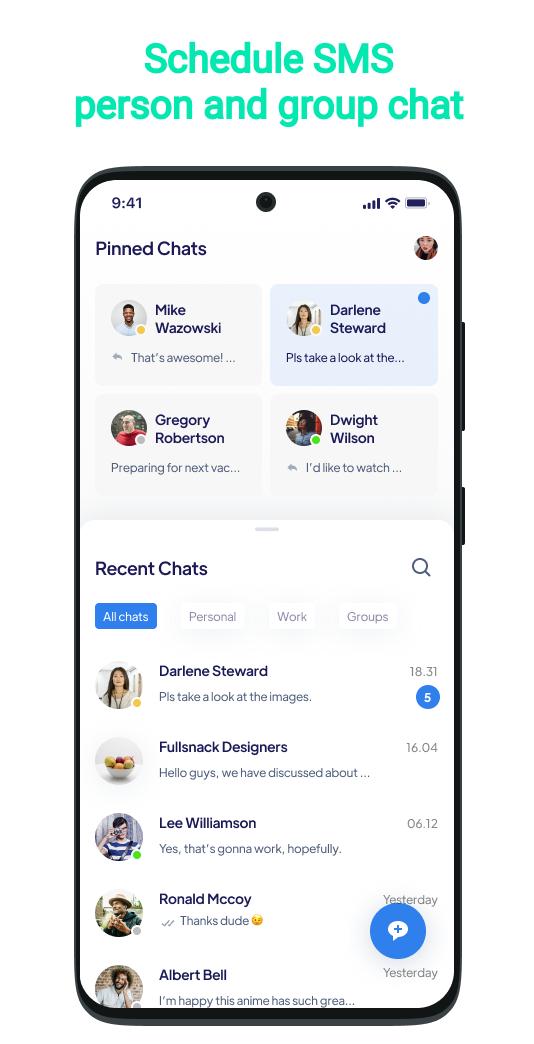
✔ Schedule message for those who want to be sure they don't forget to message anyone ever again
✔ Private messager
✔ Secret chat
✔ Protect messages with Emoji or PIN password
✔ sms chat and sms theme
✔ More color options for the bubbles
✔ Beautiful winter theme, with bubbles and amazing snow flakes
✔ Select up to three contacts that show up as hearts for quick access
✔ Add unlimited number of todo bubbles for easy reminders
✔ Pin to top your favorite conversation for a faster access
✔ Custom bubble chats and colors so you can make them look however you want
✔ Group Messaging and bubble group messenger- Add multiple contacts to the message to enter group messaging mode
✔ Delete Messages - Conveniently delete useless messages
✔ Add Contacts Via Messages - Add new numbers to current/new contacts
✔ Quick Dial - Reply others by calls after you read the messages
We require SMS, Phone, Contacts permissions only for providing you SMS services. We do not collect or share any user information for any purpose.
Privacy Policy : https://sites.google.com/view/bluemessengersms/home
Avance
Información
Desarrollador
Messenger & Live Chat Video Call 2021
La última versión
41999994.41999994
Última actualización
2021-10-14
Categoría
Comunicaciones
Disponible en
Google Play
Mostrar más
Cómo jugar Blue SMS - Messenger con GameLoop en PC
1. Descargue GameLoop desde el sitio web oficial, luego ejecute el archivo exe para instalar GameLoop.
2. Abra GameLoop y busque "Blue SMS - Messenger", busque Blue SMS - Messenger en los resultados de búsqueda y haga clic en "Instalar".
3. Disfruta jugando Blue SMS - Messenger en GameLoop.
Minimum requirements
OS
Windows 8.1 64-bit or Windows 10 64-bit
GPU
GTX 1050
CPU
i3-8300
Memory
8GB RAM
Storage
1GB available space
Recommended requirements
OS
Windows 8.1 64-bit or Windows 10 64-bit
GPU
GTX 1050
CPU
i3-9320
Memory
16GB RAM
Storage
1GB available space