
مونتاج الفيديوهات Video Editor PC
Modern Tech Gamal
Download مونتاج الفيديوهات Video Editor on PC With GameLoop Emulator
مونتاج الفيديوهات Video Editor pada PC
مونتاج الفيديوهات Video Editor, datang daripada pembangun Modern Tech Gamal, sedang berjalan pada sistem Android pada masa lalu.
Kini, Anda boleh bermain مونتاج الفيديوهات Video Editor pada PC dengan GameLoop dengan lancar.
Muat turunnya dalam pustaka GameLoop atau hasil carian. Tiada lagi melihat bateri atau panggilan yang mengecewakan pada masa yang salah lagi.
Hanya nikmati مونتاج الفيديوهات Video Editor PC pada skrin besar secara percuma!
مونتاج الفيديوهات Video Editor Pengenalan
يعد مونتاج الفيديو محرر فيديو قويًا لك لإنشاء مقاطع فيديو أنيقة يمكنك تحرير الفيديو من خلال التحولات السحرية والملصقات اللطيفة والموسيقى الشعبية
أدوات تحرير الفيديو
يمكنك اجراء التالي :
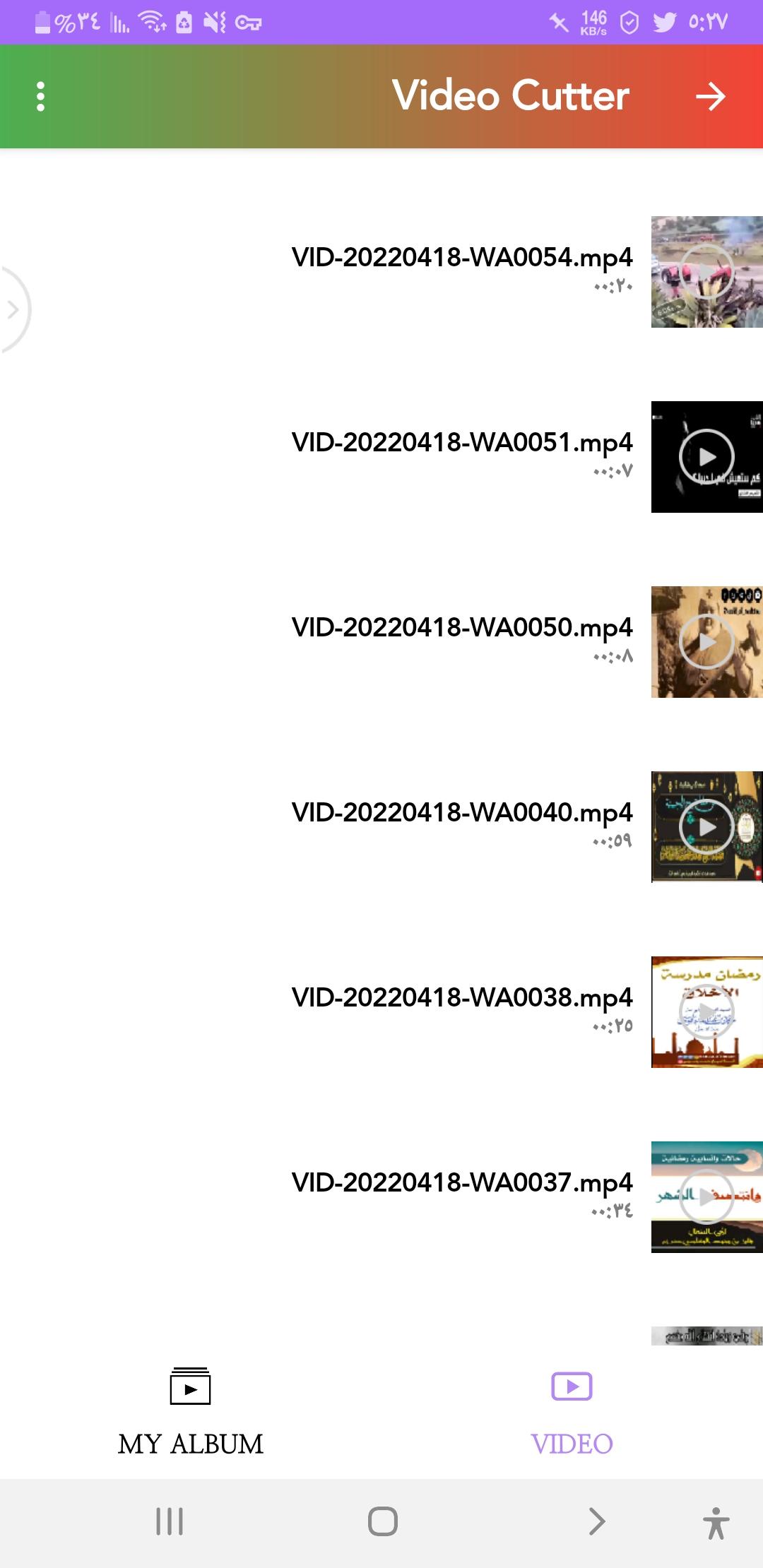
1- قص الفيديو إلى أجزاء
2- دمج الفيديو عدة المعرض
3- تجميع الصور
4- ضغط الفيديو دون فقد الجودة
5- الحركة السريعة أو الحركة البطيئة لضبط سرعة الفيديو الخاص بك
6- تحويل الفيديو الى صوت
7-عكس الفيديو
8-تدوير الفيديو
9-مرءاة الفيديو
10-كتم صوت الفيديو
11-تغيير صوت الفيديو الاصلي
12- مونتاج فيديو جديد
ثيمات مشهورة
نحن نقدم مواضيع مختلفة تناسب كل مناسبة. لا يتطلب الأمر سوى نقرة واحدة لإنشاء فيديو موسيقي رائع. نحن نسهل عليك كسب المزيد من الإعجابات والمتابعين على وسائل التواصل الاجتماعي.
HD تصدير الفيديو
نحن نقدم تصدير HD بدون فقدان الجودة وندعم معظم تنسيقات الفيديو. احفظ الصور ومقاطع الفيديو وعروض الشرائح في مسودتك في أي وقت. في محرر الفيديو القوي هذا ، يمكنك إنشاء الفيديو الخاص بك أو عرض الشرائح في دقائق
لاقتراحاتكم وآرائكم التواصل معنا عبر الايميل التالي :
postfixpostfix1@gmail.com
Video montage is a powerful video editor for you to create stylish videos. You can edit video with magical transitions, cute stickers and popular music.
Video Editing Tools
You can do the following:
1- Cut the video into parts
2- Merge several video gallery
3- Assemble photos
4- Compress video without losing quality
5- Fast motion or slow motion to adjust the speed of your video
6- Convert video to audio
7- Reverse video
8- Rotate the video
9-Mirror video
10- Mute the video sound
11-Change the sound of the original video
12- New video montage
Popular Themes
We offer different themes to suit every occasion. It only takes one click to create a great music video. We make it easy for you to gain more likes and followers on social media.
HD video export
We offer lossless HD export and support most video formats. Save photos, videos, and slideshows to your draft at any time. In this powerful video editor you can create your own video or slideshow in minutes
For your suggestions and opinions, contact us via the following email:
postfixpostfix1@gmail.com
Preview
Tags
Video-PlayersInformation
Developer
Modern Tech Gamal
Latest Version
11.0.0
Last Updated
2022-09-04
Category
Video-players-editors
Available on
Google Play
Show More
Cara bermain مونتاج الفيديوهات Video Editor dengan GameLoop pada PC
1. Muat turun GameLoop dari laman web rasmi, kemudian jalankan fail exe untuk memasang GameLoop.
2. Buka GameLoop dan cari "مونتاج الفيديوهات Video Editor", cari مونتاج الفيديوهات Video Editor dalam hasil carian dan klik "Pasang".
3. Nikmati bermain مونتاج الفيديوهات Video Editor di GameLoop.
Minimum requirements
OS
Windows 8.1 64-bit or Windows 10 64-bit
GPU
GTX 1050
CPU
i3-8300
Memory
8GB RAM
Storage
1GB available space
Recommended requirements
OS
Windows 8.1 64-bit or Windows 10 64-bit
GPU
GTX 1050
CPU
i3-9320
Memory
16GB RAM
Storage
1GB available space