Lock Screen HD PC
Digitech Tool Apps
Download Lock Screen HD on PC With GameLoop Emulator
Lock Screen HD pada PC
Lock Screen HD, datang daripada pembangun Digitech Tool Apps, sedang berjalan pada sistem Android pada masa lalu.
Kini, Anda boleh bermain Lock Screen HD pada PC dengan GameLoop dengan lancar.
Muat turunnya dalam pustaka GameLoop atau hasil carian. Tiada lagi melihat bateri atau panggilan yang mengecewakan pada masa yang salah lagi.
Hanya nikmati Lock Screen HD PC pada skrin besar secara percuma!
Lock Screen HD Pengenalan
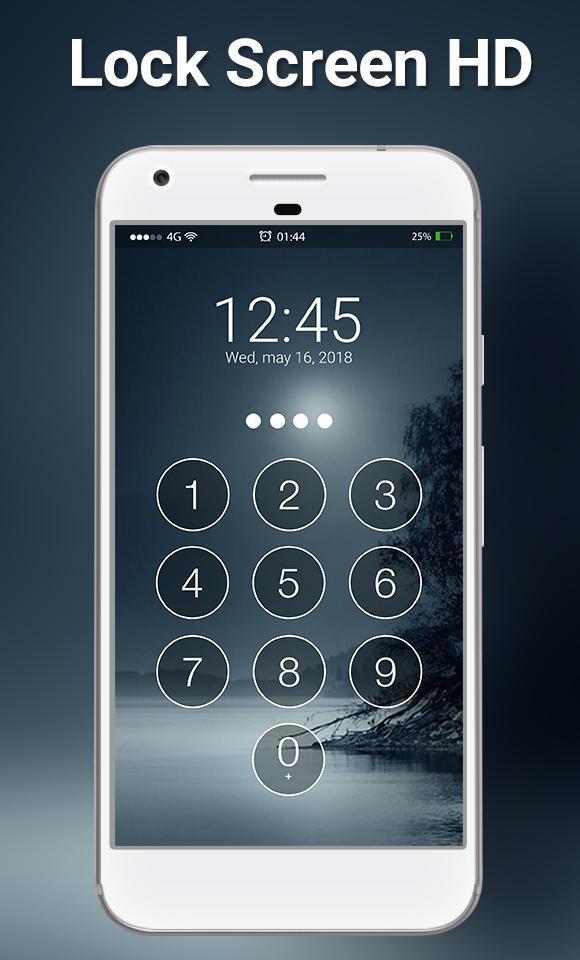
Very High security lock screen with Passcode and Pattern style with Hd wallpapers and Slide to Unlock. You can set 4-digit passcode pin security lock screens. And Material Theme Lock Pattern.
With AppLock Security, it’s easier to protect your launcher and the themes can make your launcher more beautiful. Lock Screen is not only a private guard. It provides various useful widgets and interesting themes for decorating your lock screen while protecting privacy and ensuring security.
TOP Features:
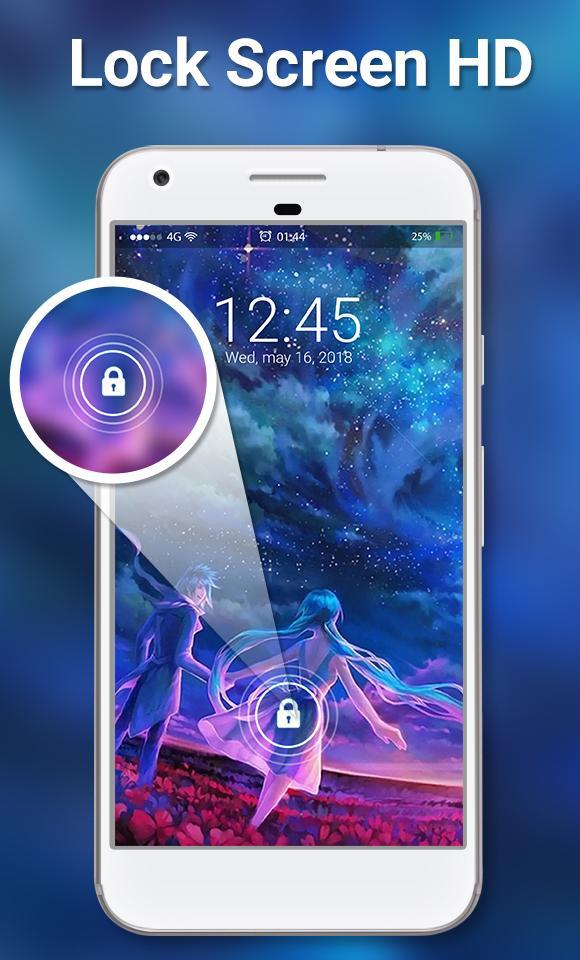
⦁ Simulate beautiful animation of Firefly on screen with hd backgrounds.
⦁ High Security keypad, pattern lock screens.
⦁ Classic way to unlock your phone easily using “slide to unlock”.
⦁ Customized sliding text to keep your own name.
⦁ Customize your lock screen with applying multiple fonts for each item on lock screen.
⦁ Options to Unlock your phone with beautiful Animations and Different Sounds.
⦁ You can set Passcode for keypad lock screen in order to safe your phone from prying eyes and unwanted user in our very strong security passcode lock screen .
⦁ Amazing New Firefly Theme HD Wallpapers for the background of lock screen.
⦁ Customize and create beautiful lock screen with applying new fonts for each items on lock screen and also apply your favorite colors and impress your friends by showing your lock screen.
⦁ Support Blur Effect when slides to passcode and also view Notifications for new incoming messages, missed call, mail etc. Enable Notification from settings inside app.
⦁ User friendly and clean design to consume less memory and battery usage of your phone.
⦁ Instant Testing your customized lock screen by clicking on “PREVIEW” option whenever you change any settings within app.
⦁ On/off lockscreen with just one click.
★ ★ ★ How to Use ★ ★ ★
- Open the app settings, touch "Enable lock Screen" to enable it (default settings)
- Touch "Set Passcode" and choose your passcode (four-digit numeric code)
- Update your Passcode by touch "Change Passcode"
- Switch to different beautiful backgrounds by touch "Set Lockscreen Wallpaper" and preview it.
- Click to "> slide to unlock" to custom your lock message.
Thank You.
Preview
Tags
ToolsInformation
Developer
Digitech Tool Apps
Latest Version
1.1
Last Updated
2019-09-06
Category
Tools
Available on
Google Play
Show More
Cara bermain Lock Screen HD dengan GameLoop pada PC
1. Muat turun GameLoop dari laman web rasmi, kemudian jalankan fail exe untuk memasang GameLoop.
2. Buka GameLoop dan cari "Lock Screen HD", cari Lock Screen HD dalam hasil carian dan klik "Pasang".
3. Nikmati bermain Lock Screen HD di GameLoop.
Minimum requirements
OS
Windows 8.1 64-bit or Windows 10 64-bit
GPU
GTX 1050
CPU
i3-8300
Memory
8GB RAM
Storage
1GB available space
Recommended requirements
OS
Windows 8.1 64-bit or Windows 10 64-bit
GPU
GTX 1050
CPU
i3-9320
Memory
16GB RAM
Storage
1GB available space