SpeedTest Internet speed test PC
cutool
Download SpeedTest Internet speed test on PC With GameLoop Emulator
SpeedTest Internet speed test pada PC
SpeedTest Internet speed test, datang daripada pembangun cutool, sedang berjalan pada sistem Android pada masa lalu.
Kini, Anda boleh bermain SpeedTest Internet speed test pada PC dengan GameLoop dengan lancar.
Muat turunnya dalam pustaka GameLoop atau hasil carian. Tiada lagi melihat bateri atau panggilan yang mengecewakan pada masa yang salah lagi.
Hanya nikmati SpeedTest Internet speed test PC pada skrin besar secara percuma!
SpeedTest Internet speed test Pengenalan
📌 Do you feel the Internet is slow? Is the device always lagging when playing games?
📌 You bought the highest package of the carrier but the bandwidth still does not meet your needs?
👍 Speed Test - completely free and highly accurate network speed test app. Use SpeedTest to test download and upload speed with just one tap, very simple and easy.
You want to test your upload speed, download speed and ping (or latency) but don't know how. Don't worry.
Use our Speedtest to test your internet speed and test network performance!
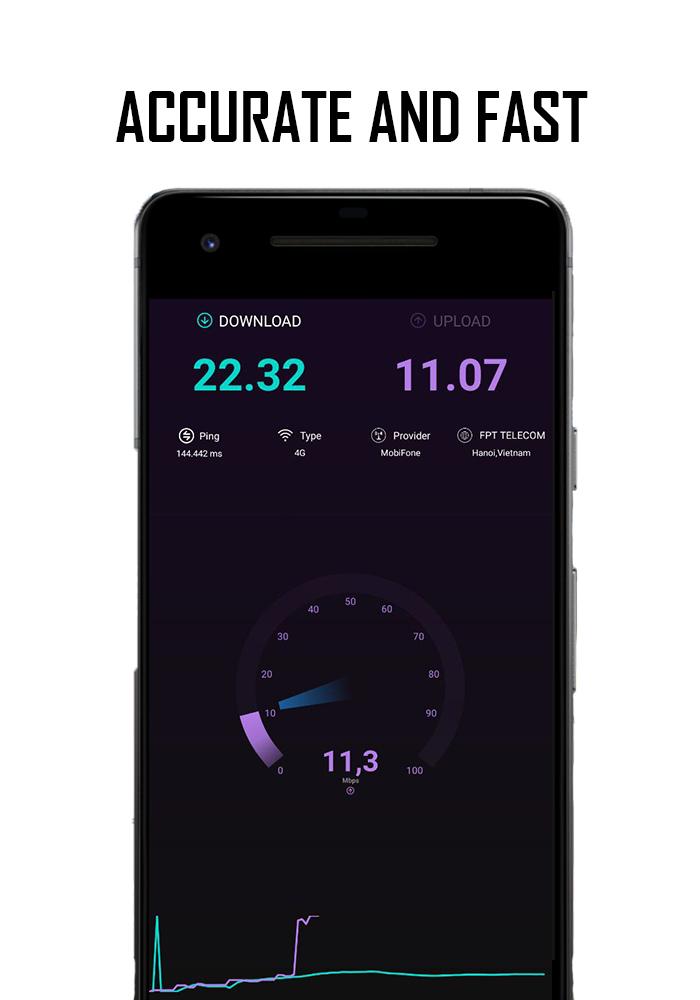
With just one tap, it tests your internet connection through thousands of servers worldwide and shows accurate results within 30 seconds😲. You can easily test the download and upload speed and latency (ping) of your home network.
Our Speedtest is a free internet speed meter. It can test speed for 2G, 3G, 4G, 5G, DSL and ADSL. It is also a wifi analyzer tool that can help you check wifi connection.
Outstanding features of the application
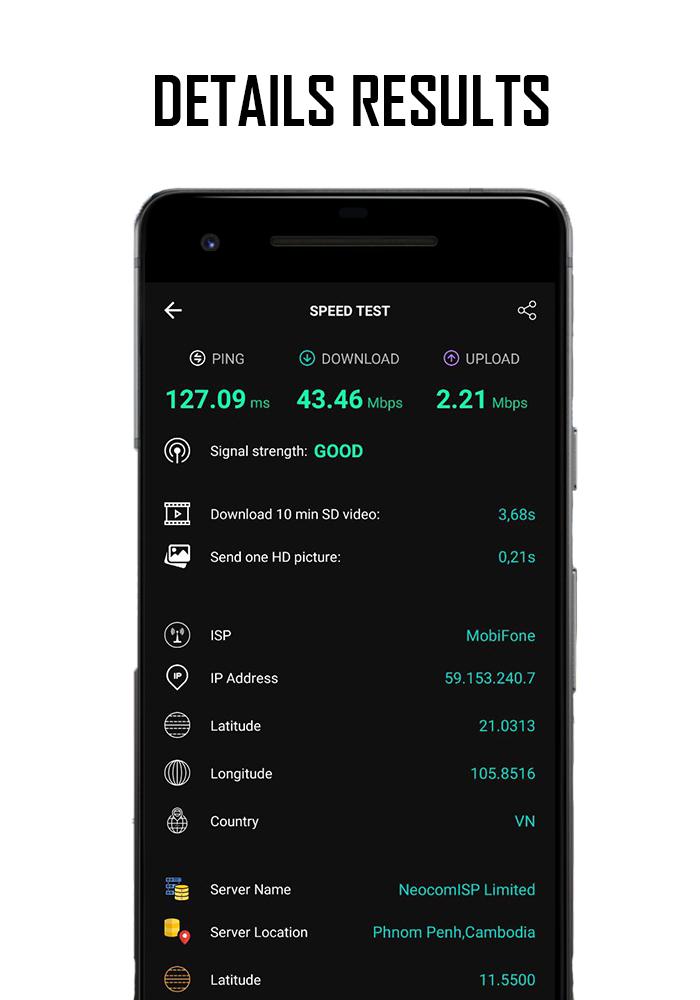
🔜 Discover your downloads, uploads and pings
🔜 Real-time graph showing connection consistency
🔜 Test wifi, 3G, 4G and LTE speed when downloading, check upload speed and network ping speed.
🔜 Choose different internet networks for speed test
🔜 Compare internet networks
🔜 Easily share your results
What do Ping, Download, Upload mean and why are they important?
✅ Check ping
Pings of 100 ms or less are average for most broadband connections. In gaming, any ping below 20 ms is considered exceptional and a "low ping", a number between 50 ms and 100 ms is very good to medium, while pings of 150 ms or more are less desirable than and is considered a "high ping."
✅ Download speed test
Your download speed is what you would normally consider your internet speed. This is how information is transferred quickly from the Internet to your device. It is measured in the number of bits of information that can be delivered per second—usually measured in megabits per second (Mbps) or millions of bits per second.
Fast download speeds support better streaming, especially at higher resolutions.
✅ Upload speed test
Upload speed measures how fast data is transferred from your device to the Internet. Like download speed, it is also measured in Mbps.
Upload speeds are often slower than download speeds because you usually get more information from the internet than you send to it.
Preview
Tags
ToolsInformation
Developer
cutool
Latest Version
1.0.45
Last Updated
2023-10-08
Category
Tools
Available on
Google Play
Show More
Cara bermain SpeedTest Internet speed test dengan GameLoop pada PC
1. Muat turun GameLoop dari laman web rasmi, kemudian jalankan fail exe untuk memasang GameLoop.
2. Buka GameLoop dan cari "SpeedTest Internet speed test", cari SpeedTest Internet speed test dalam hasil carian dan klik "Pasang".
3. Nikmati bermain SpeedTest Internet speed test di GameLoop.
Minimum requirements
OS
Windows 8.1 64-bit or Windows 10 64-bit
GPU
GTX 1050
CPU
i3-8300
Memory
8GB RAM
Storage
1GB available space
Recommended requirements
OS
Windows 8.1 64-bit or Windows 10 64-bit
GPU
GTX 1050
CPU
i3-9320
Memory
16GB RAM
Storage
1GB available space