Satellite Signal Finder: Dish pointer & align PC
satellite finder apps studio
Download Satellite Signal Finder: Dish pointer & align on PC With GameLoop Emulator
Satellite Signal Finder: Dish pointer & align pada PC
Satellite Signal Finder: Dish pointer & align, datang daripada pembangun satellite finder apps studio, sedang berjalan pada sistem Android pada masa lalu.
Kini, Anda boleh bermain Satellite Signal Finder: Dish pointer & align pada PC dengan GameLoop dengan lancar.
Muat turunnya dalam pustaka GameLoop atau hasil carian. Tiada lagi melihat bateri atau panggilan yang mengecewakan pada masa yang salah lagi.
Hanya nikmati Satellite Signal Finder: Dish pointer & align PC pada skrin besar secara percuma!
Satellite Signal Finder: Dish pointer & align Pengenalan
Here we are introducing a Satellite Dish installation: Dish pointer and align app which will help you very friendly in finding accurate satellite tv signal. As we all know that Satellite Dish Setting is not an easy task for all of us so we are updating this Satellite Antenna Setting mobile app day by day to make it a very easy and simple task.
By Using this satellite finder You will find here satellite azimuth and elevation, longitude, and latitude of your country satellite concerning your current location for dish alignment.
Satellite Director shows clear numeric information for the longitude and latitude of any satellite regarding your GPS location.
This Satfinder pro app will help you while,
Setting up Dish Anywhere
Adjusting lnb Skew Angle
Finding accurate Dish Direction Angle
This sat finder app will Guide you,
Accurate azimuth and elevation digitally
How to set dish antenna quickly
Antenna Setting without compass sensor devices
through map
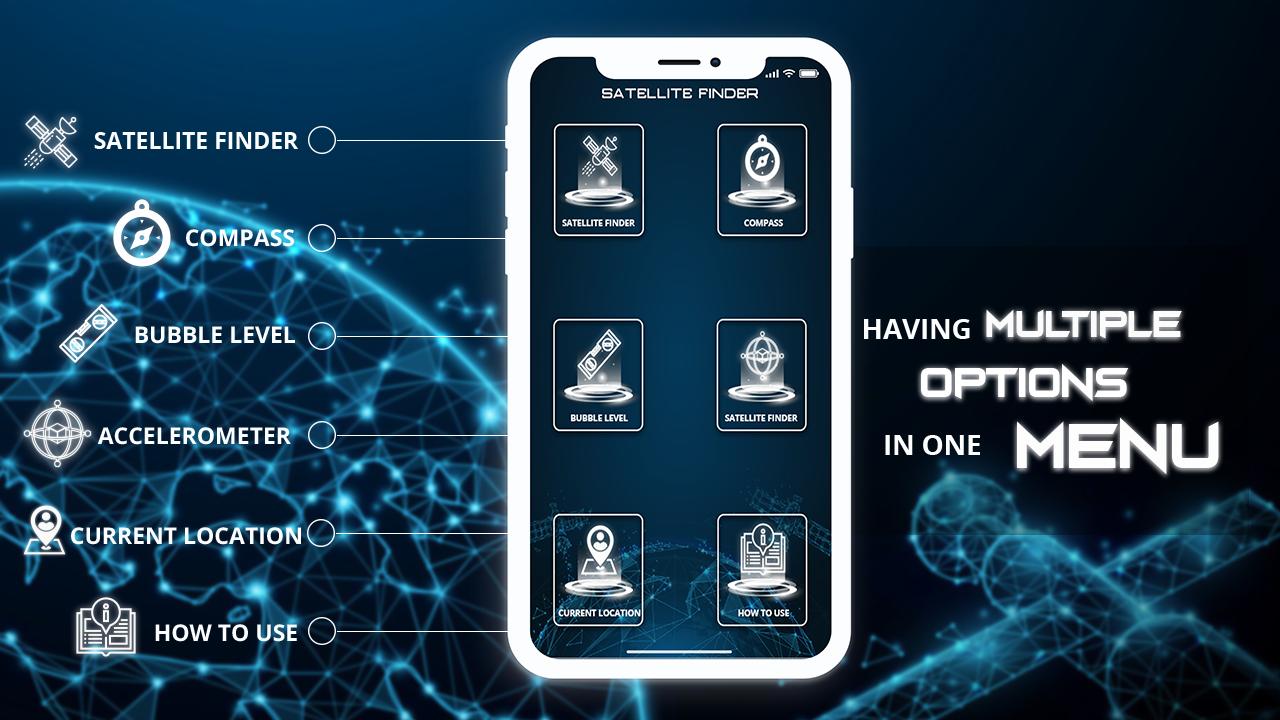
This satellite director app also contains a navigational tool called gyrocompass which helps you to find real-time directions of satellites. This satellite director with gyrocompass directs you for finding the right angles of your selected satellite.
This dish pointer application Guide you to adjust your satellite dish dependent on your area and the chosen satellite. Dish pointer points to your required satellite in no time by getting your current location.
This Dish director, Sat Finder provides a tool called an accelerometer that is accessible freely in our satellite locater for all TV dish Satellite setting App.
How to use Satellite Finder pro, satellite locater App?
First of all, check your internet connection and make sure your GPS location is on
Click on satellite finder activity For Easy Dish Installation
Now click on the select satellite button there you will see a world satellite list consisting of the number of Sat Dish satellites. Choose your required satellite from Sat satellite list by the custom search.
Rotate your device towards the moving satellite button on a rotating compass, when it shows that Now it's perfect then set the satellite dish in that direction.
Tip: When You are going to align dish must keep in mind that you don’t have any metal material with You then this will help you in finding accurate satellite signal.
Note: If you have any issue regarding intellectual property then contact us at our developer address we will solve it.
Preview
Information
Developer
satellite finder apps studio
Latest Version
1.2.1
Last Updated
2021-05-06
Category
Tools
Available on
Google Play
Show More
Cara bermain Satellite Signal Finder: Dish pointer & align dengan GameLoop pada PC
1. Muat turun GameLoop dari laman web rasmi, kemudian jalankan fail exe untuk memasang GameLoop.
2. Buka GameLoop dan cari "Satellite Signal Finder: Dish pointer & align", cari Satellite Signal Finder: Dish pointer & align dalam hasil carian dan klik "Pasang".
3. Nikmati bermain Satellite Signal Finder: Dish pointer & align di GameLoop.
Minimum requirements
OS
Windows 8.1 64-bit or Windows 10 64-bit
GPU
GTX 1050
CPU
i3-8300
Memory
8GB RAM
Storage
1GB available space
Recommended requirements
OS
Windows 8.1 64-bit or Windows 10 64-bit
GPU
GTX 1050
CPU
i3-9320
Memory
16GB RAM
Storage
1GB available space