
iOS Phone Dialer - Call Screen PC
MMP Infotech
Download iOS Phone Dialer - Call Screen on PC With GameLoop Emulator
iOS Phone Dialer - Call Screen pada PC
iOS Phone Dialer - Call Screen, datang daripada pembangun MMP Infotech, sedang berjalan pada sistem Android pada masa lalu.
Kini, Anda boleh bermain iOS Phone Dialer - Call Screen pada PC dengan GameLoop dengan lancar.
Muat turunnya dalam pustaka GameLoop atau hasil carian. Tiada lagi melihat bateri atau panggilan yang mengecewakan pada masa yang salah lagi.
Hanya nikmati iOS Phone Dialer - Call Screen PC pada skrin besar secara percuma!
iOS Phone Dialer - Call Screen Pengenalan
Are you feeling bored with old-style caller screens? We will bring you iCall Dialer - iOS Call Screen .
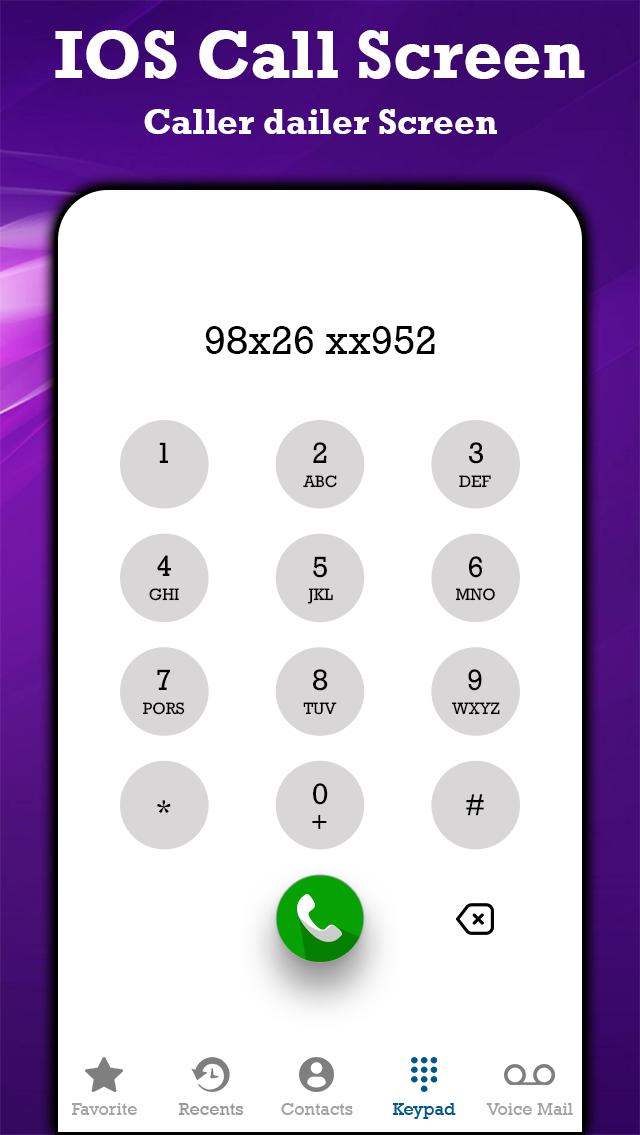
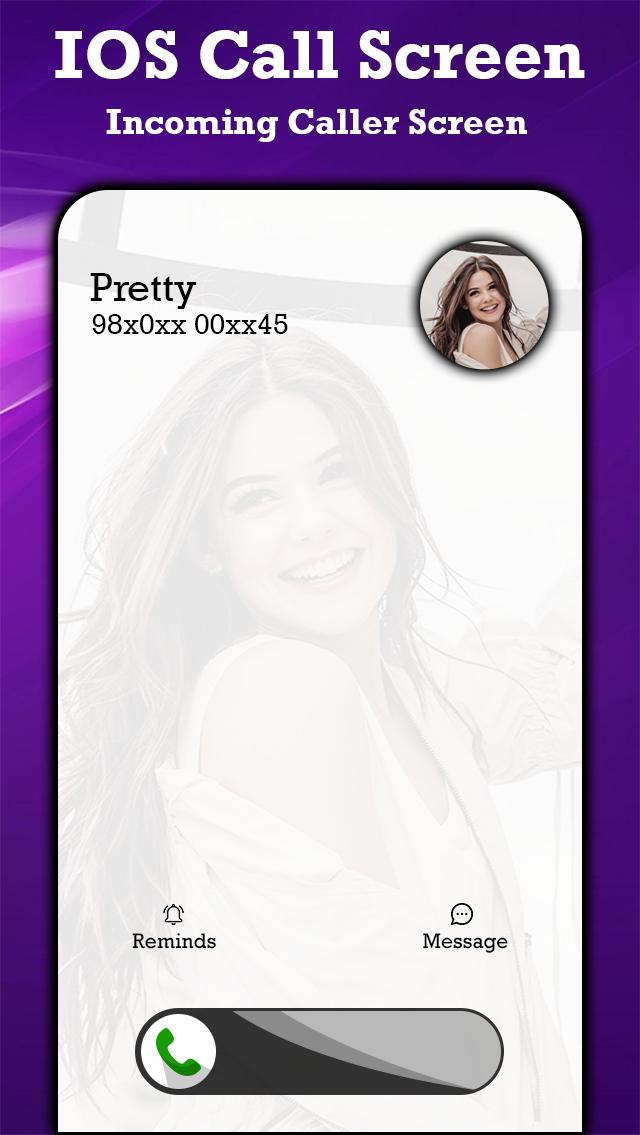
You can personalize your Phone Dialer / Dialpad easily! Slide to answer the call, change Call Screen backgrounds. Enjoy the full screen caller ID, dialer and dialpad iPhone style on your Android device.
Highly customizable, but easy-to-use, iCall provides you very convenient way to quickly access your recent calls, contacts, favorites and groups. It comes with the idea to get rid of unnecessary elements to save space for content, and make daily usage extremely easy with just-one-hand navigation.
You can easily block phone numbers to avoid unwanted incoming calls with this iOS 15 interface call app. This feature is missing from most of the apps currently on the store. Using this feature, you can choose who can call you. By this feature, user's security can be maintained easily.
🎨 Set custom wallpapers or backgrounds 🎨
Customize and decorate wallpaper of background for the call screen.
🎵 Set iOS15, iOS16 ringtones 🎵
It allows you to set iOS 14 and iOS 15 ringtones. Customize your dialer screen and ringtones per contact.
🚫 Call block 🚫
It allows you to block unwanted or spam calls.
☎ Phone Dialer ☎
There are many features in the dialer app:
Search or manage a smooth contacts book.
See recent calls history.
Add and remove contacts in favorites.
The advanced dialer T9 keypad allows users to search and see the contact detail.
🔧 Customization settings 🔧
There are many settings like changing wallpapers and ringtones, blocker, swap accepts, and decline buttons for incoming ↘ and outgoing ↗ call screen.
🏆 Callscreen 🏆
Enjoy all the fantastic features that the iOS 15 call screen provides. Jump on a conference call or customize your phone dialer screen. It's up to you.
💖 Slide to answer button 💖
Everyone wants the "slide to answer button." The iCallScreen app gives you a feel like an actual iPhone slide to answer button on iOS 15.
✌ Dual-SIM support ✌
The app supports a dual sim card. So a user can manage SIM settings and choose a sim card before a call or set a default sim.
🔉 Caller name announcer 🔉
There's no need to look at your phone or dial pad. It can announce the name or the number of your caller.
🎭 Fake Call 🎭
Schedule a fake call with a custom contact name, mobile number, and ringtone.
💥.Flash on Call 💥
Blink a flashlight while the incoming call rings and adjust flash preference as per your preference.
🌓 Dark Mode 🌓
The dark mode option is available to optimize battery life. Customize the dialpad with your preferred color.
🎈 Lightweight 🎈
The app size is only 7 to 8 MB. Enjoy a custom dial pad on any device!
📞 Call back screen 📞
After hanging up, the call, call back screens comes for you to recall, send a message, block, or make a note of calls.
👫 Manage Conference 👫
You can merge two or more calls, manage the conference, and split the calls if needed.
Made In India
Preview
Tags
ToolsInformation
Developer
MMP Infotech
Latest Version
1.0
Last Updated
2022-07-21
Category
Tools
Available on
Google Play
Show More
Cara bermain iOS Phone Dialer - Call Screen dengan GameLoop pada PC
1. Muat turun GameLoop dari laman web rasmi, kemudian jalankan fail exe untuk memasang GameLoop.
2. Buka GameLoop dan cari "iOS Phone Dialer - Call Screen", cari iOS Phone Dialer - Call Screen dalam hasil carian dan klik "Pasang".
3. Nikmati bermain iOS Phone Dialer - Call Screen di GameLoop.
Minimum requirements
OS
Windows 8.1 64-bit or Windows 10 64-bit
GPU
GTX 1050
CPU
i3-8300
Memory
8GB RAM
Storage
1GB available space
Recommended requirements
OS
Windows 8.1 64-bit or Windows 10 64-bit
GPU
GTX 1050
CPU
i3-9320
Memory
16GB RAM
Storage
1GB available space