
HomeMedia LITE PC
Banamalon OG
Download HomeMedia LITE on PC With GameLoop Emulator
HomeMedia LITE pada PC
HomeMedia LITE, datang daripada pembangun Banamalon OG, sedang berjalan pada sistem Android pada masa lalu.
Kini, Anda boleh bermain HomeMedia LITE pada PC dengan GameLoop dengan lancar.
Muat turunnya dalam pustaka GameLoop atau hasil carian. Tiada lagi melihat bateri atau panggilan yang mengecewakan pada masa yang salah lagi.
Hanya nikmati HomeMedia LITE PC pada skrin besar secara percuma!
HomeMedia LITE Pengenalan
STEP 1:
Download HomeMedia App
STEP 2:
Download & install free Server (HomeMedia) for Windows and start it
Download it from http://www.banamalon.net
STEP 3:
Select 'Change Server' from HomeScreen
A list of the Servers should appear otherwise press the refresh button or add a new server by pressing the add button
STEP 4:
Be a potate and use your coach!
If any problems occur just contact us directly!
STEP 5:
Comment/Rate this app!
SUPPORT:
- Install guide: http://www.banamalon.net/android/wiki/index.php?title=HomeMedia_APP
- Forum: http://www.banamalon.net/android/bbpress/
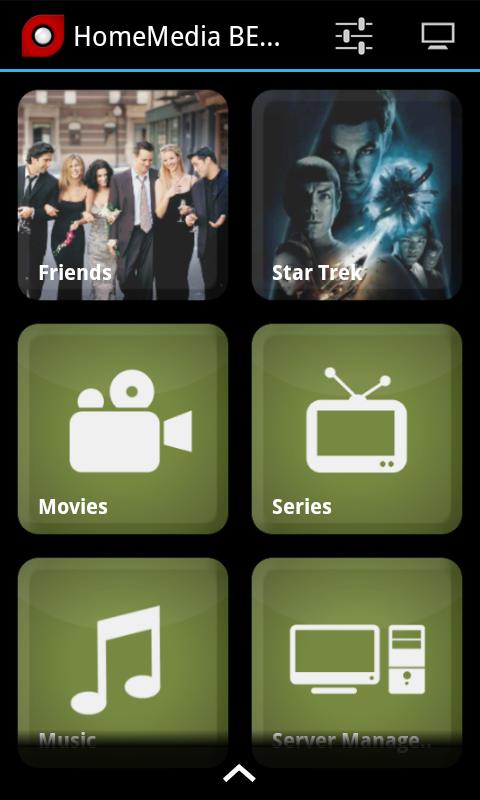
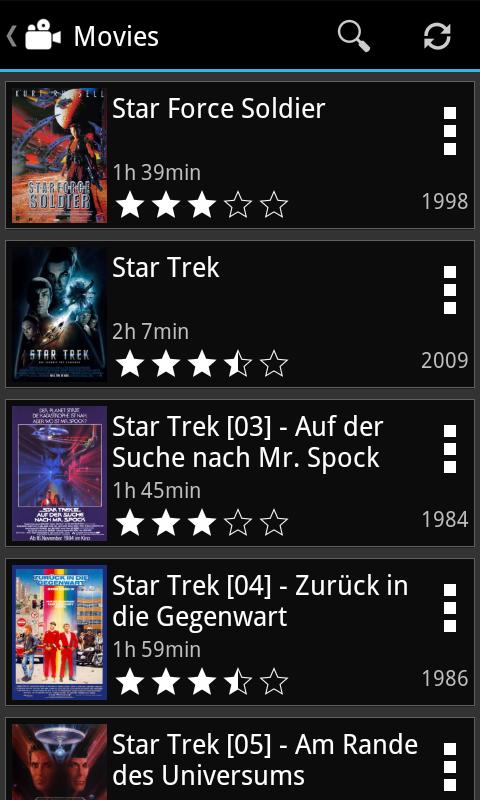
This is a filemanager for your media files.
HomeMedia App provides you to browse your media collection stored in HomeMedias server program.
Therfore you must DOWNLOAD the server program HomeMedia to use this app otherwise it won't show you anything!
Features:
- Browse your media files
- Watch a trailer of a movie on your device [uses third party apps]
- Show information of a movie on the server
- Watch the media file on your device [uses third party apps eg. RockPlayer]
- Start the media file on the server
No remote control yet? Try out our remote controls with integrated HomeMedia! We are currently supporting Media Player Classic (MPC), VideoLAN Client (VLC), Windows Media Player (WMP) and foobar2000.
Preview
Information
Developer
Banamalon OG
Latest Version
2.01
Last Updated
2013-12-02
Category
Tools
Available on
Google Play
Show More
Cara bermain HomeMedia LITE dengan GameLoop pada PC
1. Muat turun GameLoop dari laman web rasmi, kemudian jalankan fail exe untuk memasang GameLoop.
2. Buka GameLoop dan cari "HomeMedia LITE", cari HomeMedia LITE dalam hasil carian dan klik "Pasang".
3. Nikmati bermain HomeMedia LITE di GameLoop.
Minimum requirements
OS
Windows 8.1 64-bit or Windows 10 64-bit
GPU
GTX 1050
CPU
i3-8300
Memory
8GB RAM
Storage
1GB available space
Recommended requirements
OS
Windows 8.1 64-bit or Windows 10 64-bit
GPU
GTX 1050
CPU
i3-9320
Memory
16GB RAM
Storage
1GB available space