FROM PHONE TO GAMING LAPTOP PC
taymani dev
Download FROM PHONE TO GAMING LAPTOP on PC With GameLoop Emulator
FROM PHONE TO GAMING LAPTOP pada PC
FROM PHONE TO GAMING LAPTOP, datang daripada pembangun taymani dev, sedang berjalan pada sistem Android pada masa lalu.
Kini, Anda boleh bermain FROM PHONE TO GAMING LAPTOP pada PC dengan GameLoop dengan lancar.
Muat turunnya dalam pustaka GameLoop atau hasil carian. Tiada lagi melihat bateri atau panggilan yang mengecewakan pada masa yang salah lagi.
Hanya nikmati FROM PHONE TO GAMING LAPTOP PC pada skrin besar secara percuma!
FROM PHONE TO GAMING LAPTOP Pengenalan
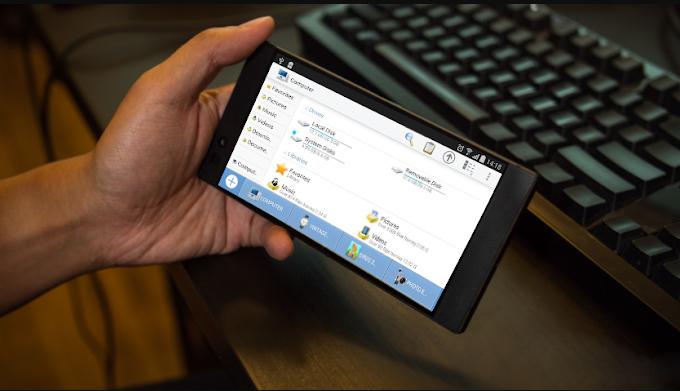
from phone to gaming laptop is a mobile app that enables you to turn your smart phone to a computer by giving you the ability to use it like a computer (for office, programmation, games etc..). It is a file explorer, designed to support multiple tabs and windows.
Besides, you can store your documents, and programs in the app storage, modify your mails or files, creating new document, playing computer games, sharing files,... In general, it changes the home page from smartphone icons to computer home page and then you can use your mini computer app.
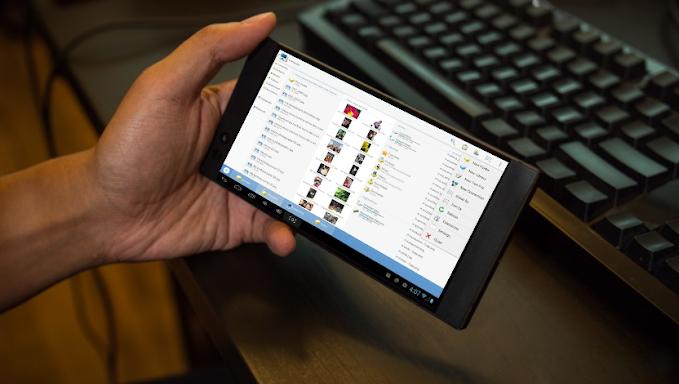
It provides access to pictures, music, video, documents, and other files on your Android devices and you can manage it as a computer.
What includes:
* File explorer: manage your documents like you do on your computer.
* Access your shared documents on network as if it is in a laptop desktop.
* Application management
* Built-in media viewer and player for various media formats, including photos, music, and videos;..
If you have questions, please don't post a negative review, rather, ask your question on the forum so everybody benefits:
Preview
Tags
ToolsInformation
Developer
taymani dev
Latest Version
1.0
Last Updated
2022-07-09
Category
Tools
Available on
Google Play
Show More
Cara bermain FROM PHONE TO GAMING LAPTOP dengan GameLoop pada PC
1. Muat turun GameLoop dari laman web rasmi, kemudian jalankan fail exe untuk memasang GameLoop.
2. Buka GameLoop dan cari "FROM PHONE TO GAMING LAPTOP", cari FROM PHONE TO GAMING LAPTOP dalam hasil carian dan klik "Pasang".
3. Nikmati bermain FROM PHONE TO GAMING LAPTOP di GameLoop.
Minimum requirements
OS
Windows 8.1 64-bit or Windows 10 64-bit
GPU
GTX 1050
CPU
i3-8300
Memory
8GB RAM
Storage
1GB available space
Recommended requirements
OS
Windows 8.1 64-bit or Windows 10 64-bit
GPU
GTX 1050
CPU
i3-9320
Memory
16GB RAM
Storage
1GB available space