EasyBooster PC
Crazyapps Team
Download EasyBooster on PC With GameLoop Emulator
EasyBooster pada PC
EasyBooster, datang daripada pembangun Crazyapps Team, sedang berjalan pada sistem Android pada masa lalu.
Kini, Anda boleh bermain EasyBooster pada PC dengan GameLoop dengan lancar.
Muat turunnya dalam pustaka GameLoop atau hasil carian. Tiada lagi melihat bateri atau panggilan yang mengecewakan pada masa yang salah lagi.
Hanya nikmati EasyBooster PC pada skrin besar secara percuma!
EasyBooster Pengenalan
EasyBooster - Junk Cleaner & Phone Booster & Battery Saver, is a all-in-one Clean Master for Andriod.
WHY CHOOSE EasyBooster?
⭐Professional phone booster and junk cleaner, clean app and system cache and junk files with single tap! Free up memory and phone storage.
🚀Phone Booster: One tap to free up RAM and make your phone lighter and run smoothly. After using it, you wil find that your phone runs fast and as if it was new!
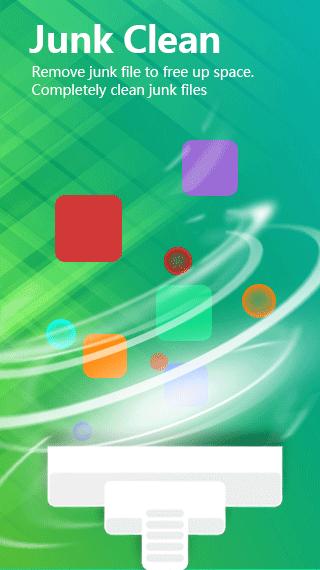
🗑️Junk Cleaner: EasyBooster can scan and remove junk, residual and cache files, download folders and more while using advanced technology. With this professional cleaner, you can delete social app cache smartly without deleting any useful information. EasyBooster can free up storage space maximally.
🔋Battery Saver: Detect and disable battery-draining apps in the backgroud to save battery power and extend battery life efficiently.
❄️CPU Cooler: Perform detailed analysis to detect and close battery-draining apps to cool down phone CPU temperature.
EasyBooster NOTES:
⚠None of the personal data such as username or email address proceeds.
⚠All information will be kept secure and not shared with the 3rd party according to Privacy and Cookies Policy.
Preview

Tags
ToolsInformation
Developer
Crazyapps Team
Latest Version
10.0.0
Last Updated
2022-10-28
Category
Tools
Available on
Google Play
Show More
Cara bermain EasyBooster dengan GameLoop pada PC
1. Muat turun GameLoop dari laman web rasmi, kemudian jalankan fail exe untuk memasang GameLoop.
2. Buka GameLoop dan cari "EasyBooster", cari EasyBooster dalam hasil carian dan klik "Pasang".
3. Nikmati bermain EasyBooster di GameLoop.
Minimum requirements
OS
Windows 8.1 64-bit or Windows 10 64-bit
GPU
GTX 1050
CPU
i3-8300
Memory
8GB RAM
Storage
1GB available space
Recommended requirements
OS
Windows 8.1 64-bit or Windows 10 64-bit
GPU
GTX 1050
CPU
i3-9320
Memory
16GB RAM
Storage
1GB available space