mPOS by UltimatePOS PC
bugfree solution private limited
Download mPOS by UltimatePOS on PC With GameLoop Emulator
mPOS by UltimatePOS pada PC
mPOS by UltimatePOS, datang daripada pembangun bugfree solution private limited, sedang berjalan pada sistem Android pada masa lalu.
Kini, Anda boleh bermain mPOS by UltimatePOS pada PC dengan GameLoop dengan lancar.
Muat turunnya dalam pustaka GameLoop atau hasil carian. Tiada lagi melihat bateri atau panggilan yang mengecewakan pada masa yang salah lagi.
Hanya nikmati mPOS by UltimatePOS PC pada skrin besar secara percuma!
mPOS by UltimatePOS Pengenalan
mPOS by UltimatePOS is a Multi-Store Point of Sale System for Android with Web Admin Panel
Screenshots
Add to Favorites
Add to Collection
mPOS is an online-based multi store point of sale system for Android devices with Web Admin panel to manage multiple store or shop. It is a very useful multi store online point of sale system for android mobile device or tablet. By using mPOS, you can easily maintain your all shops and all kinds of products and sales records. You can store customer and supplier’s information. You can easily see your daily, weekly, monthly and yearly reports with bar chart. Super POS has multiple language (English, Spanish, Bangla, French,Hindi) facility. You can sales product from Android device or tablet and manage pos system from web admin panel. All data store in online server. There are three types of user- Admin, Manager and Staff. Also have user access limitation. You can manage your shops sells smartly from anytime anywhere.
Main Features:
Manage multiple shops or stores.
Manage multiple shop owners.
Create customers and suppliers information for different stores.
Create product information with images.
Edit product information
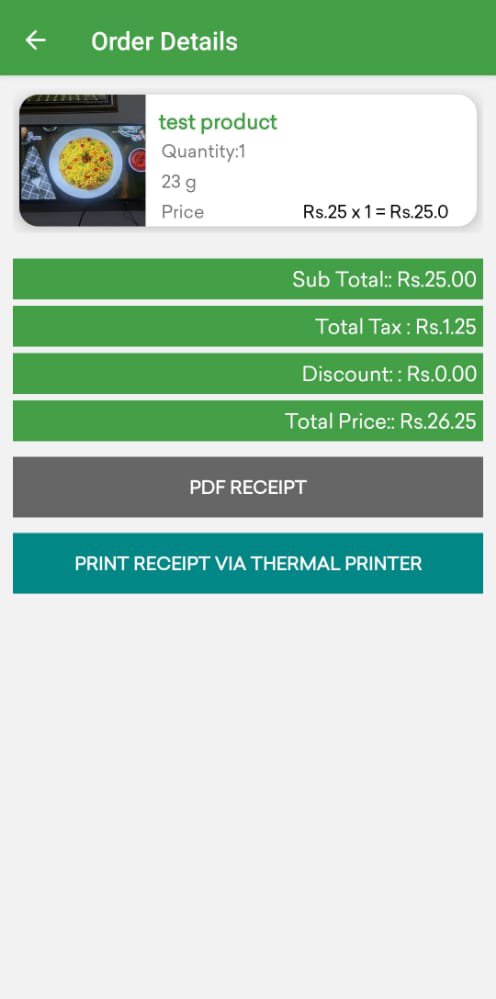
Generate PDF receipt
Print PDF receipt by POS printer
Share PDF receipts to customers
Open PDF receipt by external PDF readers
Add product using QR code
Add product using Barcode code
Product stock management system
Product Stock count
Product by category
Search product using QR and Barcode
Point of sales system with the cart.
Create an expense list.
Add/Edit product category
Add/Edit payment method
Daily, monthly and yearly reports with the bar chart
Add any currency symbol
Attractive User Interface.
Product-based Tax and discount system
Multiple languages (English, French, Spanish, Hindi and Bangla) support.
Preview
Tags
ProductivityInformation
Developer
bugfree solution private limited
Latest Version
1.1
Last Updated
2021-11-03
Category
Productivity
Available on
Google Play
Show More
Cara bermain mPOS by UltimatePOS dengan GameLoop pada PC
1. Muat turun GameLoop dari laman web rasmi, kemudian jalankan fail exe untuk memasang GameLoop.
2. Buka GameLoop dan cari "mPOS by UltimatePOS", cari mPOS by UltimatePOS dalam hasil carian dan klik "Pasang".
3. Nikmati bermain mPOS by UltimatePOS di GameLoop.
Minimum requirements
OS
Windows 8.1 64-bit or Windows 10 64-bit
GPU
GTX 1050
CPU
i3-8300
Memory
8GB RAM
Storage
1GB available space
Recommended requirements
OS
Windows 8.1 64-bit or Windows 10 64-bit
GPU
GTX 1050
CPU
i3-9320
Memory
16GB RAM
Storage
1GB available space