DashCards Companion PC
Grabster Studios
Download DashCards Companion on PC With GameLoop Emulator
DashCards Companion pada PC
DashCards Companion, datang daripada pembangun Grabster Studios, sedang berjalan pada sistem Android pada masa lalu.
Kini, Anda boleh bermain DashCards Companion pada PC dengan GameLoop dengan lancar.
Muat turunnya dalam pustaka GameLoop atau hasil carian. Tiada lagi melihat bateri atau panggilan yang mengecewakan pada masa yang salah lagi.
Hanya nikmati DashCards Companion PC pada skrin besar secara percuma!
DashCards Companion Pengenalan
IMPORTANT:
This app does NOTHING ON ITS OWN. This app works with DashCards which is a KLWP preset. Get DashCards first: https://play.google.com/store/apps/details?id=dashcards.grabsterstudios
INTRODUCTION:
Note-taking should be instant. It should take you less screen pokes to get to your notes app to write down your thoughts right as they come. DashCards had already achieved this but it took more screen pokes then your everyday notes app.
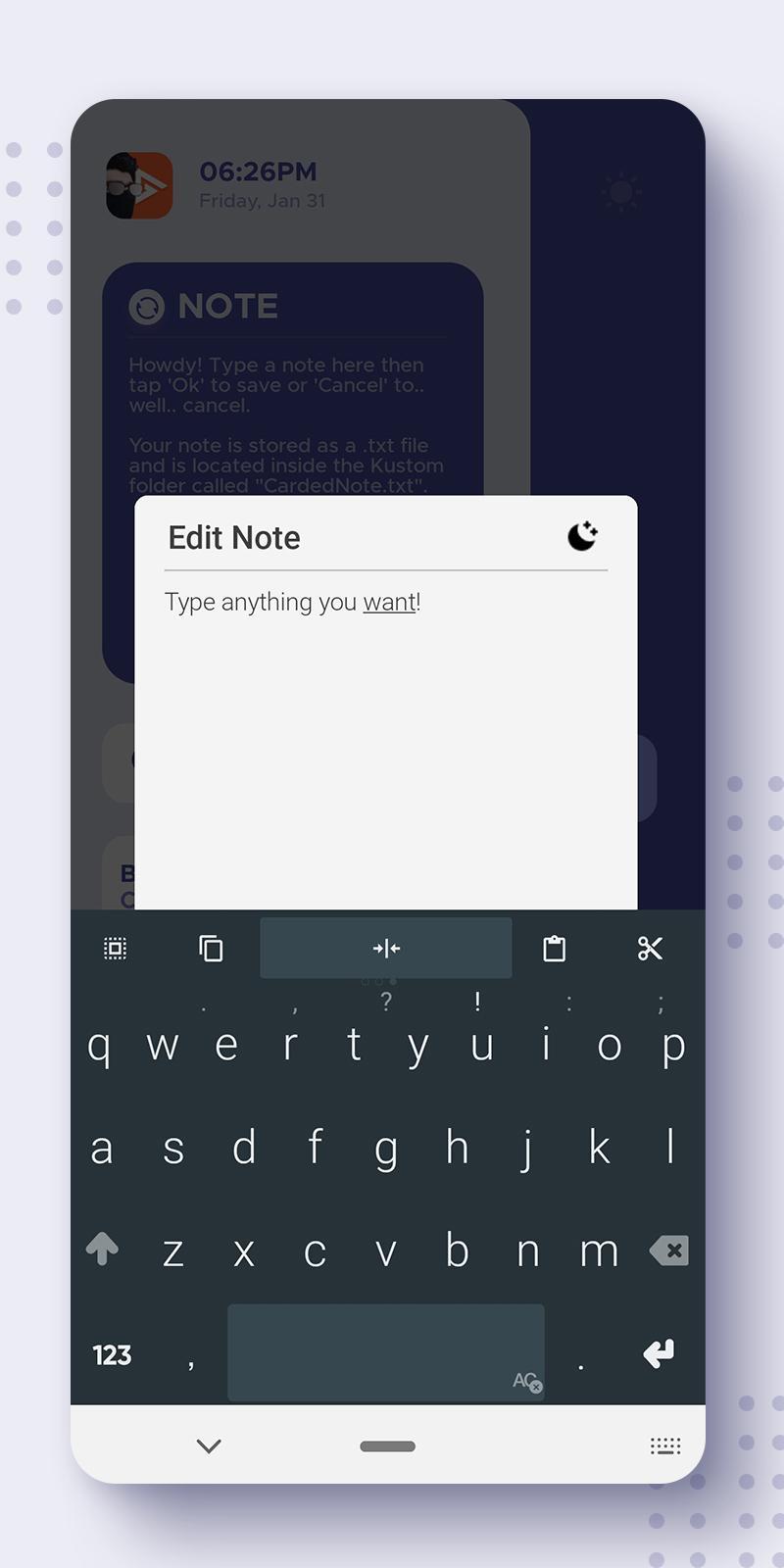
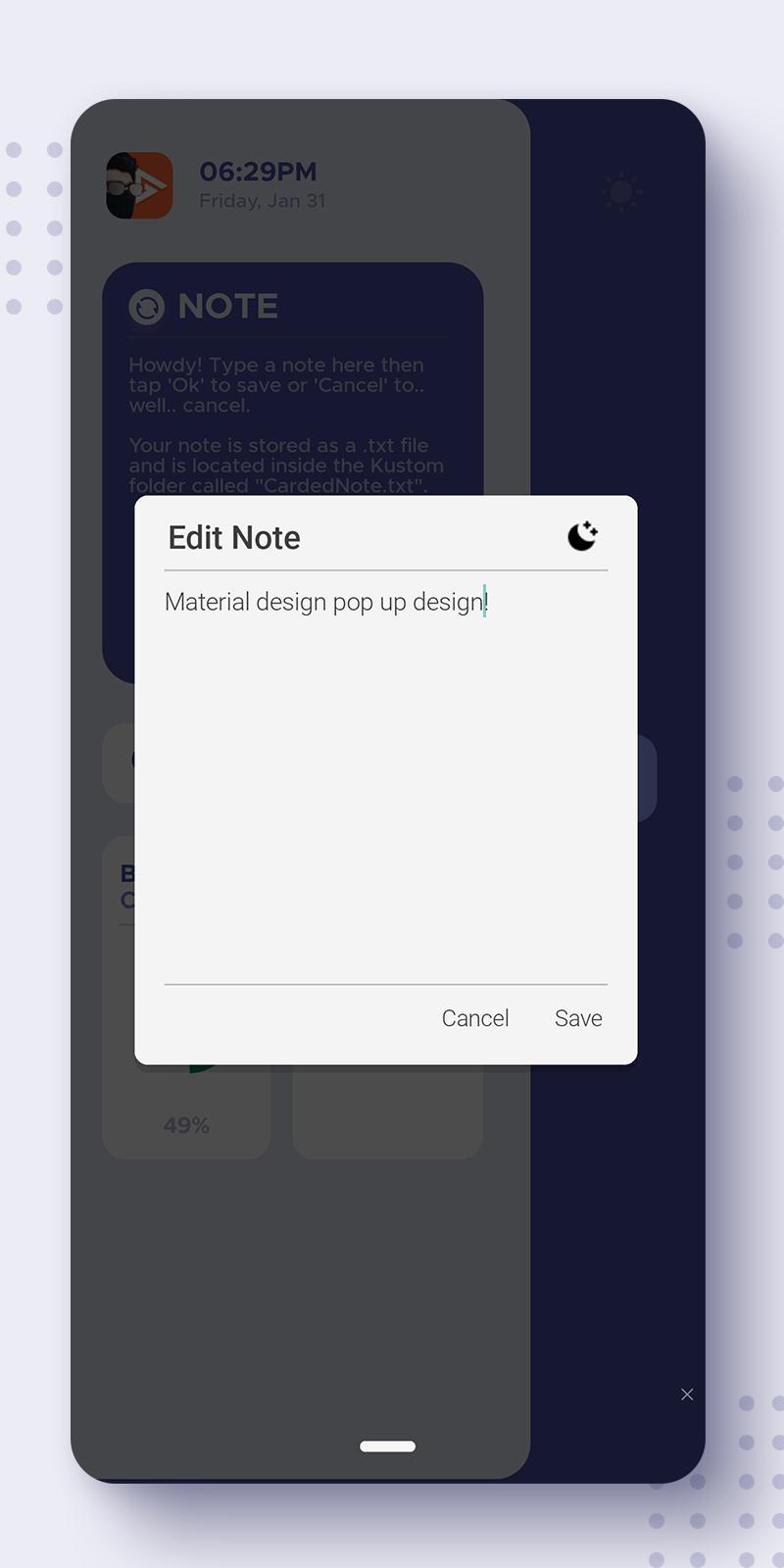
DashCards companion eliminates all distractions and lets you take notes under a maximum of 3 taps. Unlock your phone > Tap note > Write your note. Thats it!
With a material design pop up precisely designed to take distractions away and give you more screen space to focus on your note.
Did you say dark mode? We got you covered! Dark mode is just a tap away right on your pop up. No submenus needed.
Please Note:
DashCards Companion does not have a user interface. It does not open into an app. It runs in the background (taking close to no cpu resources) and only shows pop up when you tap on your note in DashCards.
-----
Installation:
- Open app after installation
- Grant storage permission (Scroll down to FAQ for more info on why this is required)
- Tap on the notification that says "Useless Notification" and disable it.
Thats it!
-----
FAQ:
Q: Why does the app need storage permissions?
A: DashCards Companion creates a text file in your phone storage. This is where your note is stored. To be able to edit your note and create the note file itself, storage permission is needed.
Q: Where is my note stored?
A: Your note text file is stored inside the Kustom Folder named "CardedNote.txt" (Kustom/CardedNote.txt)
-----
If you have any more questions or the app is "not working", feel free email me at GrabsterStudios@gmail.com or leaving a twitter DM at https://twitter.com/Grabstertv I will do my best to get back to you ASAP
Before leaving a bad review, contact me directly through my email and discuss the issue with me so i can fix it in the next update.
Preview
Information
Developer
Grabster Studios
Latest Version
1.3
Last Updated
2020-08-18
Category
Productivity
Available on
Google Play
Show More
Cara bermain DashCards Companion dengan GameLoop pada PC
1. Muat turun GameLoop dari laman web rasmi, kemudian jalankan fail exe untuk memasang GameLoop.
2. Buka GameLoop dan cari "DashCards Companion", cari DashCards Companion dalam hasil carian dan klik "Pasang".
3. Nikmati bermain DashCards Companion di GameLoop.
Minimum requirements
OS
Windows 8.1 64-bit or Windows 10 64-bit
GPU
GTX 1050
CPU
i3-8300
Memory
8GB RAM
Storage
1GB available space
Recommended requirements
OS
Windows 8.1 64-bit or Windows 10 64-bit
GPU
GTX 1050
CPU
i3-9320
Memory
16GB RAM
Storage
1GB available space