aRDP: Secure RDP Client PC
Iordan Iordanov (Undatech)
Download aRDP: Secure RDP Client on PC With GameLoop Emulator
aRDP: Secure RDP Client pada PC
aRDP: Secure RDP Client, datang daripada pembangun Iordan Iordanov (Undatech), sedang berjalan pada sistem Android pada masa lalu.
Kini, Anda boleh bermain aRDP: Secure RDP Client pada PC dengan GameLoop dengan lancar.
Muat turunnya dalam pustaka GameLoop atau hasil carian. Tiada lagi melihat bateri atau panggilan yang mengecewakan pada masa yang salah lagi.
Hanya nikmati aRDP: Secure RDP Client PC pada skrin besar secara percuma!
aRDP: Secure RDP Client Pengenalan
Connect to your computers from anywhere without network configuration! Sign up for the free Morpheusly Beta by visiting www.morpheusly.com to Download and Get Started
Welcome to the best open-source RDP client in the world!
Need aRDP on iOS or Mac OS X? Now available at
https://apps.apple.com/ca/app/ardp-pro/id1620745523
Please support my work and GPL open-source software by buying the donation version of this program called aRDP Pro!
Release notes
https://github.com/iiordanov/remote-desktop-clients/blob/master/bVNC/CHANGELOG-aRDP
Older versions
https://github.com/iiordanov/remote-desktop-clients/releases
Report bugs
https://github.com/iiordanov/remote-desktop-clients/issues
If you have questions, please ask on the forum instead of in a review for everybody's benefit
https://groups.google.com/forum/#!forum/bvnc-ardp-aspice-opaque-remote-desktop-clients
Check out bVNC, my VNC Viewer as well
https://play.google.com/store/apps/details?id=com.iiordanov.freebVNC
See below for setup instructions on enabling RDP on Windows.
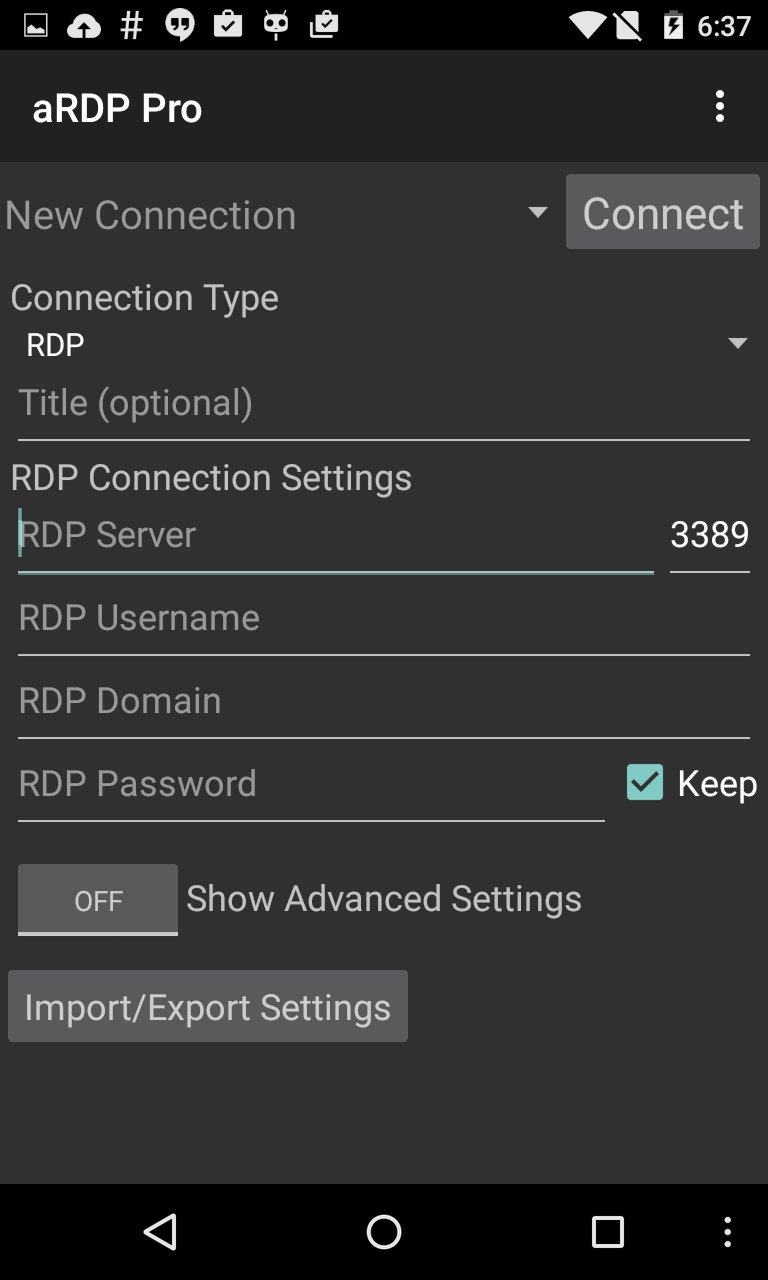
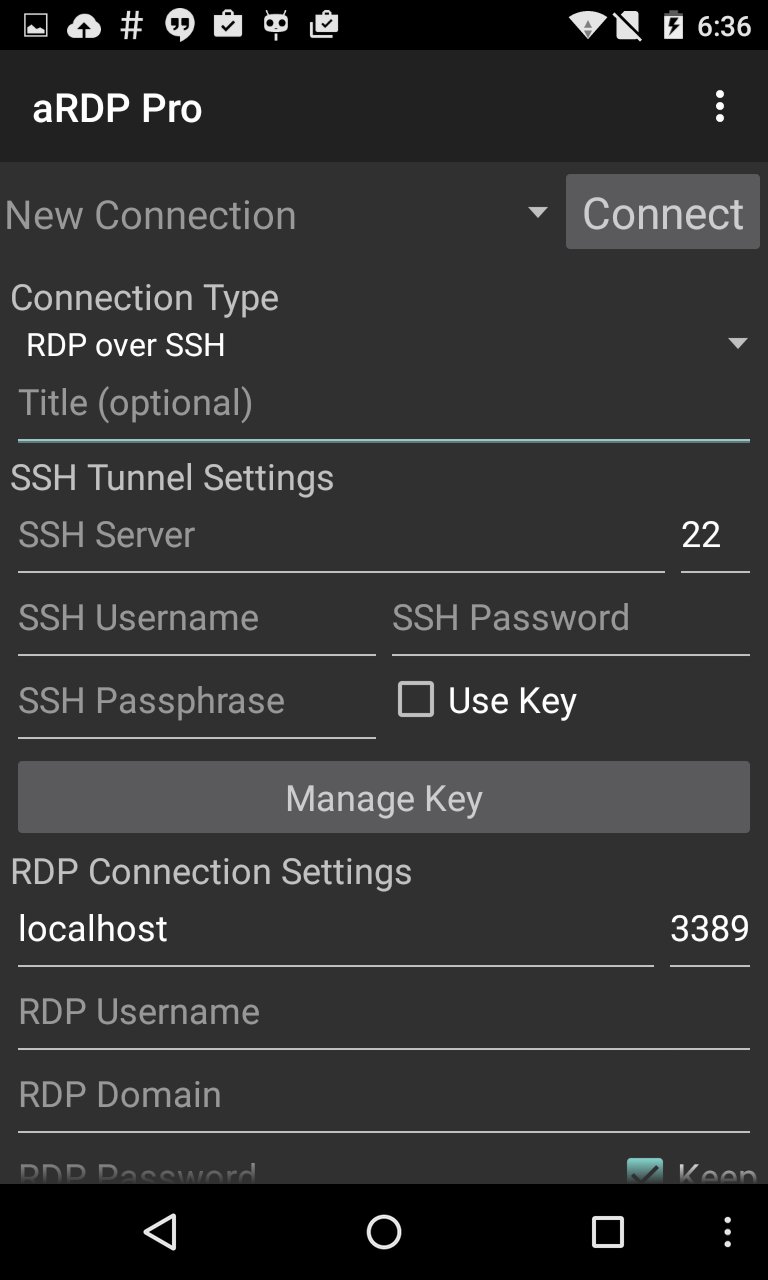
aRDP is a secure, SSH capable, open source Remote Desktop Protocol client that uses the excellent FreeRDP library and parts of aFreeRDP. Its features include:
- Remote desktop control of computers running any version of Windows except Windows 10 Home. Install a VNC server for Windows 10 Home and use bVNC
- RDP File support in Pro version
- Full Ubuntu 22.04+ support
- Remote desktop control of Linux computers with xrdp installed.
- Master password in aRDP Pro
- MFA/2FA SSH authentication in aRDP Pro
- Sound redirection in in aRDP Pro
- RDP Gateway Support
- SDcard redirection
- Console mode
- Fine control over remote desktop session styling
- Multi-touch control over the remote mouse. One finger tap left-clicks, two-finger tap right-clicks, and three-finger tap middle-clicks
- Right and middle-dragging if you don't lift the first finger that tapped
- Scrolling with a two-finger drag
- Pinch-zooming
- Force Landscape, Immersive Mode, Keep Screen Awake options in Main Menu
- Dynamic resolution changes, allowing you to reconfigure your desktop while connected, and control over virtual machines from BIOS to OS
- Full rotation support. Use the central lock rotation on your device to disable rotation
- Multi-language support
- Full mouse support on Android 4.0+
- Full desktop visibility even with soft keyboard extended
- SSH tunneling for added security or to reach machines behind a firewall.
- UI Optimizations for different screen sizes (for tablets and smartphones)
- Samsung multi-window support
- SSH public/private (pubkey) support
- Importing encrypted/unencrypted RSA keys in PEM format, unencrypted DSA keys in PKCS#8 format
- Automatic connection session saving
- Zoomable, Fit to Screen, and One to One scaling modes
- Two Direct, one Simulated Touchpad, and one Single-handed input modes
- Long-tap to get a choice of clicks, drag modes, scroll, and zoom in single-handed input mode
- Stowable on-screen Ctrl/Alt/Tab/Super and arrow keys
- Sending ESC key using the "Back" button of your device
- Ability to rotate and use D-pad for arrows
- Minimum zoom fits screen, and snaps to 1:1 while zooming
- FlexT9 and hardware keyboard support
- Available on-device help on creating a new connection in the Menu when setting up connections
- Available on-device help on available input modes in the Menu when connected
- Tested with Hackerskeyboard. Using it is recommended (get hackers keyboard from Google Play).
- Export/Import of settings
- Samsung DEX, Alt-Tab, Start Button capture
- Ctrl+Space capture
- Clipboard integration for copy/pasting from your device
- Audio support
Enabling Remote Desktop on Windows:
https://docs.microsoft.com/en-us/windows-server/remote/remote-desktop-services/clients/remote-desktop-allow-access
Enabling RDP on Linux:
- Install xrdp package
Code:
https://github.com/iiordanov/remote-desktop-clients
Preview
Tags
ProductivityInformation
Developer
Iordan Iordanov (Undatech)
Latest Version
v6.3.6
Last Updated
2026-04-09
Category
Productivity
Available on
Google Play
Show More
Cara bermain aRDP: Secure RDP Client dengan GameLoop pada PC
1. Muat turun GameLoop dari laman web rasmi, kemudian jalankan fail exe untuk memasang GameLoop.
2. Buka GameLoop dan cari "aRDP: Secure RDP Client", cari aRDP: Secure RDP Client dalam hasil carian dan klik "Pasang".
3. Nikmati bermain aRDP: Secure RDP Client di GameLoop.
Minimum requirements
OS
Windows 8.1 64-bit or Windows 10 64-bit
GPU
GTX 1050
CPU
i3-8300
Memory
8GB RAM
Storage
1GB available space
Recommended requirements
OS
Windows 8.1 64-bit or Windows 10 64-bit
GPU
GTX 1050
CPU
i3-9320
Memory
16GB RAM
Storage
1GB available space