
Photo Retouch Editor - Remove Object & Blemish PC
Bigger Lens LLC
Download Photo Retouch Editor - Remove Object & Blemish on PC With GameLoop Emulator
Photo Retouch Editor - Remove Object & Blemish pada PC
Photo Retouch Editor - Remove Object & Blemish, datang daripada pembangun Bigger Lens LLC, sedang berjalan pada sistem Android pada masa lalu.
Kini, Anda boleh bermain Photo Retouch Editor - Remove Object & Blemish pada PC dengan GameLoop dengan lancar.
Muat turunnya dalam pustaka GameLoop atau hasil carian. Tiada lagi melihat bateri atau panggilan yang mengecewakan pada masa yang salah lagi.
Hanya nikmati Photo Retouch Editor - Remove Object & Blemish PC pada skrin besar secara percuma!
Photo Retouch Editor - Remove Object & Blemish Pengenalan
👍Photo Retouch Editor - Remove Object & Face Blemish. 📷 📷 📷 🛠 🛠 🛠
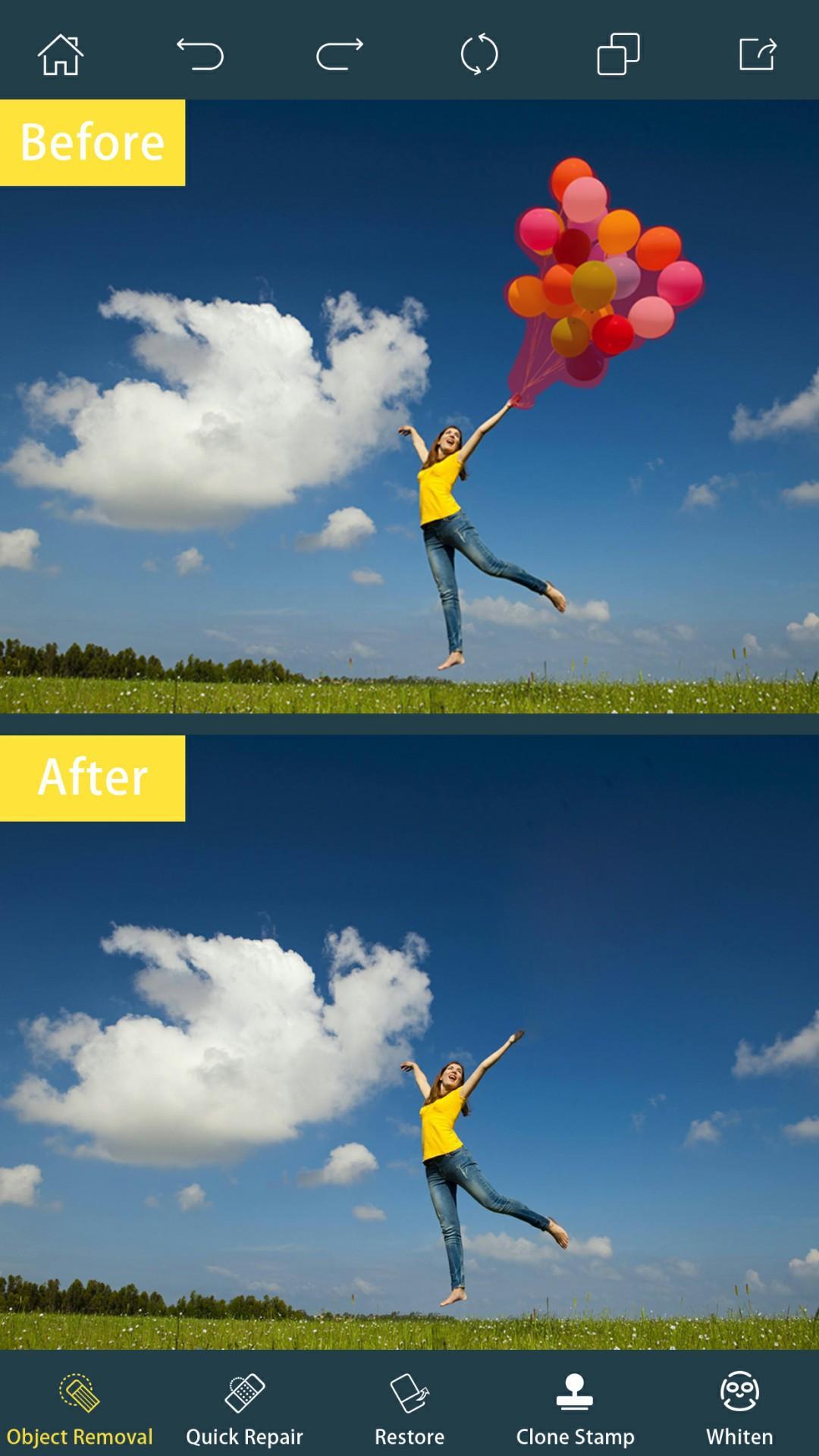
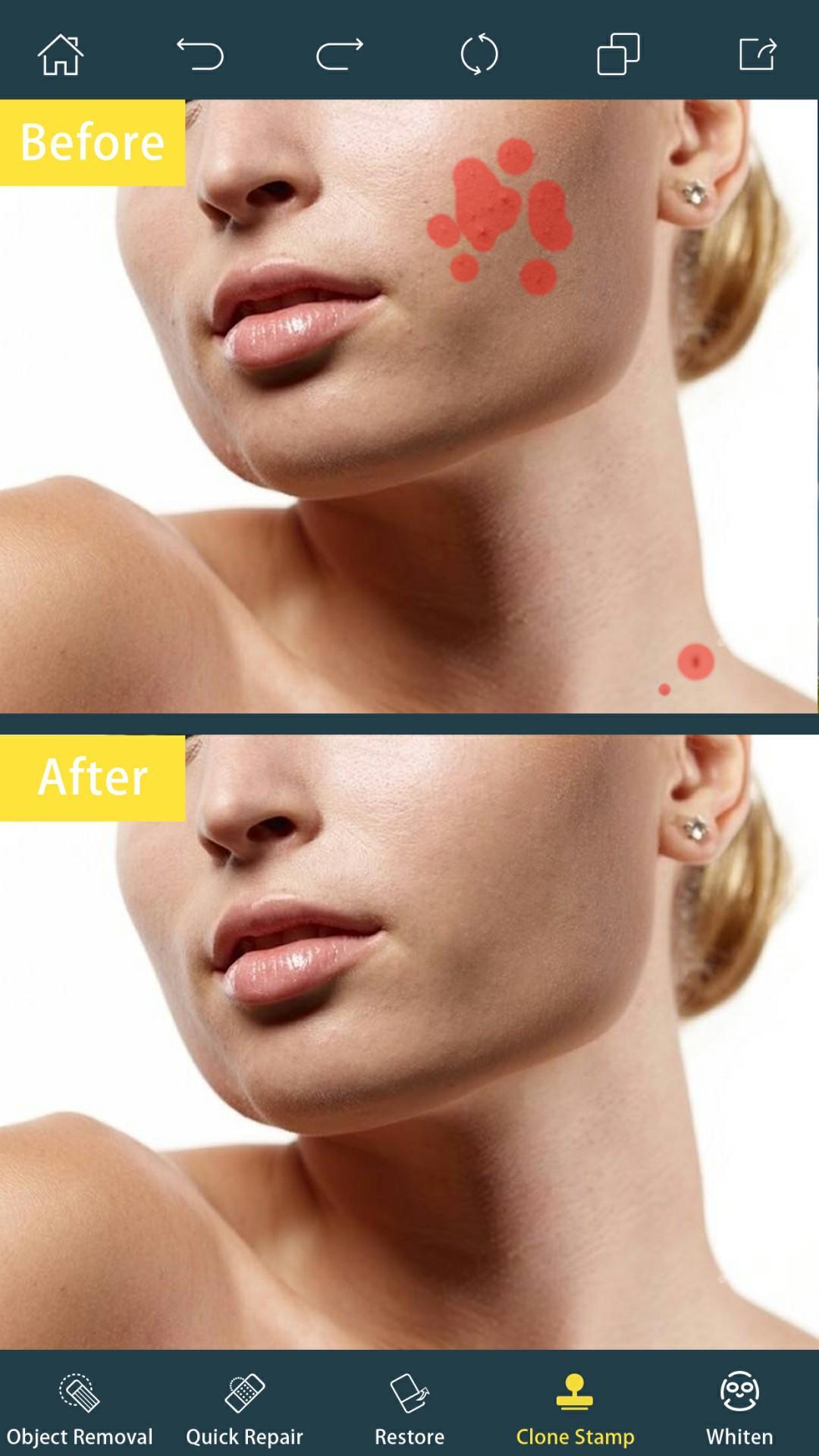
👍Best free editor for photo retouch, remove unwanted objects, remove face blemish, remove stickers, remove textures.
One of the best photo retouch editor which allows you to easily remove unwanted contents or objects from your photos & pictures using just the tip of your finger. It has all the tools you need and best functions a photo editor could ever have for photo retouch, objects removal and blemishes removal.
It’s powerful. It’s super easy to use. And it’s FREE !
How simple to use an app could be? Please check the guide lines below:
1. Pick photo from camera or gallery
2. Choose objects you want to remove which selected in red
3. Press process button and see magic on your photo
4. Save or share this image to your friends
5. Done. That SIMPLE !
Key features of Photo Retouch Editor :
🔸Select image from you want to remove object
🔸Remove unwanted person
🔸Remove Extra Unnecessary Space
🔸Erase pimples and skin blemishes
🔸Easy to use, with realistic results and live editor
🔸Remove surface breaks and scratches
🔸Easy to use and user friendly UI
🔸Remove defects or duplicate objects by using the Clone Stamp tool
🔸Set Eraser Size, Hardness, and Opacity as needed
🔸You can apply text, text color, text size
🔸Touch gestures to resize, rotate
🔸Save or share image to friends & family via social media
Download Photo Retouch Editor - Remove Object & Face Blemish app immediately to remove unwanted objects from your photo !
Preview
Information
Developer
Bigger Lens LLC
Latest Version
4.7
Last Updated
2020-06-17
Category
Photography
Available on
Google Play
Show More
Cara bermain Photo Retouch Editor - Remove Object & Blemish dengan GameLoop pada PC
1. Muat turun GameLoop dari laman web rasmi, kemudian jalankan fail exe untuk memasang GameLoop.
2. Buka GameLoop dan cari "Photo Retouch Editor - Remove Object & Blemish", cari Photo Retouch Editor - Remove Object & Blemish dalam hasil carian dan klik "Pasang".
3. Nikmati bermain Photo Retouch Editor - Remove Object & Blemish di GameLoop.
Minimum requirements
OS
Windows 8.1 64-bit or Windows 10 64-bit
GPU
GTX 1050
CPU
i3-8300
Memory
8GB RAM
Storage
1GB available space
Recommended requirements
OS
Windows 8.1 64-bit or Windows 10 64-bit
GPU
GTX 1050
CPU
i3-9320
Memory
16GB RAM
Storage
1GB available space