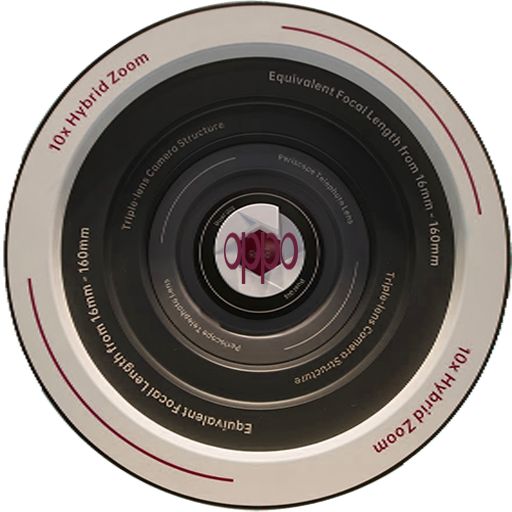
Kamera For OPPO RENO series 10 X zoom PC
V-GANDEVart
Download Kamera For OPPO RENO series 10 X zoom on PC With GameLoop Emulator
Kamera For OPPO RENO series 10 X zoom pada PC
Kamera For OPPO RENO series 10 X zoom, datang daripada pembangun V-GANDEVart, sedang berjalan pada sistem Android pada masa lalu.
Kini, Anda boleh bermain Kamera For OPPO RENO series 10 X zoom pada PC dengan GameLoop dengan lancar.
Muat turunnya dalam pustaka GameLoop atau hasil carian. Tiada lagi melihat bateri atau panggilan yang mengecewakan pada masa yang salah lagi.
Hanya nikmati Kamera For OPPO RENO series 10 X zoom PC pada skrin besar secara percuma!
Kamera For OPPO RENO series 10 X zoom Pengenalan
Camera advantages for Oppo Reno are in the camera sector. Version 10x Zoom can enlarge (optically) objects up to 10 times with good quality.
"This Reno Oppoo camera is crazy. Like coming from the future,"
What fascinated me was the Reno Oppoo camera's zoom capability with periscope technology. If previously the user had difficulty capturing photos remotely, the solution was at Reno 10x Zoom Oppoo.
"There is no need to have trouble zooming in on something small from a distance. Details also exist,
In addition, Ultra Night Mode is able to take pictures of the night well even though the atmosphere is a bit light, for example in minimizing noise.
Another feature at Oppo Reno is 60x digital zoom. Specifically, the Reno 10x Zoom main camera measures 48 MP using the IMX586 sensor, 8 MP wide angle second camera, while the third camera that carries the periscope system has 13 MP.
FEATURES
-Normal photo
-Photo 5x Zoom
-Photo 10x Zoom
-Photo Maximum Zoom
-Photo with portrait mode
-Automatic automatic
-Oso manual sport mode
-24 Mega pixel Camera
- 36 Mega pixel Rear Camera
- Night mode
-Full manual settings for potography
Try all the RENO 10X zoom features for free!
This application also provides the following features for compatible cameras.
· Get ??location information from a smartphone and add to pictures on the camera.
· Switch to a Wi-Fi connection from a status paired with a Bluetooth enabled camera (or from touch operation with an NFC-enabled camera)
· Release the remote shutter camera with a Bluetooth connection.
Preview


Information
Developer
V-GANDEVart
Latest Version
3.0
Last Updated
2019-07-16
Category
Photography
Available on
Google Play
Show More
Cara bermain Kamera For OPPO RENO series 10 X zoom dengan GameLoop pada PC
1. Muat turun GameLoop dari laman web rasmi, kemudian jalankan fail exe untuk memasang GameLoop.
2. Buka GameLoop dan cari "Kamera For OPPO RENO series 10 X zoom", cari Kamera For OPPO RENO series 10 X zoom dalam hasil carian dan klik "Pasang".
3. Nikmati bermain Kamera For OPPO RENO series 10 X zoom di GameLoop.
Minimum requirements
OS
Windows 8.1 64-bit or Windows 10 64-bit
GPU
GTX 1050
CPU
i3-8300
Memory
8GB RAM
Storage
1GB available space
Recommended requirements
OS
Windows 8.1 64-bit or Windows 10 64-bit
GPU
GTX 1050
CPU
i3-9320
Memory
16GB RAM
Storage
1GB available space