Cassette Media for Zooper PC
BaconBits
Download Cassette Media for Zooper on PC With GameLoop Emulator
Cassette Media for Zooper pada PC
Cassette Media for Zooper, datang daripada pembangun BaconBits, sedang berjalan pada sistem Android pada masa lalu.
Kini, Anda boleh bermain Cassette Media for Zooper pada PC dengan GameLoop dengan lancar.
Muat turunnya dalam pustaka GameLoop atau hasil carian. Tiada lagi melihat bateri atau panggilan yang mengecewakan pada masa yang salah lagi.
Hanya nikmati Cassette Media for Zooper PC pada skrin besar secara percuma!
Cassette Media for Zooper Pengenalan
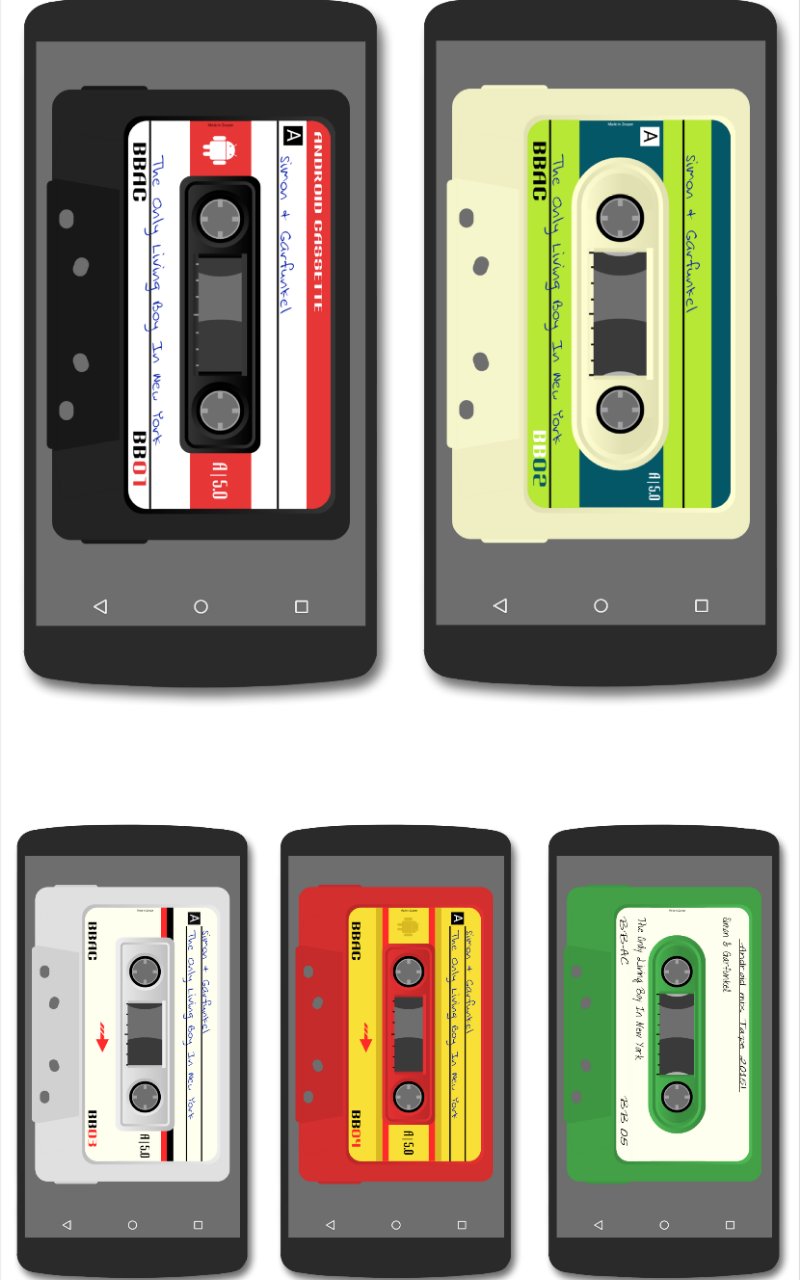
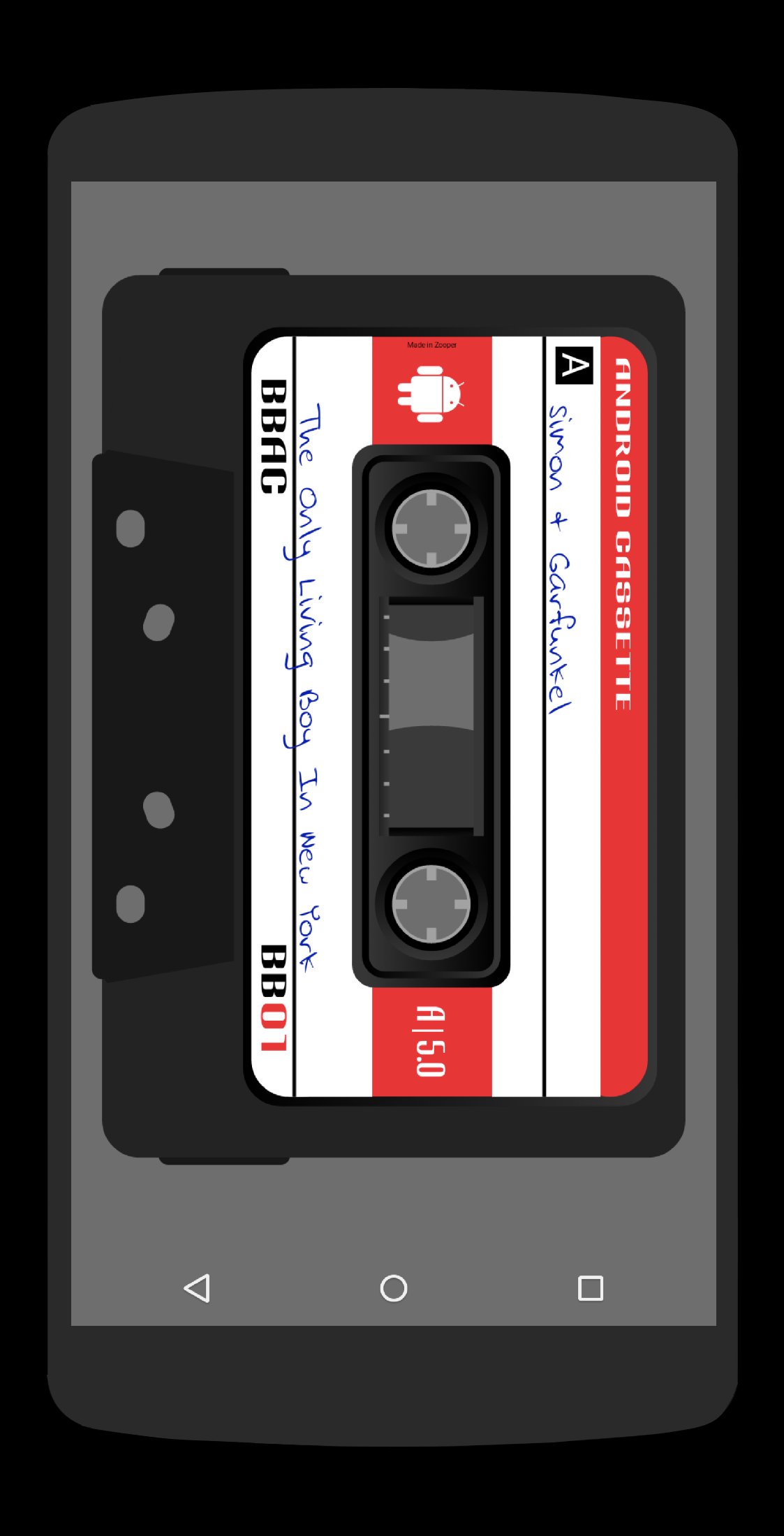
Four classic Cassette Tape styled media player widgets for Zooper Widget Pro
**THIS IS A SKIN FOR USE WITH ZOOPER WIDGET PRO AND MEDIA UTILITIES ONLY. IT IS NOT A STANDALONE APP AND WILL NOT APPEAR IN YOUR APP DRAWER**
THIS WIDGET IS BEST USED IN A 6x5 GRID HOMESCREEN SIZE (OR SIMILAR RATIO)
TO USE THIS WIDGET
You must have Zooper Widget Pro Installed
You must have MediaUtilities Installed
Configure Media Utilities -
1. Download MediaUtilities via link in description
2. Open MediaUtilities. If your chosen Media App is not on the screen, hit the menu button
3. Then select Media App and then tap on Add Media App
4. Search through the list of apps and choose your preferred Music Player App
5. Remove other Media Apps via Menu>Media App>Remove Media App. Remove all media apps and leave only the one you wish to use
6. Then tap on the Icon of your preferred media app to open it and then hit the home key
7. Open MediaUtilities again and tap on the Menu button and then select settings
8. Under "Application Intergration" make sure Zooper is ticked
9. Under "Experimental Features" make sure 'Attempt direct control' and 'Make coverart available' are ticked
10. Return to your homescreen and add the CassetteMedia widget (See instructions below)
Installing the Skin -
1. Download from the Play Store
2. Long press your home screen (or browse widgets in app drawer) and add a 4x4 Zooper Pro Widget
3. Long press the widget and resize to fullscreen
4. When Zooper Loads, select one CassettetMedia widget and then tap on the CassetteMedia widget, then press the home key
5. Wait a few seconds for the widget to load and then press on hotspot 3 to start music
HOTSPOTS (SEE PICTURE)
1 - Open Current Media App
2 - Previous Track
3 - Play/Pause
4 - Next Track
5 - Open Zooper Editing Window
Hotspots are the same for all widgets
If you have any problems or queries please do not hesitate to email me instead of leaving negative comments/ratings
Special thanks to Lutz Linke for his Zooper Assests Fiz - https://play.google.com/store/apps/developer?id=Lutz+Linke
Enjoy and thank you :o)
Circle me on Google+ for more Bacon - http://goo.gl/BqSybX
Preview
Information
Developer
BaconBits
Latest Version
1.3
Last Updated
2015-01-23
Category
Personalization
Available on
Google Play
Show More
Cara bermain Cassette Media for Zooper dengan GameLoop pada PC
1. Muat turun GameLoop dari laman web rasmi, kemudian jalankan fail exe untuk memasang GameLoop.
2. Buka GameLoop dan cari "Cassette Media for Zooper", cari Cassette Media for Zooper dalam hasil carian dan klik "Pasang".
3. Nikmati bermain Cassette Media for Zooper di GameLoop.
Minimum requirements
OS
Windows 8.1 64-bit or Windows 10 64-bit
GPU
GTX 1050
CPU
i3-8300
Memory
8GB RAM
Storage
1GB available space
Recommended requirements
OS
Windows 8.1 64-bit or Windows 10 64-bit
GPU
GTX 1050
CPU
i3-9320
Memory
16GB RAM
Storage
1GB available space