Blur maker: DSLR camera Effect PC
AST Apps
Download Blur maker: DSLR camera Effect on PC With GameLoop Emulator
Blur maker: DSLR camera Effect pada PC
Blur maker: DSLR camera Effect, datang daripada pembangun AST Apps, sedang berjalan pada sistem Android pada masa lalu.
Kini, Anda boleh bermain Blur maker: DSLR camera Effect pada PC dengan GameLoop dengan lancar.
Muat turunnya dalam pustaka GameLoop atau hasil carian. Tiada lagi melihat bateri atau panggilan yang mengecewakan pada masa yang salah lagi.
Hanya nikmati Blur maker: DSLR camera Effect PC pada skrin besar secara percuma!
Blur maker: DSLR camera Effect Pengenalan
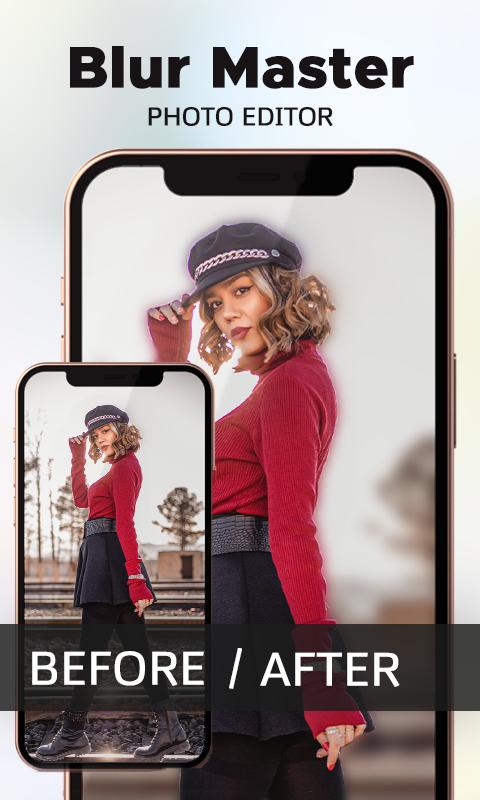
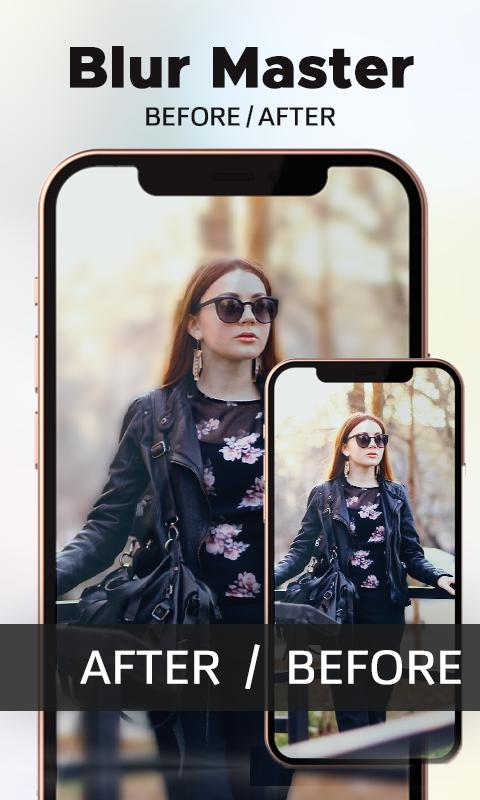
If you enjoy photography and want to create pro DSLR camera effects with your smartphone camera, download this blur photo editor app. With this blur editor, you can create amazing blur background photos using only your smartphone camera. Blur maker - DSLR Camera effect You can blur photos automatically with one click. This DSLR blur photo editor app allows you to blur photo background manually also.
The blurring image background is very simple and clear. To create portrait photos, choose a picture to be blurred from the gallery or use the auto blur camera, then apply a blurry effect with this photo blur editor. With just one touch, you can blur images without using any cameras, lenses, or art.
How do I blur the background of an image? With blur editing image options, you can focus and create a perfect blur image, blur the face, any object, or any unwanted part of your portrait picture. A beautifully blurred image can be created quickly.
This Blur maker, DSLR camera has blur photo background effects that can be applied to any image. This blur app has a very simple and user-friendly UI that anyone can operate, and anyone can do DSLR photography with this DSLR selfie camera. By simply following simple steps, you can create stunning blur pictures with this DSLR blur background.
How to use Blur maker, DSLR Camera Effect:
• Install this Blur Background and DSLR camera effect app from the Google play store.
• Open this easy blur Maker and capture an image with the camera.
• Or select a picture from the gallery in this blur photo editor.
• It will auto blur your picture with its feature DSLR Blur effect.
• By dragging your finger, you can easily unblur your face blur.
• After setting your blur background image just save it.
• Blur maker will autosave this picture to your mobile gallery.
After completing these steps, you could finally find the pictures in your mobile gallery also you can access these blur background photos in this blur photo editor app by clicking my creation button on the main screen of this blur effect photo editor app. You can share this DSLR blur camera’s image on your social media profiles.
Preview
Tags
PersonalizationInformation
Developer
AST Apps
Latest Version
1.2
Last Updated
2022-05-16
Category
Personalization
Available on
Google Play
Show More
Cara bermain Blur maker: DSLR camera Effect dengan GameLoop pada PC
1. Muat turun GameLoop dari laman web rasmi, kemudian jalankan fail exe untuk memasang GameLoop.
2. Buka GameLoop dan cari "Blur maker: DSLR camera Effect", cari Blur maker: DSLR camera Effect dalam hasil carian dan klik "Pasang".
3. Nikmati bermain Blur maker: DSLR camera Effect di GameLoop.
Minimum requirements
OS
Windows 8.1 64-bit or Windows 10 64-bit
GPU
GTX 1050
CPU
i3-8300
Memory
8GB RAM
Storage
1GB available space
Recommended requirements
OS
Windows 8.1 64-bit or Windows 10 64-bit
GPU
GTX 1050
CPU
i3-9320
Memory
16GB RAM
Storage
1GB available space