
Loud Volume Booster for Video PC
FeniKsenia
Download Loud Volume Booster for Video on PC With GameLoop Emulator
Loud Volume Booster for Video pada PC
Loud Volume Booster for Video , datang daripada pembangun FeniKsenia, sedang berjalan pada sistem Android pada masa lalu.
Kini, Anda boleh bermain Loud Volume Booster for Video pada PC dengan GameLoop dengan lancar.
Muat turunnya dalam pustaka GameLoop atau hasil carian. Tiada lagi melihat bateri atau panggilan yang mengecewakan pada masa yang salah lagi.
Hanya nikmati Loud Volume Booster for Video PC pada skrin besar secara percuma!
Loud Volume Booster for Video Pengenalan
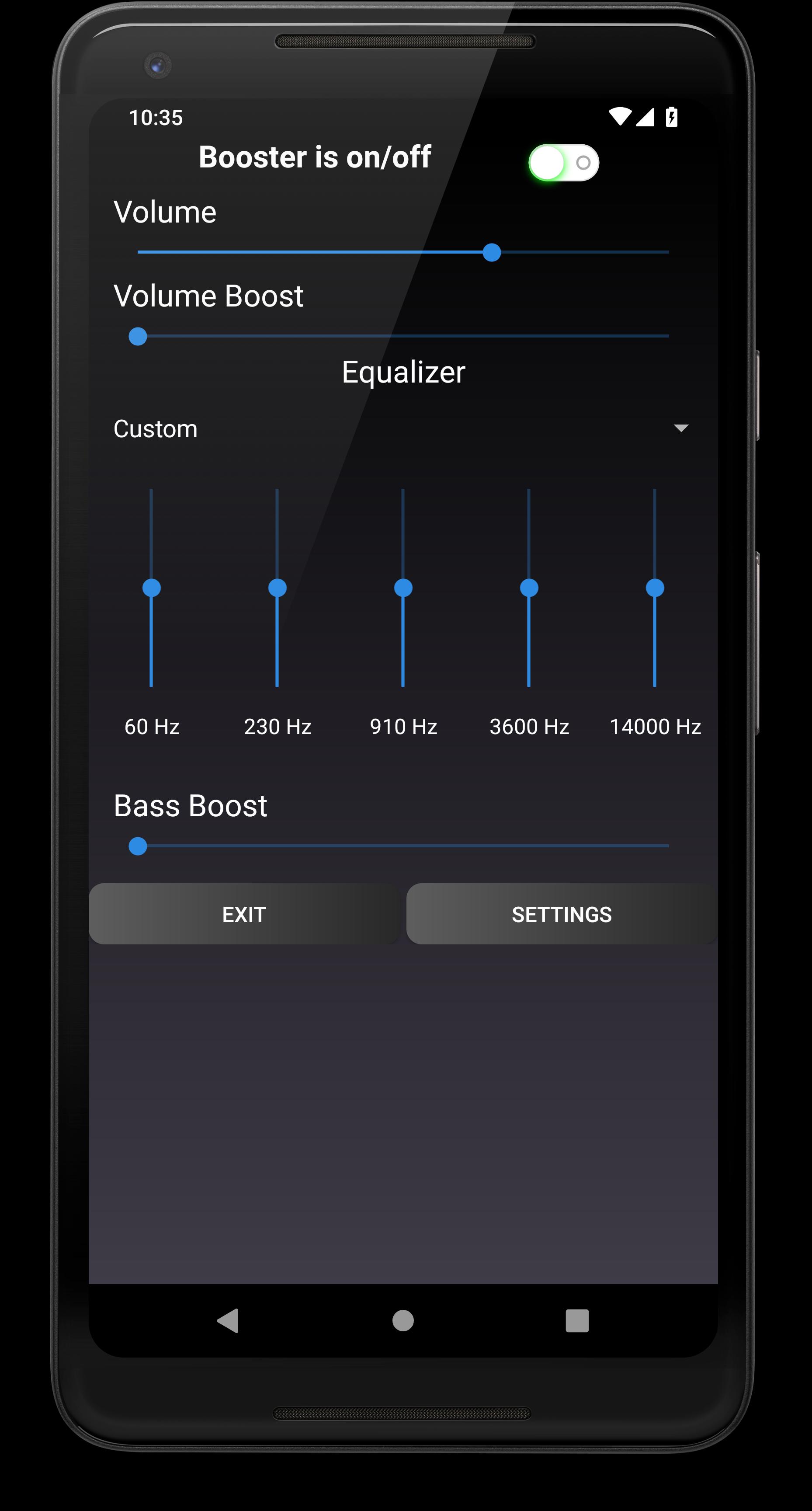
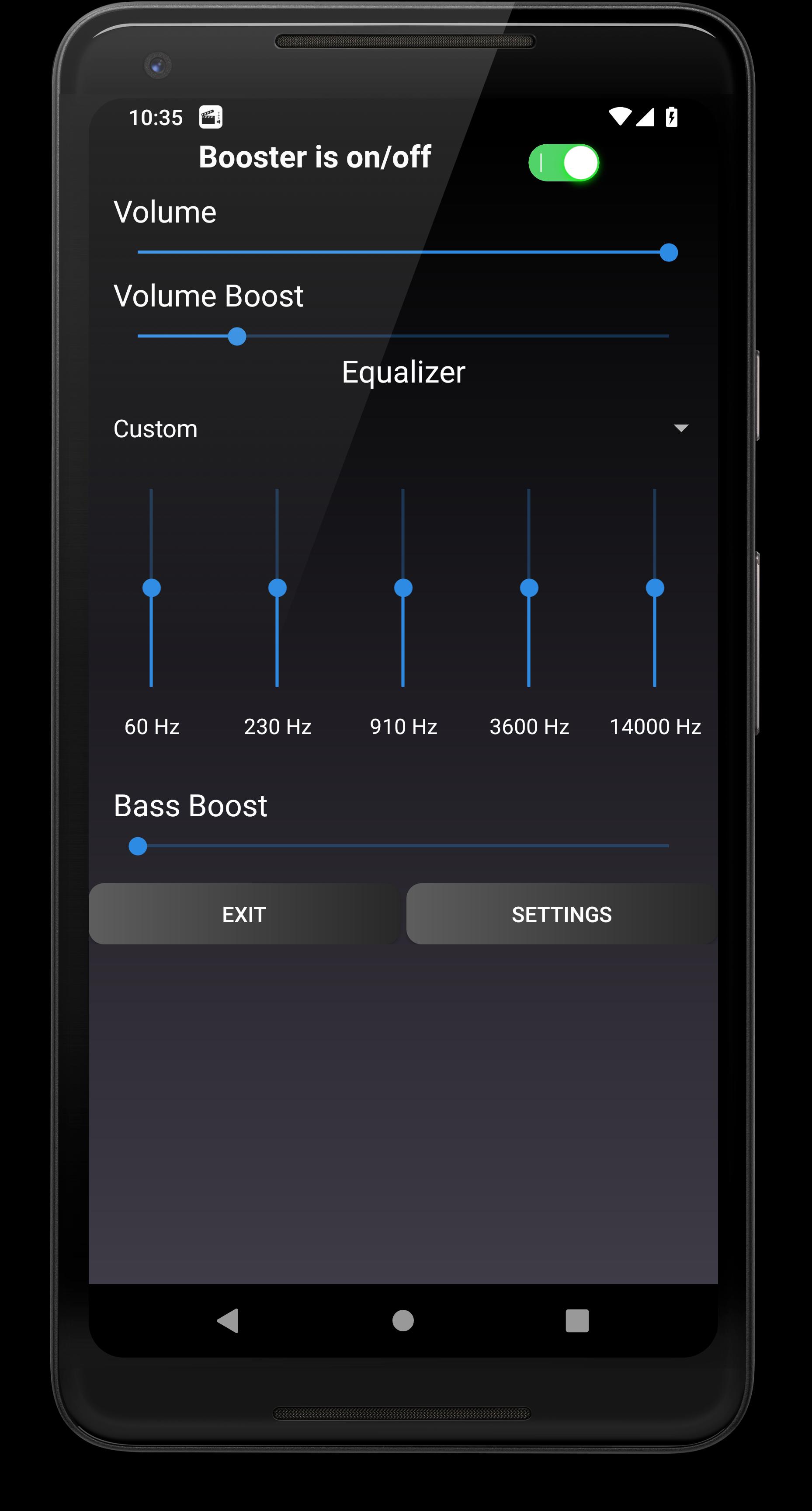
Amplify the volume of video and music, boost bass in video and music, use equalizer for sound control.
“Loud Volume Booster for Video and Music” is a unique application for android for video volume boosting.
Loud volume booster for video will make the volume of video and film louder.
You do not need to search for better quality of video cause you will be able to watch any quality video and any quality film even with quite sound.
“Loud Volume Booster for Video and Music” will make every sound, every phrase in a film or a video louder.
Speaker booster will enhance the loudness of the video on your android device.
Also, “Loud Volume Booster for Video and Music” can make the volume of the music louder!
Turn on the music and boost the sound in the volume booster for music and video.
The speaker booster for android “Loud Volume Booster for Video and Music” has an equalizer.
Amplify the loudness and intensity of low frequencies, middle frequencies and high frequencies.
Use the equalizer for music and video.
You can control the frequencies' intensity in the equalizer by yourself or you can choose one of the presets for the specific music genre: Normal, Flat, Classical, Dance, Jazz, Folk, Heavy Metal, Rock, Hip Hop and Pop.
If you regulate the volume of frequencies in the equalizer by yourself, then the preset is called Custom.
People who like listening to music or watching video prefer to regulate the equalizer settings by themselves because everybody has their own preferences in sound.
Somebody likes loud bass, somebody prefers loud treble.
Change every frequency, make it louder or quieter, listen to music and watch video clip, find the equalizer settings that will fit you.
Control the equalizer tracks of 60Hz, 230Hz, 910Hz, 3600Hz, 14000Hz.
Speaker and headphones booster “Loud Volume Booster for Video and Music” has a bass booster.
You can amp the bass with this application.
Make the bass in video and music louder.
Video volume amp “Loud Volume Booster for Video and Music” can increase the volume both in earphones and speakers.
Also, you can use Bluetooth speakers, Bluetooth ear pods and make the volume of video and music louder.
Equalizer works both in headphones and speakers. The sound can be different in earphones and speakers. So, control the equalizer for headphones and speakers.
The video volume booster “Loud Volume Booster for Video and Music” has different settings. You can change the colour of volume track, volume booster track, frequencies tracks in the equalizer.
Also, you can choose the maximum boost: 20%, 40%, 60%, 80%, 100%. Choose the maximum boost based on the capabilities of your android smartphone or tablet.
The volume booster for speaker and headphones “Loud Volume Booster for Video and Music” is a free application for Android.
Use equalizer, bass booster, volume booster for free on Android tablet and Android phone.
The main features of volume booster for android “Loud Volume Booster for Video and Music”:
* video volume booster;
* loud volume booster for video and music;
* speaker booster for video and music;
* headphones booster for video and music;
* volume booster for smartphones;
* volume booster for tablets;
* bass booster for headphones;
* bass booster for speakers;
* equalizer for headphones;
* equalizer for speakers;
* absolutely free volume booster for video and music;
* ability to change the design of volume amplifier for video and music.
Share “Loud Volume Booster for Video and Music” with friends, watch loud video in airplane, in metro, at home.
Use equalizer to regulate the sound of video and music. Watch loud films, listen to loud music.
Boost bass in hip-hop music, rap music, drum-n-bass music. Watch video clips with enhanced sound, watch video with boosted bass.
Amplify the volume higher than standard loudness of your Android device is.
Improve the sound in video and music with bass booster, equalizer, volume booster using “Loud Volume Booster for Video and Music” for headphones and speakers.
Preview
Tags
Music-&Information
Developer
FeniKsenia
Latest Version
1.31
Last Updated
2019-07-23
Category
Music-audio
Available on
Google Play
Show More
Cara bermain Loud Volume Booster for Video dengan GameLoop pada PC
1. Muat turun GameLoop dari laman web rasmi, kemudian jalankan fail exe untuk memasang GameLoop.
2. Buka GameLoop dan cari "Loud Volume Booster for Video ", cari Loud Volume Booster for Video dalam hasil carian dan klik "Pasang".
3. Nikmati bermain Loud Volume Booster for Video di GameLoop.
Minimum requirements
OS
Windows 8.1 64-bit or Windows 10 64-bit
GPU
GTX 1050
CPU
i3-8300
Memory
8GB RAM
Storage
1GB available space
Recommended requirements
OS
Windows 8.1 64-bit or Windows 10 64-bit
GPU
GTX 1050
CPU
i3-9320
Memory
16GB RAM
Storage
1GB available space