
HANSATON stream remote PC
Sonova AG
Download HANSATON stream remote on PC With GameLoop Emulator
HANSATON stream remote pada PC
HANSATON stream remote, datang daripada pembangun Sonova AG, sedang berjalan pada sistem Android pada masa lalu.
Kini, Anda boleh bermain HANSATON stream remote pada PC dengan GameLoop dengan lancar.
Muat turunnya dalam pustaka GameLoop atau hasil carian. Tiada lagi melihat bateri atau panggilan yang mengecewakan pada masa yang salah lagi.
Hanya nikmati HANSATON stream remote PC pada skrin besar secara percuma!
HANSATON stream remote Pengenalan
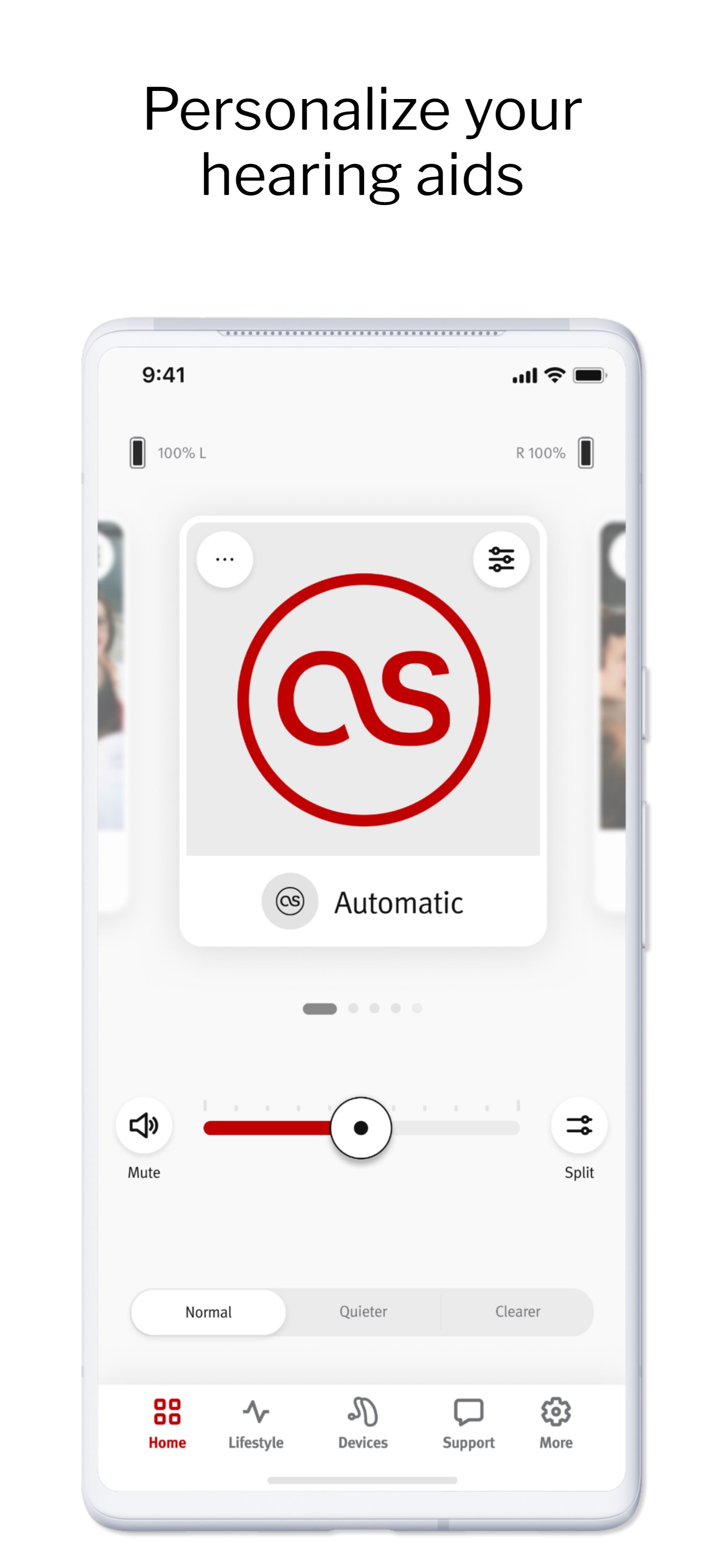
Your most important adjustments and information are available from the home screen: adjust volume, quickly switch to Quieter or Clearer settings, as well as know your current program and battery levels.
Use the app to:
- Control volume
- Change programs
- Mute and unmute
- Adjust equalizer settings
- Enhance conversations or reduce noise at the touch of a button in the automatic program
- Customize manual programs with Reduce Noise, Enhance Conversation, and Focus Microphone controls
- Add situational programs that can be personalized directly through the app
- Adjust the balance between background noise and the streamed signal when listening to streamed Bluetooth® audio or watching television in the TV Connector program (requires optional TV Connector accessory)
- Adjust the noise level in a tinnitus program
- Access status information such as battery state of charge, wearing time, and activity level
- See your listening lifestyle: in which types of listening environments you spend your time
- Choose between Advanced and Classic mode for the home screen view you prefer
- Find your Hearing Aids: Gain peace of mind knowing you can track down misplaced hearing aids with Find my Hearing Aids.
Feature availability: Not all features are available for all hearing aid models. Feature availability may vary based on your specific hearing aids.
The stream remote App is compatible with modern Hansaton hearing aids with Bluetooth® connectivity, including:
• sound E
• jazz E
• wave
• sound FS
• beat FS
• sound ST
• beat ST
• jazz ST
• sound XC / XC Pro
• jam XC / XC Pro
• jazz XC Pro
• sound SHD stream
Smartphone compatibility:
If you want to check if your smartphone is compatible, please visit our compatibility checker:
www.hansaton.com/support
The Bluetooth® word mark and logos are registered trademarks owned by the Bluetooth SIG, Inc.
Preview
Tags
MedicalInformation
Developer
Sonova AG
Latest Version
5.5.2
Last Updated
2026-09-09
Category
Medical
Available on
Google Play
Show More
Cara bermain HANSATON stream remote dengan GameLoop pada PC
1. Muat turun GameLoop dari laman web rasmi, kemudian jalankan fail exe untuk memasang GameLoop.
2. Buka GameLoop dan cari "HANSATON stream remote", cari HANSATON stream remote dalam hasil carian dan klik "Pasang".
3. Nikmati bermain HANSATON stream remote di GameLoop.
Minimum requirements
OS
Windows 8.1 64-bit or Windows 10 64-bit
GPU
GTX 1050
CPU
i3-8300
Memory
8GB RAM
Storage
1GB available space
Recommended requirements
OS
Windows 8.1 64-bit or Windows 10 64-bit
GPU
GTX 1050
CPU
i3-9320
Memory
16GB RAM
Storage
1GB available space