Pixel Art Clock PC
Nasc
Download Pixel Art Clock on PC With GameLoop Emulator
Pixel Art Clock pada PC
Pixel Art Clock, datang daripada pembangun Nasc, sedang berjalan pada sistem Android pada masa lalu.
Kini, Anda boleh bermain Pixel Art Clock pada PC dengan GameLoop dengan lancar.
Muat turunnya dalam pustaka GameLoop atau hasil carian. Tiada lagi melihat bateri atau panggilan yang mengecewakan pada masa yang salah lagi.
Hanya nikmati Pixel Art Clock PC pada skrin besar secara percuma!
Pixel Art Clock Pengenalan
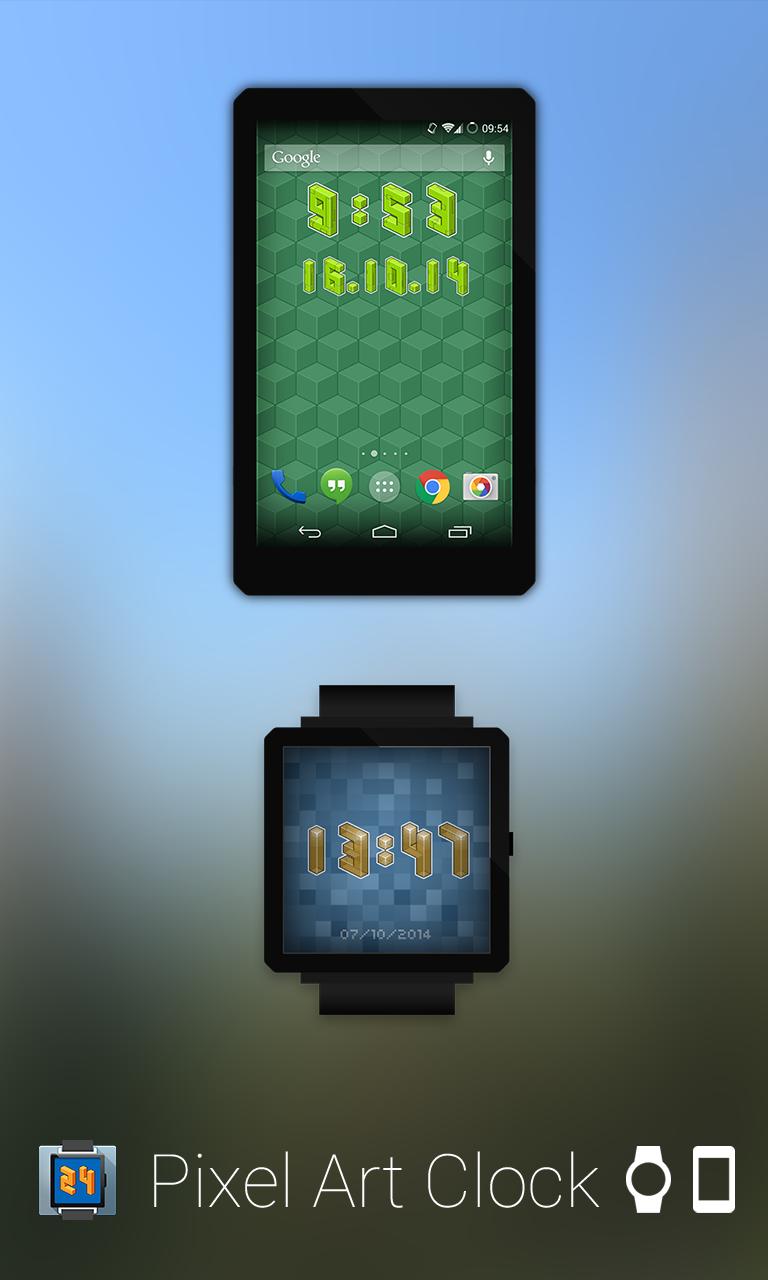
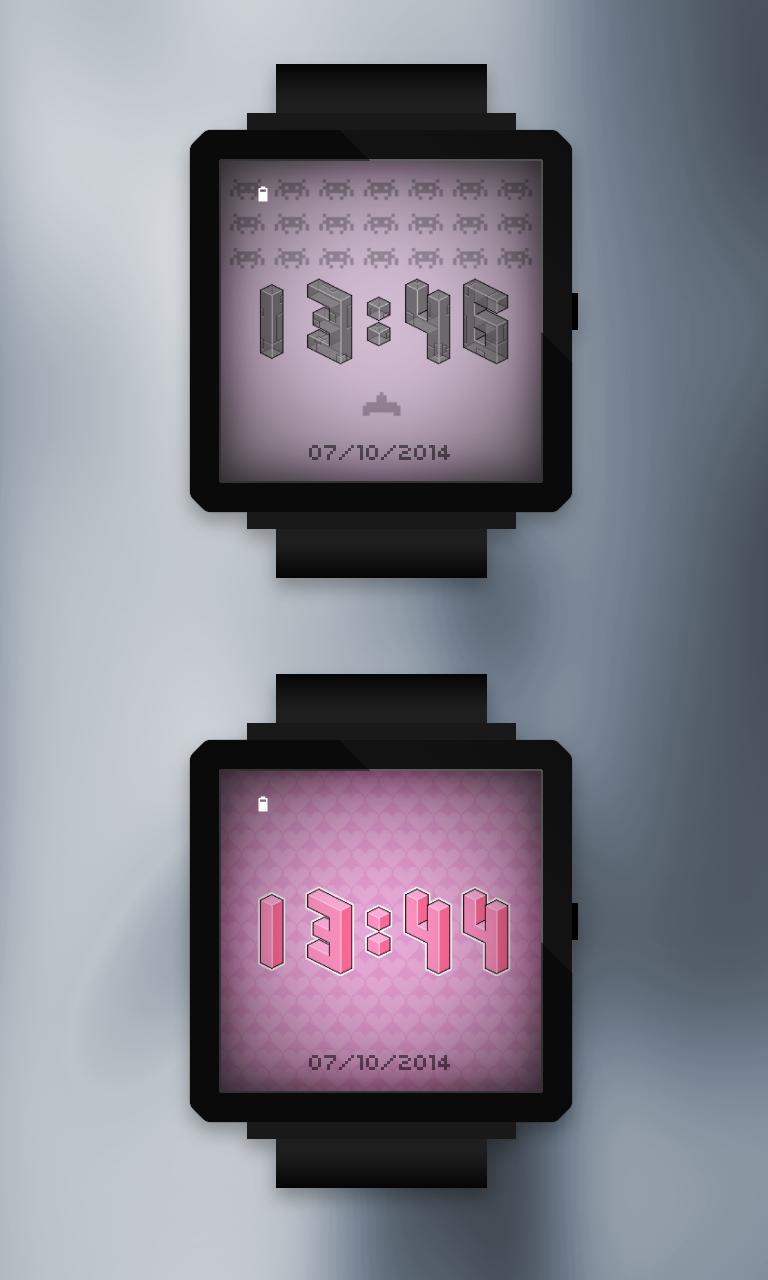
Pixel Art Clock is a date and time widget for your Android home screen and a cool watchface for your Android Wear. Infinite differents combinations of customization.
* Android Wear watchface and smartphone widget
* You can change color (51 total)
* Decorate and themes with illustrations
* 24h/12h mode
* 2 different widgets (time and date)
* Ability to define the application that will run by clicking on the widget.
* You can now remove ads and support further development :)
NOTE: Please make sure your watch is running Android Wear 5.0+
How to:
If you got an Android Wear device (LG G Watch, Samsung Gear Live, Moto360) , the watchface will be automatically installed on it, just select Pixel Art Clock in watchfaces list and enjoy! :D
Long press on any empty space on your home screen. Click on the widget menu then select Pixel Art Clock widget, this will place your widget on your Android home screen.
In ICS (or later) touch the All Apps icon of the Home screen. Touch Widgets at the top of the screen. Touch and hold the widget's icon, then position the widget on the home screen, then release.
Issue:
If you are experiencing problems with the widget after an update from an older version, please uninstall the application, restart your phone and reinstall Pixel Art Clock. Everything should work perfectly.
www.nasc.fr
twitter.com/NascImpact
Preview
Information
Developer
Nasc
Latest Version
3.0.3
Last Updated
2014-12-31
Category
Lifestyle
Available on
Google Play
Show More
Cara bermain Pixel Art Clock dengan GameLoop pada PC
1. Muat turun GameLoop dari laman web rasmi, kemudian jalankan fail exe untuk memasang GameLoop.
2. Buka GameLoop dan cari "Pixel Art Clock", cari Pixel Art Clock dalam hasil carian dan klik "Pasang".
3. Nikmati bermain Pixel Art Clock di GameLoop.
Minimum requirements
OS
Windows 8.1 64-bit or Windows 10 64-bit
GPU
GTX 1050
CPU
i3-8300
Memory
8GB RAM
Storage
1GB available space
Recommended requirements
OS
Windows 8.1 64-bit or Windows 10 64-bit
GPU
GTX 1050
CPU
i3-9320
Memory
16GB RAM
Storage
1GB available space