
Outlander PHEV remote control PC
Mitsubishi Motors Corporation
Download Outlander PHEV remote control on PC With GameLoop Emulator
Outlander PHEV remote control pada PC
Outlander PHEV remote control, datang daripada pembangun Mitsubishi Motors Corporation, sedang berjalan pada sistem Android pada masa lalu.
Kini, Anda boleh bermain Outlander PHEV remote control pada PC dengan GameLoop dengan lancar.
Muat turunnya dalam pustaka GameLoop atau hasil carian. Tiada lagi melihat bateri atau panggilan yang mengecewakan pada masa yang salah lagi.
Hanya nikmati Outlander PHEV remote control PC pada skrin besar secara percuma!
Outlander PHEV remote control Pengenalan
[ Notice ] (November 6, 2017)
Improvement regarding third party's access to the Mitsubishi Remote Control on the Outlander PHEV is now ready.
Please contact your nearest Mitsubishi Dealer for the detail.
We apologize for any inconvenience caused to our customers.
http://www.mitsubishi-motors.com/en/notice20171106/
-----------------------------------
[ Notice ] (October 17, 2017)
"OUTLANDER PHEV MITSUBISHI Remote Control" App does not support Android 8.0. Please confirm "Improvement regarding third party's access to the Mitsubishi Remote Control on the Outlander PHEV" and use "OUTLANDER PHEV MITSUBISI Remote Control I" App.
-----------------------------------
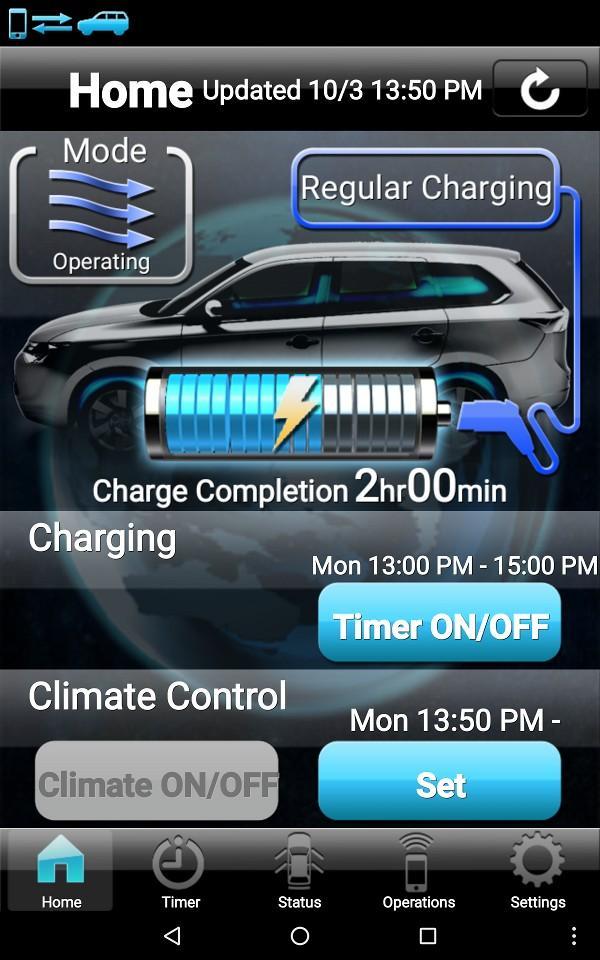
This App is applied to MITSUBISHI Remote Control only. MITSUBISHI Remote Control is possible to easily control various functions of OUTLANDER PHEV by Wireless LAN.
- OUTLANDER PHEV is necessary for using this App.
- This App is applied to OUTLANDER PHEV only.
- OUTLANDER PHEV communicates with Wireless LAN devices by this App. Baud rate and communication distance vary depending on radio wave, barrier object, and parking situations.
- This App requires Android 2.1.0 and subsequent OS version. (Not compatible with some models)
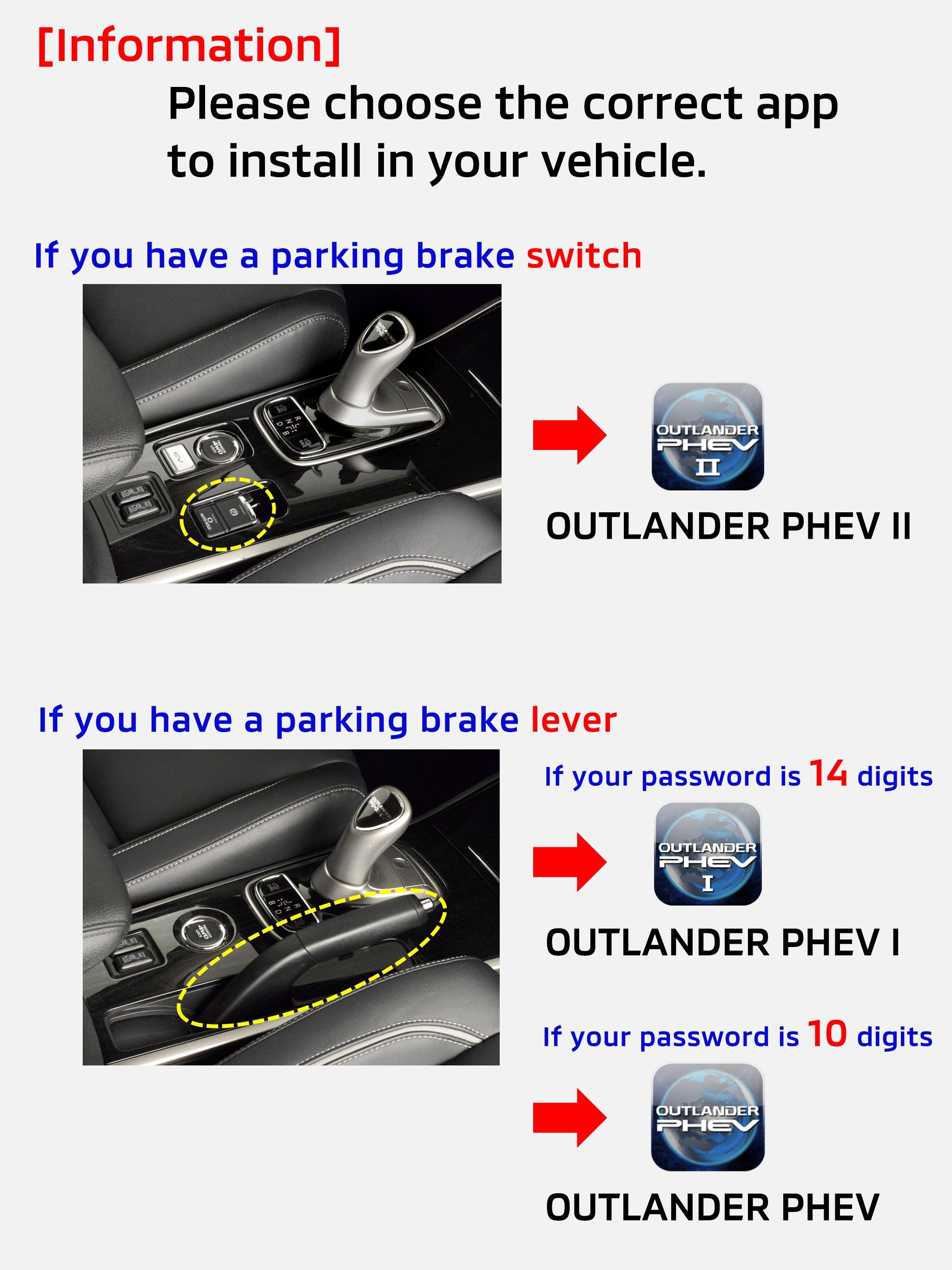
- Please choose the correct app to install in your vehicle.
* If you have a parking brake lever and 10 digits password, please use this App ("OUTLANDER PHEV").
* If you have a parking brake lever and 14 digits password, please use "OUTLANDER PHEV I" App. https://play.google.com/store/apps/details?id=com.inventec.iMobile1
* If you have a parking brake switch, please use "OUTLANDER PHEV II" App (has not released in some countries). https://play.google.com/store/apps/details?id=com.inventec.iMobile2
- Please see the details below.
http://www.mitsubishi-motors.com/en/products/outlander_phev/app/remote/
Preview
Information
Developer
Mitsubishi Motors Corporation
Latest Version
A.1.4.0
Last Updated
2016-01-11
Category
Lifestyle
Available on
Google Play
Show More
Cara bermain Outlander PHEV remote control dengan GameLoop pada PC
1. Muat turun GameLoop dari laman web rasmi, kemudian jalankan fail exe untuk memasang GameLoop.
2. Buka GameLoop dan cari "Outlander PHEV remote control", cari Outlander PHEV remote control dalam hasil carian dan klik "Pasang".
3. Nikmati bermain Outlander PHEV remote control di GameLoop.
Minimum requirements
OS
Windows 8.1 64-bit or Windows 10 64-bit
GPU
GTX 1050
CPU
i3-8300
Memory
8GB RAM
Storage
1GB available space
Recommended requirements
OS
Windows 8.1 64-bit or Windows 10 64-bit
GPU
GTX 1050
CPU
i3-9320
Memory
16GB RAM
Storage
1GB available space