
Lovely Handwritten Cards PC
WriteOn
Download Lovely Handwritten Cards on PC With GameLoop Emulator
Lovely Handwritten Cards pada PC
Lovely Handwritten Cards, datang daripada pembangun WriteOn, sedang berjalan pada sistem Android pada masa lalu.
Kini, Anda boleh bermain Lovely Handwritten Cards pada PC dengan GameLoop dengan lancar.
Muat turunnya dalam pustaka GameLoop atau hasil carian. Tiada lagi melihat bateri atau panggilan yang mengecewakan pada masa yang salah lagi.
Hanya nikmati Lovely Handwritten Cards PC pada skrin besar secara percuma!
Lovely Handwritten Cards Pengenalan
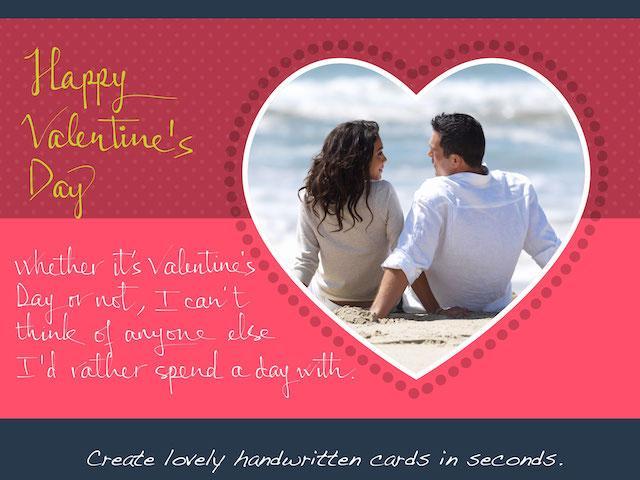
Make lovely greeting cards in seconds, with your own photos and HANDWRITING, for FREE.
***** Introductory prices offered for in-app purchases. *****
A personalized handwritten card will mean much more to your loved ones than a pre-printed one. You can do it in a matter of seconds with Lovely! app. Here is how:
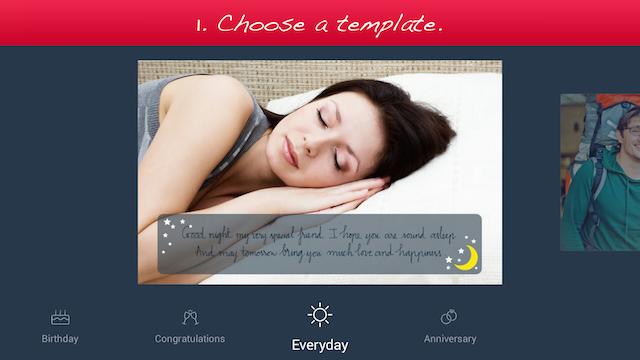
1. Choose a template (free or paid) from one of the 6 available categories: Holiday, Birthday, Congratulations, Love, Everyday, and Anniversary.
2. Add your own photo, scale and rotate it as you wish.
3. Add your own handwriting. Simply write with your finger, right on the touch screen. Lovely!'s special ink effects will make your handwriting look great.
4. Send the complete card to your loved ones via email or social networks.
Extras:
- You can choose from different colors and thicknesses for your handwriting. You can even choose one of the four different pen nibs for FREE: Fountain Pen, Ballpoint Pen, Wet Brush, and Calligraphy Pen.
- You can save your card as a photo to print it out or send it to your loved ones later.
Please try out Lovely! today and let us know your feedback at lovelysupport@writeon.cool.
Preview
Information
Developer
WriteOn
Latest Version
1.1
Last Updated
2015-03-03
Category
Lifestyle
Available on
Google Play
Show More
Cara bermain Lovely Handwritten Cards dengan GameLoop pada PC
1. Muat turun GameLoop dari laman web rasmi, kemudian jalankan fail exe untuk memasang GameLoop.
2. Buka GameLoop dan cari "Lovely Handwritten Cards", cari Lovely Handwritten Cards dalam hasil carian dan klik "Pasang".
3. Nikmati bermain Lovely Handwritten Cards di GameLoop.
Minimum requirements
OS
Windows 8.1 64-bit or Windows 10 64-bit
GPU
GTX 1050
CPU
i3-8300
Memory
8GB RAM
Storage
1GB available space
Recommended requirements
OS
Windows 8.1 64-bit or Windows 10 64-bit
GPU
GTX 1050
CPU
i3-9320
Memory
16GB RAM
Storage
1GB available space