
Chichi: YTS Movies Player PC
qza qwa
Download Chichi: YTS Movies Player on PC With GameLoop Emulator
Chichi: YTS Movies Player pada PC
Chichi: YTS Movies Player, datang daripada pembangun qza qwa, sedang berjalan pada sistem Android pada masa lalu.
Kini, Anda boleh bermain Chichi: YTS Movies Player pada PC dengan GameLoop dengan lancar.
Muat turunnya dalam pustaka GameLoop atau hasil carian. Tiada lagi melihat bateri atau panggilan yang mengecewakan pada masa yang salah lagi.
Hanya nikmati Chichi: YTS Movies Player PC pada skrin besar secara percuma!
Chichi: YTS Movies Player Pengenalan
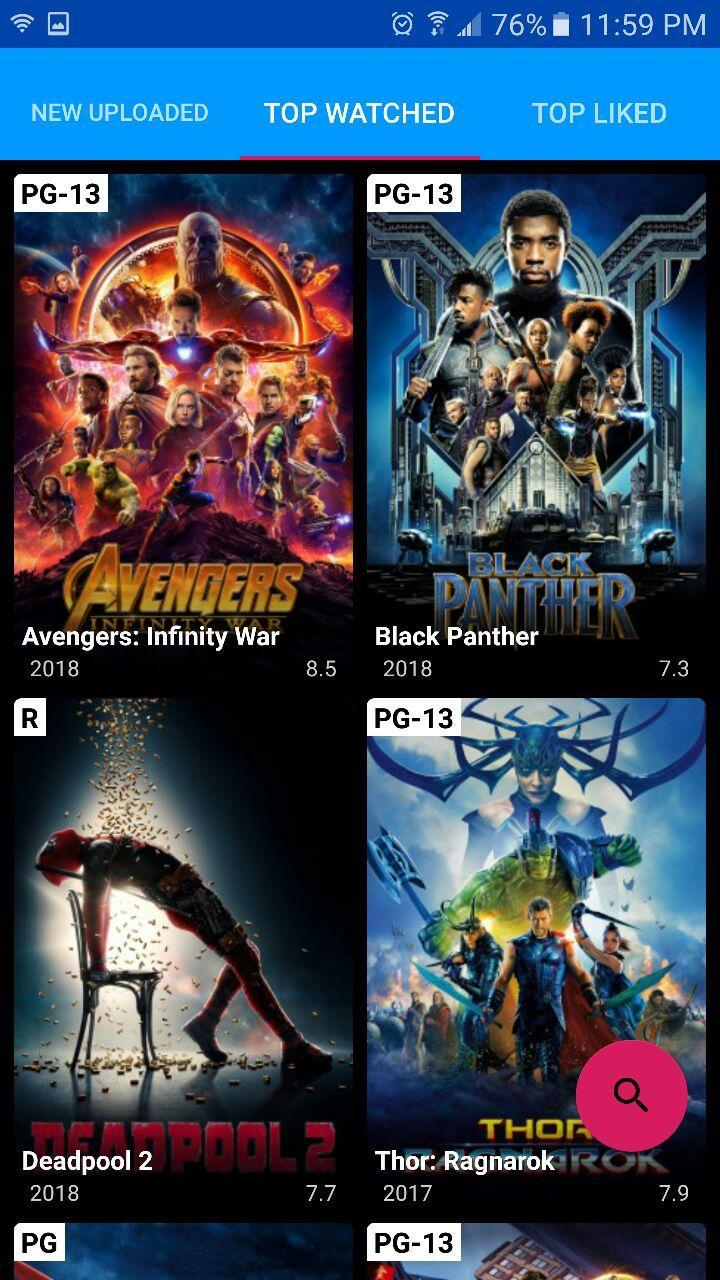
This is unofficial YTS player which helps play YTS movies without downloading all the torrent file. Some cool features:
- Blockbuster movies in HD and FullHD resolutions
- Subtitles in multi-languages
- Seeking to anywhere in the movie
- Search movies by name
- Filter movies by quality, genre or rating
- Sort movies by uploaded time, rating, likes, views, and more
- Trailer in YouTube
* Note:
- This app uses torrent protocol, it takes time to load and more time to seek the movie, so please wait if it takes so long. And torrent is not allowed in some countries, if it gets stuck at 0B/s, it is the case, please let me know in review and I'm sorry about that.
- About subtitle's background color: GREEN shows GOOD, GRAY shows NEUTRAL, and RED shows BAD status. And subtitle with label respective to movie format should be chosen: if you choose "bluray.1080p" then subtitle with "[bluray]" label should be chosen.
Enjoy!
This app is made with love for my honey - now my wife <3
Hope you love this, my Chichi :*
* Disclaimer:
- This is not an official app
- This app does not own or store any video contents, it plays video base on torrent protocol
- All videos are provided by the public third-party media service YTS (https://yts.lt)
- All trademarks and copyrights belong to their respective owners
- Using this app might be illegal within your country. We are not responsible for those problems.
Preview

Information
Developer
qza qwa
Latest Version
2020.7.23
Last Updated
2020-07-24
Category
Entertainment
Available on
Google Play
Show More
Cara bermain Chichi: YTS Movies Player dengan GameLoop pada PC
1. Muat turun GameLoop dari laman web rasmi, kemudian jalankan fail exe untuk memasang GameLoop.
2. Buka GameLoop dan cari "Chichi: YTS Movies Player", cari Chichi: YTS Movies Player dalam hasil carian dan klik "Pasang".
3. Nikmati bermain Chichi: YTS Movies Player di GameLoop.
Minimum requirements
OS
Windows 8.1 64-bit or Windows 10 64-bit
GPU
GTX 1050
CPU
i3-8300
Memory
8GB RAM
Storage
1GB available space
Recommended requirements
OS
Windows 8.1 64-bit or Windows 10 64-bit
GPU
GTX 1050
CPU
i3-9320
Memory
16GB RAM
Storage
1GB available space