
VPN Client Pro PC
colucci-web.it
Download VPN Client Pro on PC With GameLoop Emulator
VPN Client Pro pada PC
VPN Client Pro, datang daripada pembangun colucci-web.it, sedang berjalan pada sistem Android pada masa lalu.
Kini, Anda boleh bermain VPN Client Pro pada PC dengan GameLoop dengan lancar.
Muat turunnya dalam pustaka GameLoop atau hasil carian. Tiada lagi melihat bateri atau panggilan yang mengecewakan pada masa yang salah lagi.
Hanya nikmati VPN Client Pro PC pada skrin besar secara percuma!
VPN Client Pro Pengenalan
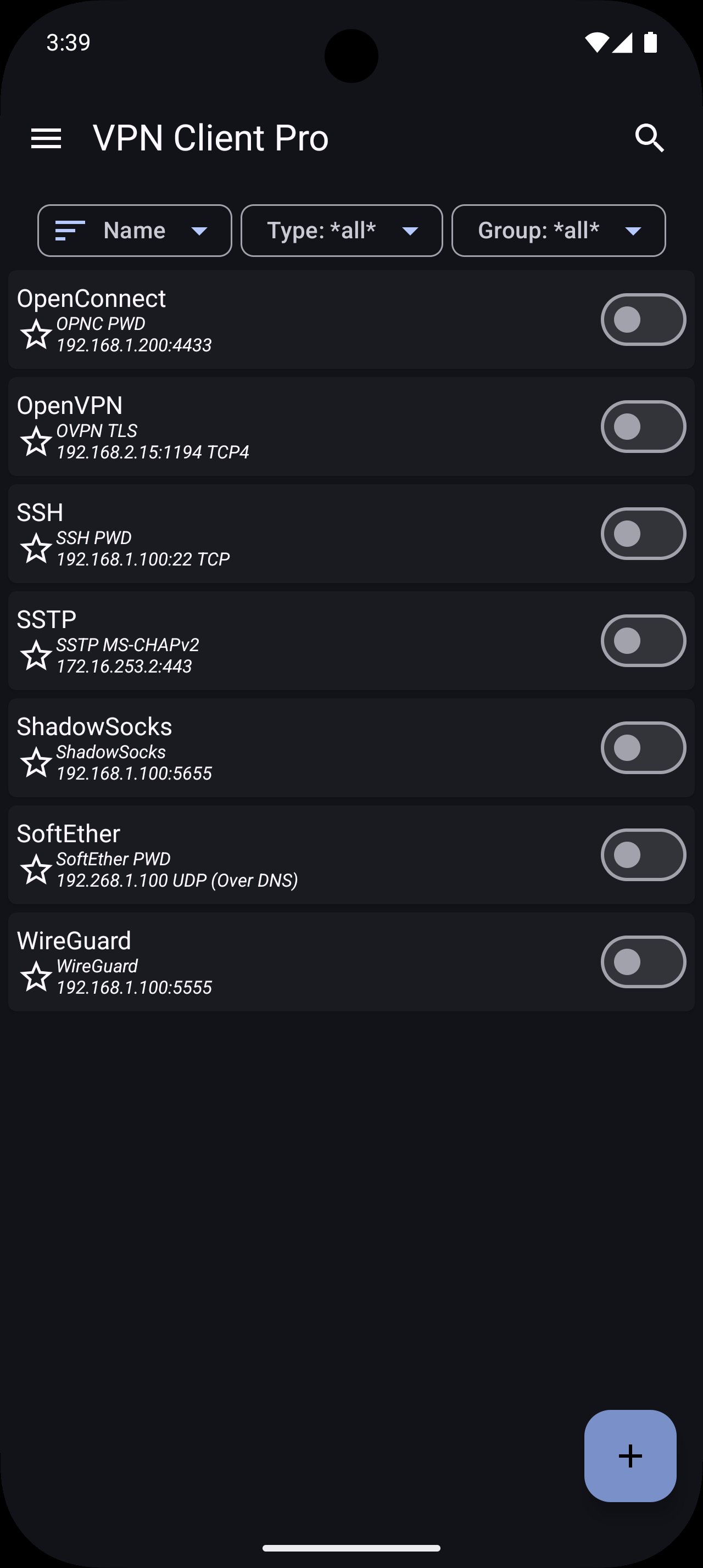
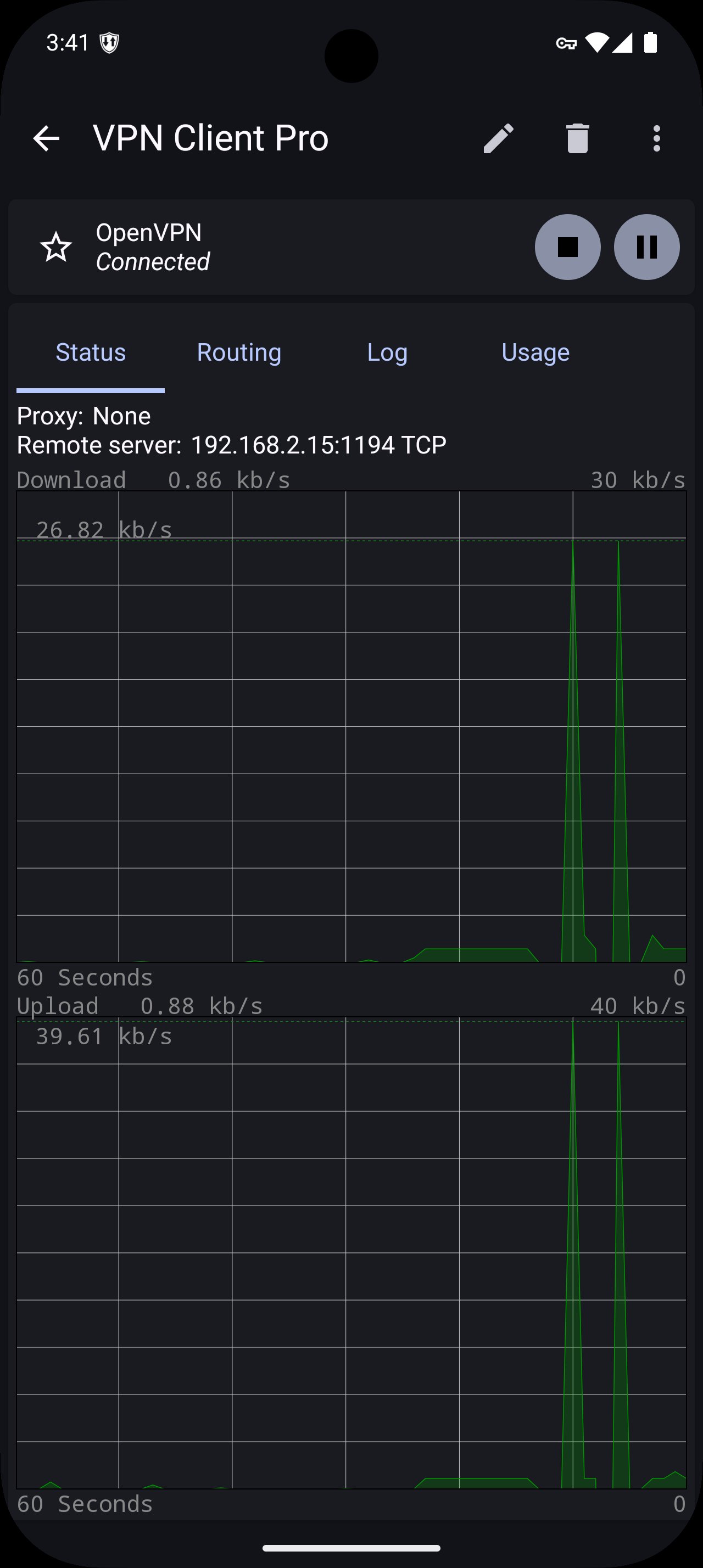
With this app you will able to connect to any OpenVPN (TUN/TAP), SSTP, WireGuard, AmneziaWG, SoftEther, ShadowSocks, SSH Tun (ssh -w option with support for TUN and TAP), OpenConnect (ocserv) servers and Cisco AnyConnect SSL gateways.
The basic OpenVPN feature is free for all. To use other protocols and features you need to buy a license.
The requested permissions are used for these purposes:
* Storage permission is used to import VPN configurations and export logs/backups/etc. (Android < 10)
* Location permission is used to get the current WiFi SSID. The SSID is required for the auto connect function. The location of the device is not read. (Android >= 8.1)
* Camera permission is used to import VPN from QR codes
* Bluetooth (nearby devices) permission is used to disconnect the VPN when the device is connected to user-selected Bluetooth devices
* The QUERY_ALL_PACKAGES permission is used to allow the user to select which apps are allowed/not allowed to use the VPN.
App features:
* OpenVPN TAP device support without root permission
* OpenVPN VLAN 802.1Q support
* OpenVPN Obfsproxy support (obfs2/obfs3)
* OpenVPN scramble options support
* Import/export OpenVPN configuration
* SSTP EAP-TLS support (Authentication with certificates)
* SSTP EAP-MS-CHAPv2 support
* SSTP MS-CHAPv2/CHAP/PAP support
* SoftEther TCP
* SoftEther UDP over DNS / NAT-T
* WireGuard protocol
* AmneziaWG obfuscation
* ShadowSocks protocol (AEAD, AEAD-2022, Stream)
* SSH Tun (TUN/TAP)
* OpenConnect protocol
* Cisco AnyConnect SSL protocol
* Biometric authentication
* Port knocking (udp, tcp, fwknop, url, ping)
* Connect on demand
* Auto connect on boot
* Auto connect/pause/disconnect on WiFi/Mobile/WiMAX
* App filter
* DNS over HTTPS
* DNS over TLS
* Split DNS by domain
* Local hosts mapping to override DNS requests
* Failover VPN profiles
* Tasker/Locale plugin
* Widgets
* Quick settings tiles (Smartphone/Tablet)
* Dynamic shortcuts
* Import pem, der, pkcs12 certificate formats
* Support for certificates in KeyChain
* IPv6 support
* Support for HTTP/SOCKS proxies
* Support for customized HTTP headers
* Backup/restore configuration
* Wear OS companion app to connect/disconnect VPN from your watch (require Android >= 8.0)
* Wear OS complication for fast access to your favorite VPN (require Android >= 8.0)
Preview
Tags
CommunicationsToolsInformation
Developer
colucci-web.it
Latest Version
1.02.24
Last Updated
2025-11-18
Category
Communications
Available on
Google Play
Show More
Cara bermain VPN Client Pro dengan GameLoop pada PC
1. Muat turun GameLoop dari laman web rasmi, kemudian jalankan fail exe untuk memasang GameLoop.
2. Buka GameLoop dan cari "VPN Client Pro", cari VPN Client Pro dalam hasil carian dan klik "Pasang".
3. Nikmati bermain VPN Client Pro di GameLoop.
Minimum requirements
OS
Windows 8.1 64-bit or Windows 10 64-bit
GPU
GTX 1050
CPU
i3-8300
Memory
8GB RAM
Storage
1GB available space
Recommended requirements
OS
Windows 8.1 64-bit or Windows 10 64-bit
GPU
GTX 1050
CPU
i3-9320
Memory
16GB RAM
Storage
1GB available space