Neon Logo Maker & Neon Signs PC
Quality Apps Inc
Download Neon Logo Maker & Neon Signs on PC With GameLoop Emulator
Neon Logo Maker & Neon Signs pada PC
Neon Logo Maker & Neon Signs, datang daripada pembangun Quality Apps Inc, sedang berjalan pada sistem Android pada masa lalu.
Kini, Anda boleh bermain Neon Logo Maker & Neon Signs pada PC dengan GameLoop dengan lancar.
Muat turunnya dalam pustaka GameLoop atau hasil carian. Tiada lagi melihat bateri atau panggilan yang mengecewakan pada masa yang salah lagi.
Hanya nikmati Neon Logo Maker & Neon Signs PC pada skrin besar secara percuma!
Neon Logo Maker & Neon Signs Pengenalan
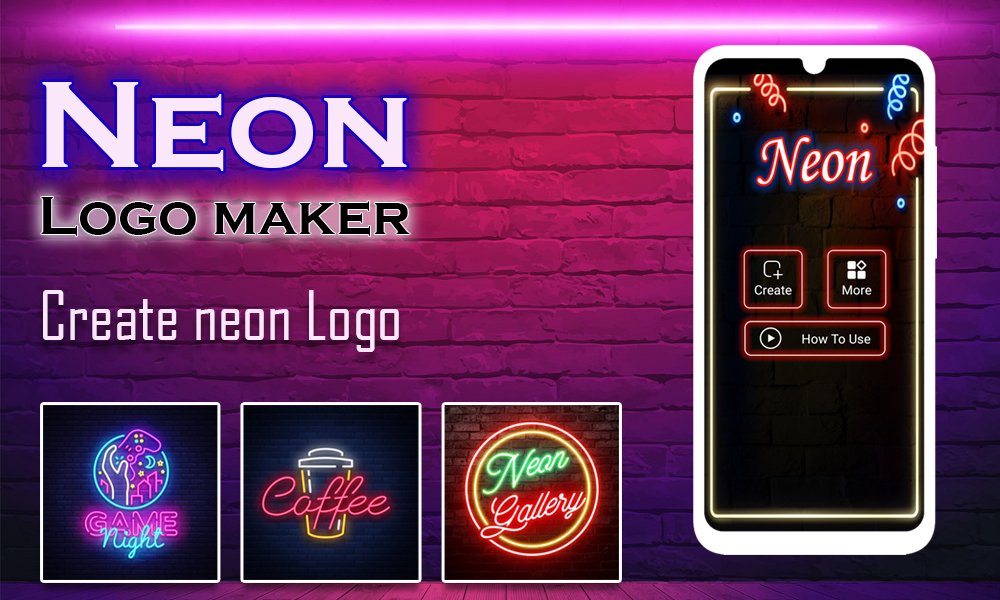
Pembuat logo Neon – Tanda Neon mencipta dan Reka Logo Neon untuk perniagaan dan identiti jenama anda melalui pembuat logo neon – pencipta logo dan aplikasi pereka.
Pembuat logo neon – pencipta logo dan aplikasi tanda neon berguna untuk membuat logo neon pengiklanan, Logo neon perniagaan dan Logo neon pemasaran media sosial.
Penjana Logo Neon memberikan anda logo neon lalai yang boleh anda gunakan secara percuma. Aplikasi reka bentuk logo neon mempunyai banyak bentuk percuma yang boleh digunakan pengguna dalam logo neon.
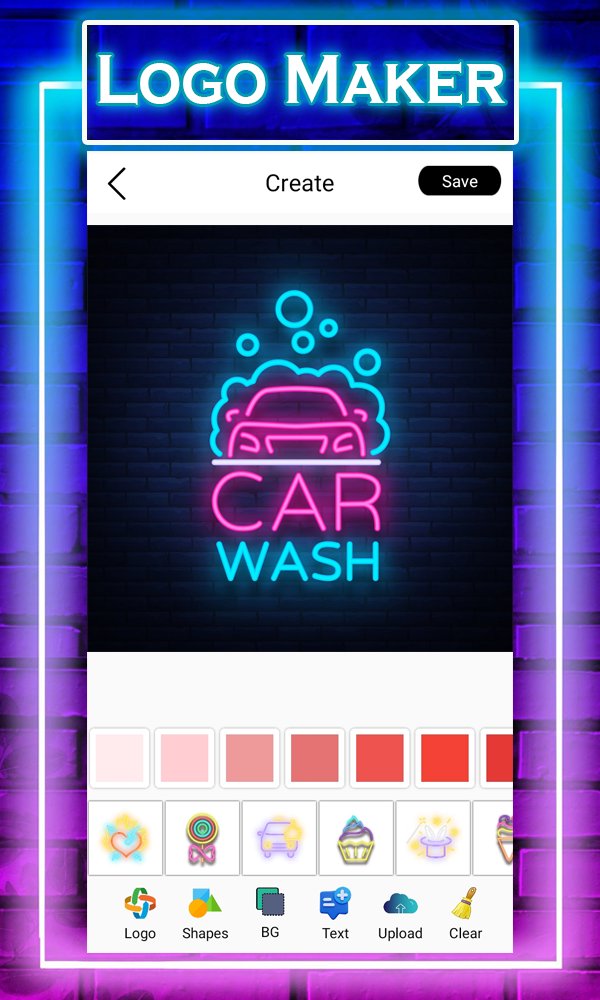
Pencipta Logo Neon membolehkan anda menambah teks pada logo neon dan pengguna boleh menggunakan warna yang berbeza pada teks dengan bantuan logo neon. Aplikasi pereka logo neon membantu anda menukar latar belakang logo bermakna anda boleh menukar latar belakang logo neon melalui aplikasi logo perniagaan neon. Dalam editor penapis neon anda boleh melaraskan teks dan kelegapan warna.
Aplikasi pembuat logo neon, pengguna boleh mengedit dan menyimpan logo neon dalam galeri peranti dan pengguna juga boleh berkongsi dan menyimpan logo dengan rakan atau di media sosial melalui aplikasi tanda logo neon.
Pembuat Logo Neon - Aplikasi Tanda Neon mempunyai banyak ciri yang boleh dipercayai.
Ciri-ciri:
✅ Logo Neon Lalai: Pembuat Logo Neon memberikan anda banyak logo neon yang dipratentukan.
✅ Kelegapan Logo Neon: pengguna boleh melaraskan kelegapan logo neon melalui aplikasi reka bentuk logo Neon.
✅ Tambah Teks: pengguna boleh menambah teks pada logo neon dengan bantuan aplikasi pencipta logo neon.
✅ Laraskan kelegapan warna: Pencipta Logo Neon memberikan anda kelegapan warna yang boleh anda laraskan dengan mudah.
✅ Bentuk logo Neon: Pembuat Logo Neon – Papan Tanda Neon mempunyai banyak bentuk neon yang boleh ditambahkan oleh pengguna pada logo neon untuk penampilan adunan.
✅ Tukar Latar Belakang Logo Neon: Dalam aplikasi Penjana Logo Neon pengguna boleh menukar latar belakang logo neon.
Maklum Balas: Muat turun aplikasi Pembuat Logo Neon – Neon Signs kami dan berikan maklum balas berharga anda kepada kami.
Terima kasih.
📢 Penafian:
Semua imej dalam apl ini adalah di bawah lesen kreatif biasa dan kredit diberikan kepada pemilik masing-masing. Ia digunakan untuk peminat sahaja tanpa tujuan komersial. Imej digunakan semata-mata untuk tujuan estetik.
Sebarang permintaan untuk mengalih keluar salah satu imej akan dihormati. Anda boleh menghubungi kami di (stickerszone123@gmail.com)
Preview
Tags
Art-&Information
Developer
Quality Apps Inc
Latest Version
1.3
Last Updated
2023-11-12
Category
Art-design
Available on
Google Play
Show More
Cara bermain Neon Logo Maker & Neon Signs dengan GameLoop pada PC
1. Muat turun GameLoop dari laman web rasmi, kemudian jalankan fail exe untuk memasang GameLoop.
2. Buka GameLoop dan cari "Neon Logo Maker & Neon Signs", cari Neon Logo Maker & Neon Signs dalam hasil carian dan klik "Pasang".
3. Nikmati bermain Neon Logo Maker & Neon Signs di GameLoop.
Minimum requirements
OS
Windows 8.1 64-bit or Windows 10 64-bit
GPU
GTX 1050
CPU
i3-8300
Memory
8GB RAM
Storage
1GB available space
Recommended requirements
OS
Windows 8.1 64-bit or Windows 10 64-bit
GPU
GTX 1050
CPU
i3-9320
Memory
16GB RAM
Storage
1GB available space