Mp4 Video Player para PC
App Spark
Descarga Mp4 Video Player en PC con GameLoop Emulator
Mp4 Video Player en PC
Mp4 Video Player, proveniente del desarrollador App Spark, se ejecuta en el sistema Android en el pasado.
Ahora, puedes jugar Mp4 Video Player en PC con GameLoop sin problemas.
Descárgalo en la biblioteca de GameLoop o en los resultados de búsqueda. No más mirar la batería o llamadas frustrantes en el momento equivocado nunca más.
Simplemente disfrute de Mp4 Video Player PC en la pantalla grande de forma gratuita!
Mp4 Video Player Introducción
Best Lightweight 3MB Mp4 Video Player is completely FREE video player app for Android phones and tablets. HD Video player app is lightweight (only 3 MB), stunning, attractive and user-friendly. It support almost all video formats. A powerful Media player which play 4k video, HD video, 2K video, Full HD video, 1080p video and all other videos very smoothly.
Lightest Video player on internet which is best hd video player for android, Best 4k video player for TV & other big screens and best dual audio video player for movie playing. Overall it is all in one video player app
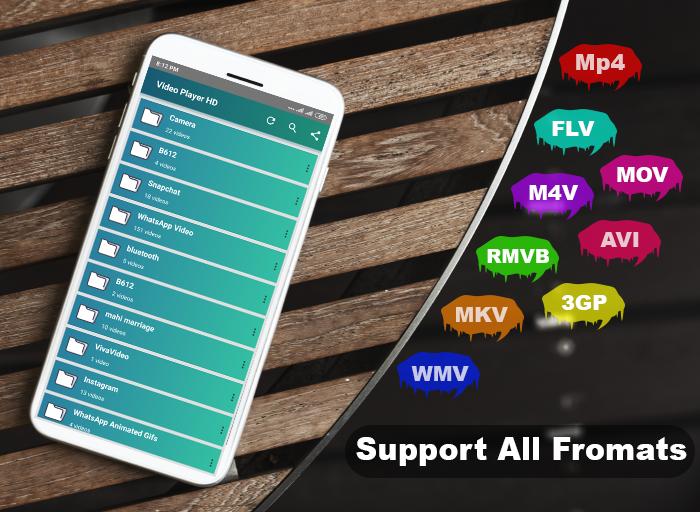
Smallest player supports all android devices i.e. Samsung player, Huawei player, Xiaomi MI player etc. Its new version 2020 supports all formats, including MP4, MKV, AVI, FLV, M4V, MOV, 3GP, RMVB, WMV, TS etc. and play top hot videos and funny videos fast in high resolution. HD player dual audio support is stunning feature for dual audio movie lovers. High definition movie player support subtitle with different languages.
It is a Best picture quality video player which support SD card videos also. Full hd video player app for android provide attractive folder view to find and view album videos. Full HD player find all video files on your device storage as well as SD card automatically.
Features and why Best video player for android phone and android tablets
- Small memory only 3.5 MB and user friendly
- Attractive folder view for album videos
- Support almost all formats MP4, MKV,AVI, FLV , M4V, MOV, 3GP,RMVB , WMV,TS etc
- Small, Simple, Quick start
- Automatically find all videos (phone storage and SD card)
- Dual Audio support, Subtitle with different languages
- Play AVI video with AVI player
- Full HD video player all format media player 1080p
- It is best picture quality video player 2020
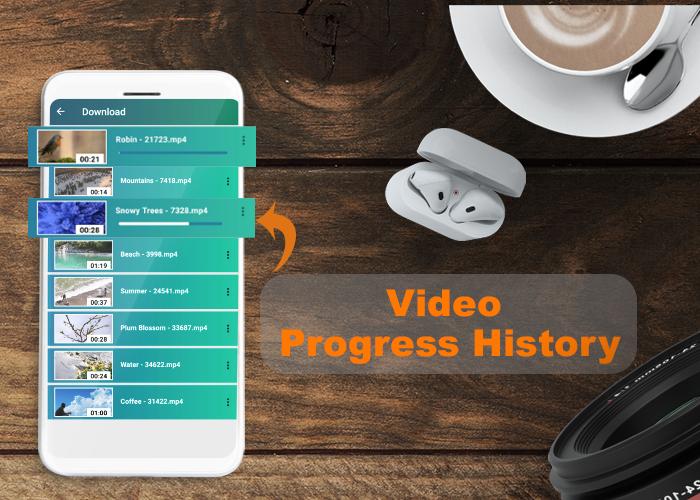
- Gesture control playing progress, volume and brightness
- Rotate screen video player HD
- Customize video view using Crop screen (aspect ratio) feature
- Fast video 10 second forward and 10 second backward
- It is one of the best Blu Ray player for android users
- Powerful media player plays HD, Full HD, 1080p and 4K video smoothly
- Highly optimized HD video player consume very small memory and can be your best video player offline application
- All above mentioned stunning features in this FREE HD video player
- Screen lock (Video locker) during video playing
- Slide up and down to increase or decrease brightness and volume
- Slide left and right to control playing progress
- Refresh new videos
- Video properties shows video file location, video name, and video file size
- Multi playback options
- It is best RMVB Player, WMV Player, TS Player
We are trying our best to make this free multimedia player perfect for you, If you have feedback or any suggestion about Video Player Ultimate HD then submit at alishujasardar@gmail.com
Avance
Etiquetas
Video-PlayersInformación
Desarrollador
App Spark
La última versión
0.0.2
Última actualización
2020-11-29
Categoría
Video-players-editors
Disponible en
Google Play
Mostrar más
Cómo jugar Mp4 Video Player con GameLoop en PC
1. Descargue GameLoop desde el sitio web oficial, luego ejecute el archivo exe para instalar GameLoop.
2. Abra GameLoop y busque "Mp4 Video Player", busque Mp4 Video Player en los resultados de búsqueda y haga clic en "Instalar".
3. Disfruta jugando Mp4 Video Player en GameLoop.
Minimum requirements
OS
Windows 8.1 64-bit or Windows 10 64-bit
GPU
GTX 1050
CPU
i3-8300
Memory
8GB RAM
Storage
1GB available space
Recommended requirements
OS
Windows 8.1 64-bit or Windows 10 64-bit
GPU
GTX 1050
CPU
i3-9320
Memory
16GB RAM
Storage
1GB available space