
Inkaplay: Video Player para PC
Inka Media LLC
Descarga Inkaplay: Video Player en PC con GameLoop Emulator
Inkaplay: Video Player en PC
Inkaplay: Video Player, proveniente del desarrollador Inka Media LLC, se ejecuta en el sistema Android en el pasado.
Ahora, puedes jugar Inkaplay: Video Player en PC con GameLoop sin problemas.
Descárgalo en la biblioteca de GameLoop o en los resultados de búsqueda. No más mirar la batería o llamadas frustrantes en el momento equivocado nunca más.
Simplemente disfrute de Inkaplay: Video Player PC en la pantalla grande de forma gratuita!
Inkaplay: Video Player Introducción
⭐ Free video playback app, in a minimalist, elegant, and free version for Android phones⭐ It is compatible with smartphones and tablets, and plays all video qualities and formats, such as HD, 360p, 480p, 720p, 1080p, 4K, among others.
【INKAPLAY FEATURES】
★ Ultra HD video player compatible with 4K.
★ Supports all video formats.
★ Multi-core decoding.
★ Multiple formats for subtitle support.
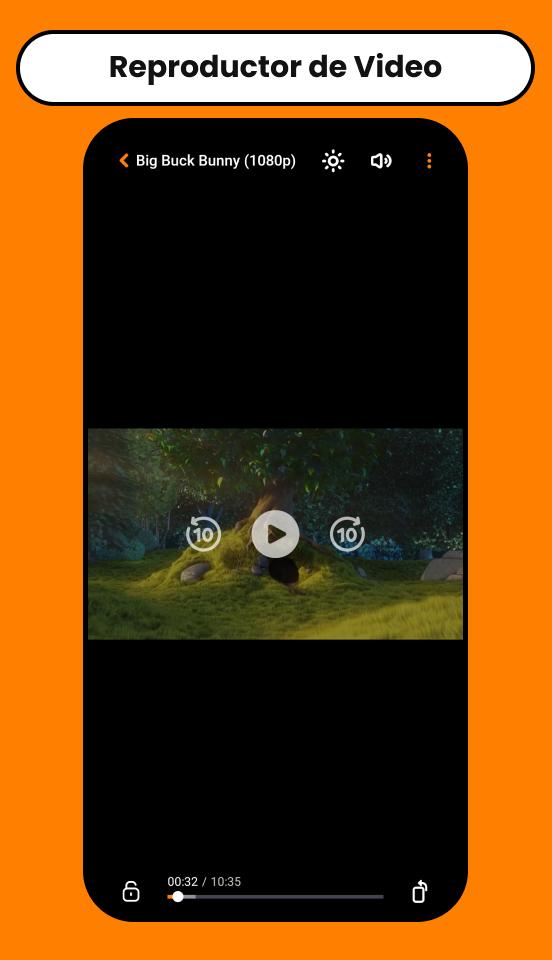
★ Easy to control volume, brightness, and playback progress.
★ Browse and play your mobile media content through the app.
★ Multiple playback options: automatic and manual rotation, screen lock, etc.
【INKAPLAY FEATURES AND CAPABILITIES】
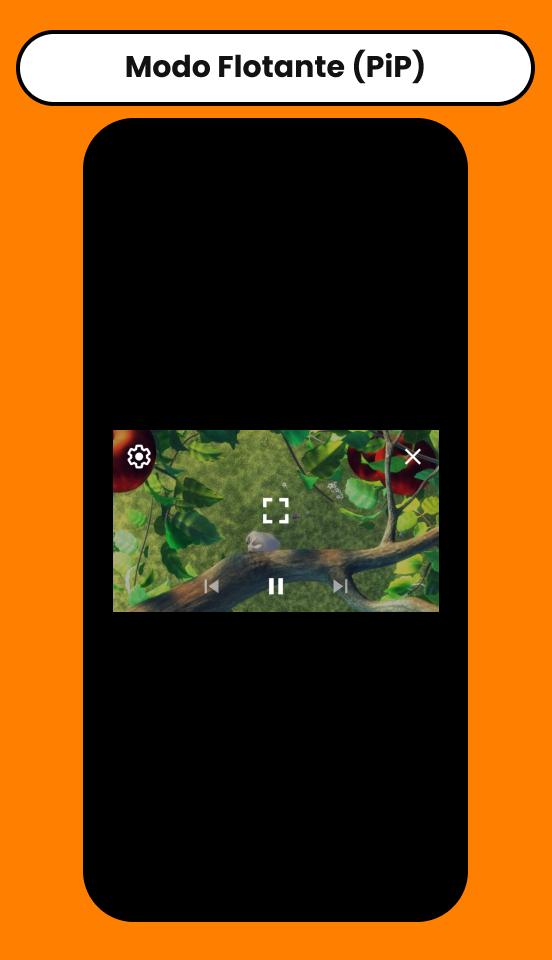
🎬 Floating mode (PiP)
Play your multimedia content on a small player (Picture-in-Picture), so you can continue enjoying your videos while using other applications on your mobile device.
🎥 Video Quality
The Inkaplay player detects the quality of videos stored on external servers, allowing you to enjoy them according to your internet connection and video quality preferences.
🔗 Remote Loading
The powerful video player for Android allows you to load videos via direct URL, as well as embedded URLs from the most popular servers.
📥 Download Manager
The free Inkaplay player allows you to download multimedia content from external servers, moving on to a second process so you can continue enjoying your favorite content without interruption.
🔒 Screen lock
Don't want to interrupt your video while you're watching it? Lock your content with our screen lock feature!
👻 Private, secure, and easy to use
The free Inkaplay video player keeps your personal information and files secure and does not share them with anyone else, in accordance with privacy protection.
【PERMISSIONS REQUIRED BY INKAPLAY】
🔓 File and data storage: This permission is required to access local files and play your multimedia content.
🔓 Disable screen lock: This permission is required to remove the screen lock and enjoy your multimedia content without interruption.
🔓 Prevent phone from going to sleep: This permission is necessary for multimedia playback on some devices.
【INKAPLAY SECURITY NOTES】
📝 The user must have their own content; this is only a video playback tool, which provides a user-friendly environment for playing multimedia content.
📝 Inkaplay has no affiliation with any external content providers.
📝 The app is FREE and adapts to all types of multimedia files that require a video player in 2025.
📝 We do not support the playback of copyrighted material without the permission of the copyright holder.
📝 Viewing and downloading any copyrighted file is prohibited and regulated by the laws of the country where you live. We assume no responsibility for the misuse of our app.
Would you like to integrate Inkaplay into your app? Write to us at hola@inka.media.
Thank you for trusting Inkaplay! We would love to hear your ideas and feedback. We look forward to hearing from you! ;')
🌐 OFFICIAL PAGES:
- Official website: https://inka.media/inkaplay
- Terms of service: https://inka.media/terminos-y-condiciones
- Privacy policy: https://inka.media/politicas-de-privacidad
- Frequently asked questions: https://inka.media/preguntas-frecuentes
🌐 SOCIAL MEDIA:
- Telegram: https://t.me/inkaplay
Some of the screens are from Big Buck Bunny, licensed under Creative Commons Attribution 3.0 Unported. (c) Copyright 2008, Blender Foundation / [www.bigbuckbunny.org](http://www.bigbuckbunny.org/)
Avance
Etiquetas
Video-PlayersInformación
Desarrollador
Inka Media LLC
La última versión
2.4.7
Última actualización
2025-11-01
Categoría
Video-players-editors
Disponible en
Google Play
Mostrar más
Cómo jugar Inkaplay: Video Player con GameLoop en PC
1. Descargue GameLoop desde el sitio web oficial, luego ejecute el archivo exe para instalar GameLoop.
2. Abra GameLoop y busque "Inkaplay: Video Player", busque Inkaplay: Video Player en los resultados de búsqueda y haga clic en "Instalar".
3. Disfruta jugando Inkaplay: Video Player en GameLoop.
Minimum requirements
OS
Windows 8.1 64-bit or Windows 10 64-bit
GPU
GTX 1050
CPU
i3-8300
Memory
8GB RAM
Storage
1GB available space
Recommended requirements
OS
Windows 8.1 64-bit or Windows 10 64-bit
GPU
GTX 1050
CPU
i3-9320
Memory
16GB RAM
Storage
1GB available space