
AiFoto 3 para PC
ASUSTOR Inc.
Descarga AiFoto 3 en PC con GameLoop Emulator
AiFoto 3 en PC
AiFoto 3, proveniente del desarrollador ASUSTOR Inc., se ejecuta en el sistema Android en el pasado.
Ahora, puedes jugar AiFoto 3 en PC con GameLoop sin problemas.
Descárgalo en la biblioteca de GameLoop o en los resultados de búsqueda. No más mirar la batería o llamadas frustrantes en el momento equivocado nunca más.
Simplemente disfrute de AiFoto 3 PC en la pantalla grande de forma gratuita!
AiFoto 3 Introducción
*Must be used in conjunction with Photo Gallery 3
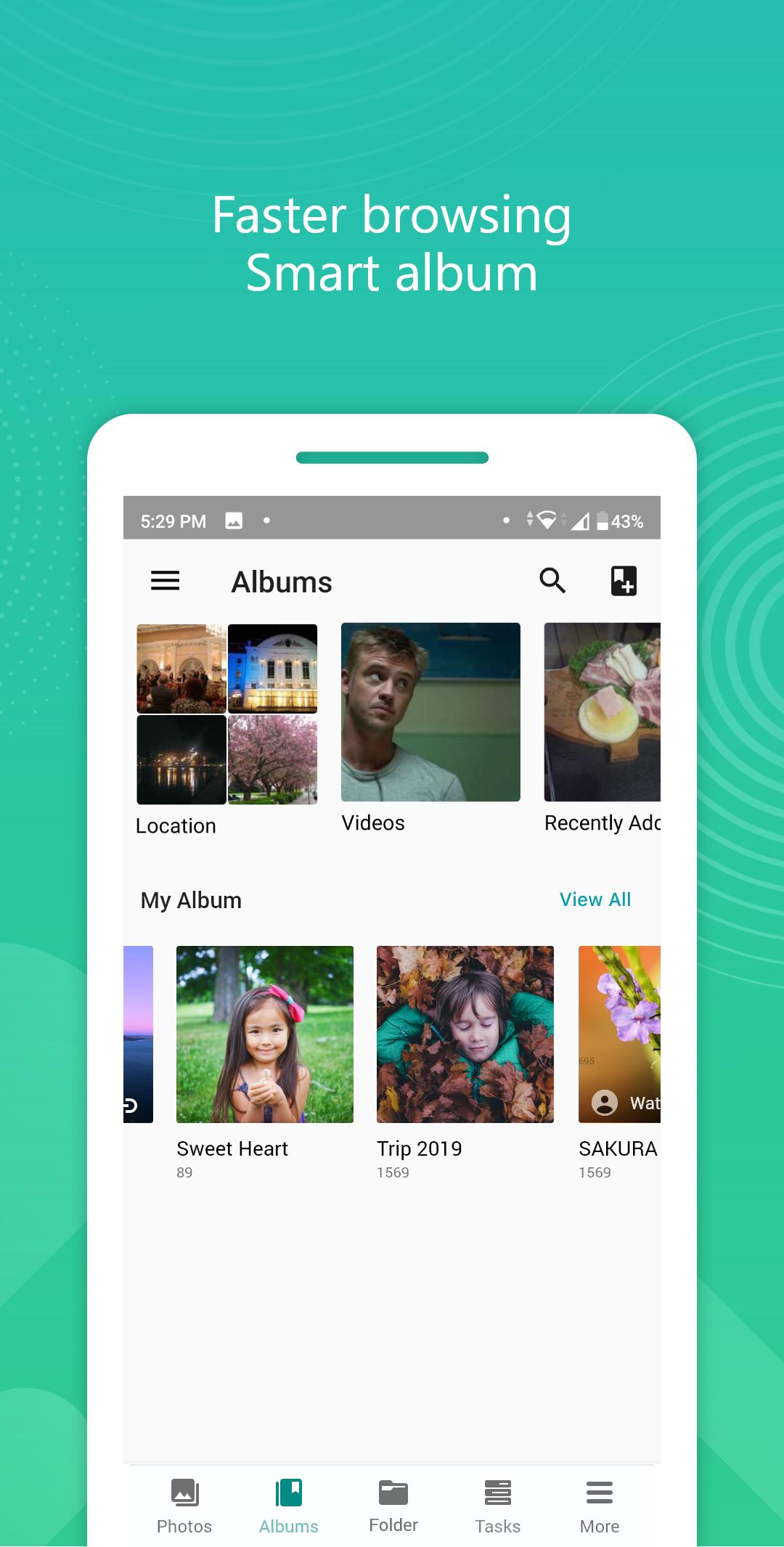
The all new AiFoto 3 has been revamped and brings a variety of new features to make photo organization easier than ever. New features for AiFoto 3 include, but are not limited to timelines, smart albums. Instant auto-upload, performance enhancements, and customized share links make for an even better photo viewing and sharing experience.
— Needless to worry about other users seeing your photo. Just create NAS accounts for every user.
— Quickly find and view photos from a specific date in AiFoto 3’s timeline.
— AiFoto 3 sorts your photos in a smarter way. Smart albums found in AiFoto 3 include places, videos, recently added and favorites.
— Supports two methods to share photos, share links to other NAS users or to friends and family. All shared albums have optional encryption to protect sensitive information.
— Automatically back up photos from your phone in real-time.
— Automatic logins make viewing and backups easy.
— Download and upload task monitoring makes controlling your transfers easy.
— Easily understand photo metadata as well as edit photo descriptions to make photo identification easier.
— Easily find photos by keyword search.
*At present, the instant upload backup of mobile phone photos will generate folders under Home/MyPhoto/SmartUpload on the NAS. Each folder has a maximum of 999, so if you have many photos to upload at the same time; for example, 4000 photos on the mobile phone, it will cut into five folders.
Path: Home/MyPhoto/SmartUpload
Learn more:
https://www.asustor.com/
*For NAS model AS10 series user, if you have more than15000 photos in your phone and want to auto-backup at one time, we suggest go to NAS Off-peak Hours to disable background process and enable background process once upload finish.
*It may take a while for photo indexing and thumbnail making especially for some entry models may take a day to show up if you upload a lot of photos at the same time.
Avance

Etiquetas
Video-PlayersInformación
Desarrollador
ASUSTOR Inc.
La última versión
3.4.0
Última actualización
2025-08-26
Categoría
Video-players-editors
Disponible en
Google Play
Mostrar más
Cómo jugar AiFoto 3 con GameLoop en PC
1. Descargue GameLoop desde el sitio web oficial, luego ejecute el archivo exe para instalar GameLoop.
2. Abra GameLoop y busque "AiFoto 3", busque AiFoto 3 en los resultados de búsqueda y haga clic en "Instalar".
3. Disfruta jugando AiFoto 3 en GameLoop.
Minimum requirements
OS
Windows 8.1 64-bit or Windows 10 64-bit
GPU
GTX 1050
CPU
i3-8300
Memory
8GB RAM
Storage
1GB available space
Recommended requirements
OS
Windows 8.1 64-bit or Windows 10 64-bit
GPU
GTX 1050
CPU
i3-9320
Memory
16GB RAM
Storage
1GB available space