
Speaking Clock - Time Teller para PC
Galaxy Lab
Descarga Speaking Clock - Time Teller en PC con GameLoop Emulator
Speaking Clock - Time Teller en PC
Speaking Clock - Time Teller, proveniente del desarrollador Galaxy Lab, se ejecuta en el sistema Android en el pasado.
Ahora, puedes jugar Speaking Clock - Time Teller en PC con GameLoop sin problemas.
Descárgalo en la biblioteca de GameLoop o en los resultados de búsqueda. No más mirar la batería o llamadas frustrantes en el momento equivocado nunca más.
Simplemente disfrute de Speaking Clock - Time Teller PC en la pantalla grande de forma gratuita!
Speaking Clock - Time Teller Introducción
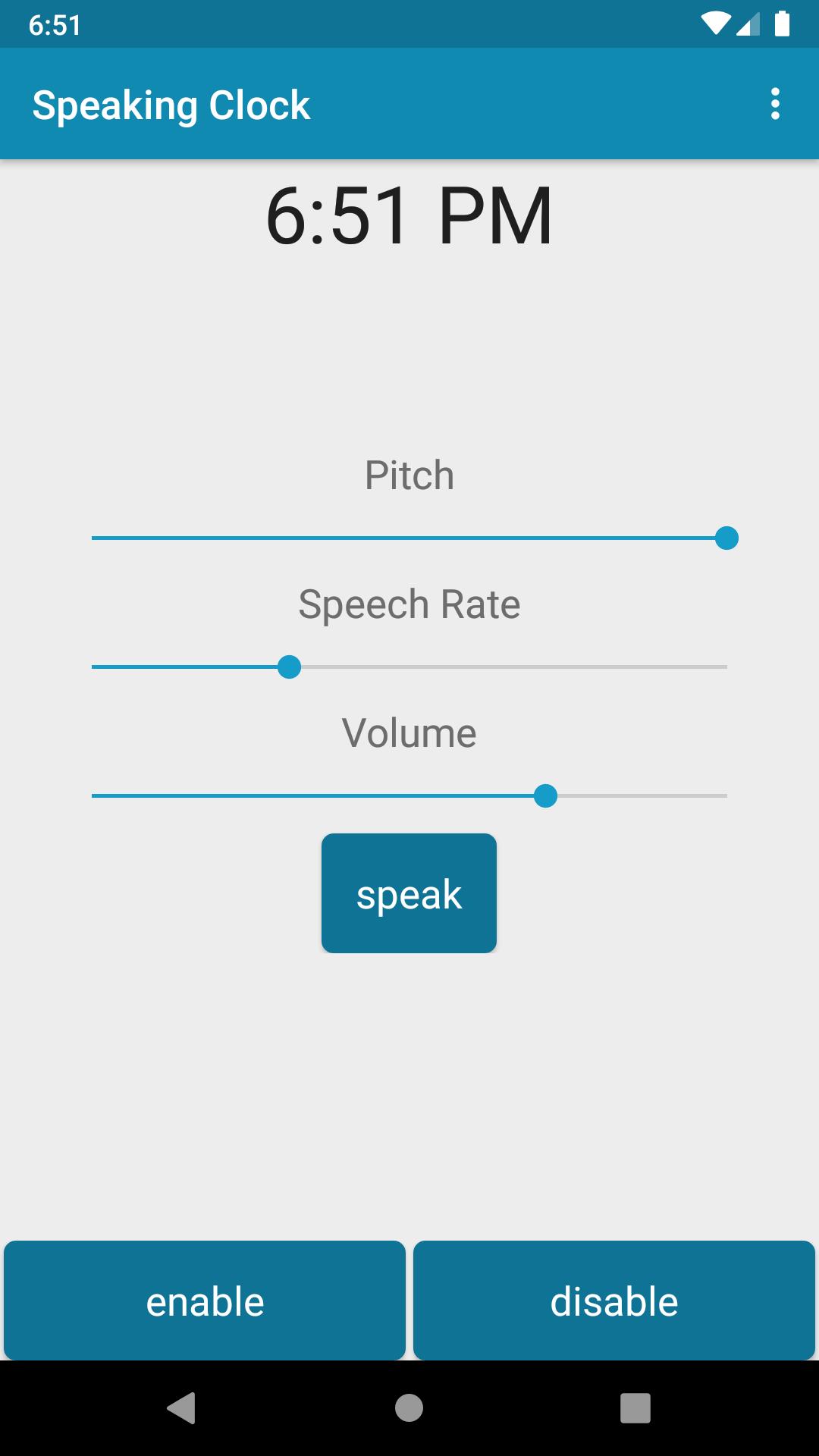
Speaking Clock is a lightweight app that announces the current time when you unlock your phone. It's particularly useful when you're unable to look at your phone.
1) For instance, while driving cars, motorcycles, or bicycles, simply tap your phone, and Speaking Clock will announce the current time.
2) Another scenario is when you wake up and your eyes aren't ready for a bright screen. Just tap the screen to hear the current time.
3) Speaking Clock is also beneficial when text on your phone is too small to read or your vision isn't perfect. Many seniors struggle to read text on their phones without glasses.
4) For those who are reluctant to look at their phone or watch.
Key Features:
⭐Display current time
⭐Adjust speech pitch
⭐Modify speech rate
⭐Control volume
⭐Test speech output
⭐Enable or disable speech service
If you enjoy the app, consider sharing it with your friends or on social media platforms like Facebook, Twitter, Instagram, and WhatsApp.
Note:
Speaking Clock requires the Google Text-to-Speech engine to function. Ensure that it's installed on your device.
Support & Feedback:
If you encounter any issues or have feedback, please email the developer at galaxylab102@gmail.com
Avance
Etiquetas
HerramientasInformación
Desarrollador
Galaxy Lab
La última versión
1.1.6
Última actualización
2025-07-15
Categoría
Herramientas
Disponible en
Google Play
Mostrar más
Cómo jugar Speaking Clock - Time Teller con GameLoop en PC
1. Descargue GameLoop desde el sitio web oficial, luego ejecute el archivo exe para instalar GameLoop.
2. Abra GameLoop y busque "Speaking Clock - Time Teller", busque Speaking Clock - Time Teller en los resultados de búsqueda y haga clic en "Instalar".
3. Disfruta jugando Speaking Clock - Time Teller en GameLoop.
Minimum requirements
OS
Windows 8.1 64-bit or Windows 10 64-bit
GPU
GTX 1050
CPU
i3-8300
Memory
8GB RAM
Storage
1GB available space
Recommended requirements
OS
Windows 8.1 64-bit or Windows 10 64-bit
GPU
GTX 1050
CPU
i3-9320
Memory
16GB RAM
Storage
1GB available space