
Pixels: Resolution+DPI Changer para PC
tribalfs
Descarga Pixels: Resolution+DPI Changer en PC con GameLoop Emulator
Pixels: Resolution+DPI Changer en PC
Pixels: Resolution+DPI Changer, proveniente del desarrollador tribalfs, se ejecuta en el sistema Android en el pasado.
Ahora, puedes jugar Pixels: Resolution+DPI Changer en PC con GameLoop sin problemas.
Descárgalo en la biblioteca de GameLoop o en los resultados de búsqueda. No más mirar la batería o llamadas frustrantes en el momento equivocado nunca más.
Simplemente disfrute de Pixels: Resolution+DPI Changer PC en la pantalla grande de forma gratuita!
Pixels: Resolution+DPI Changer Introducción
Features:
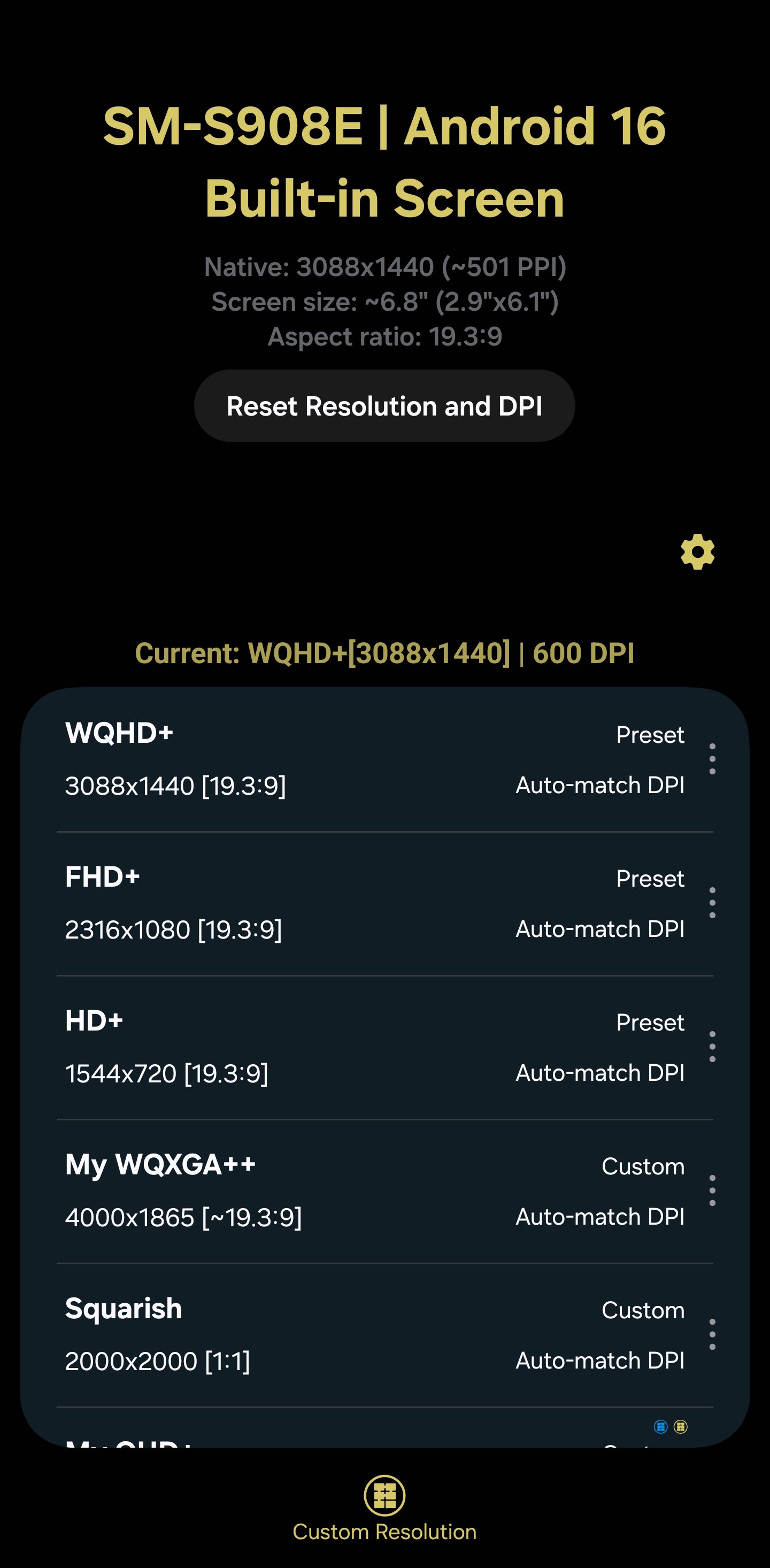
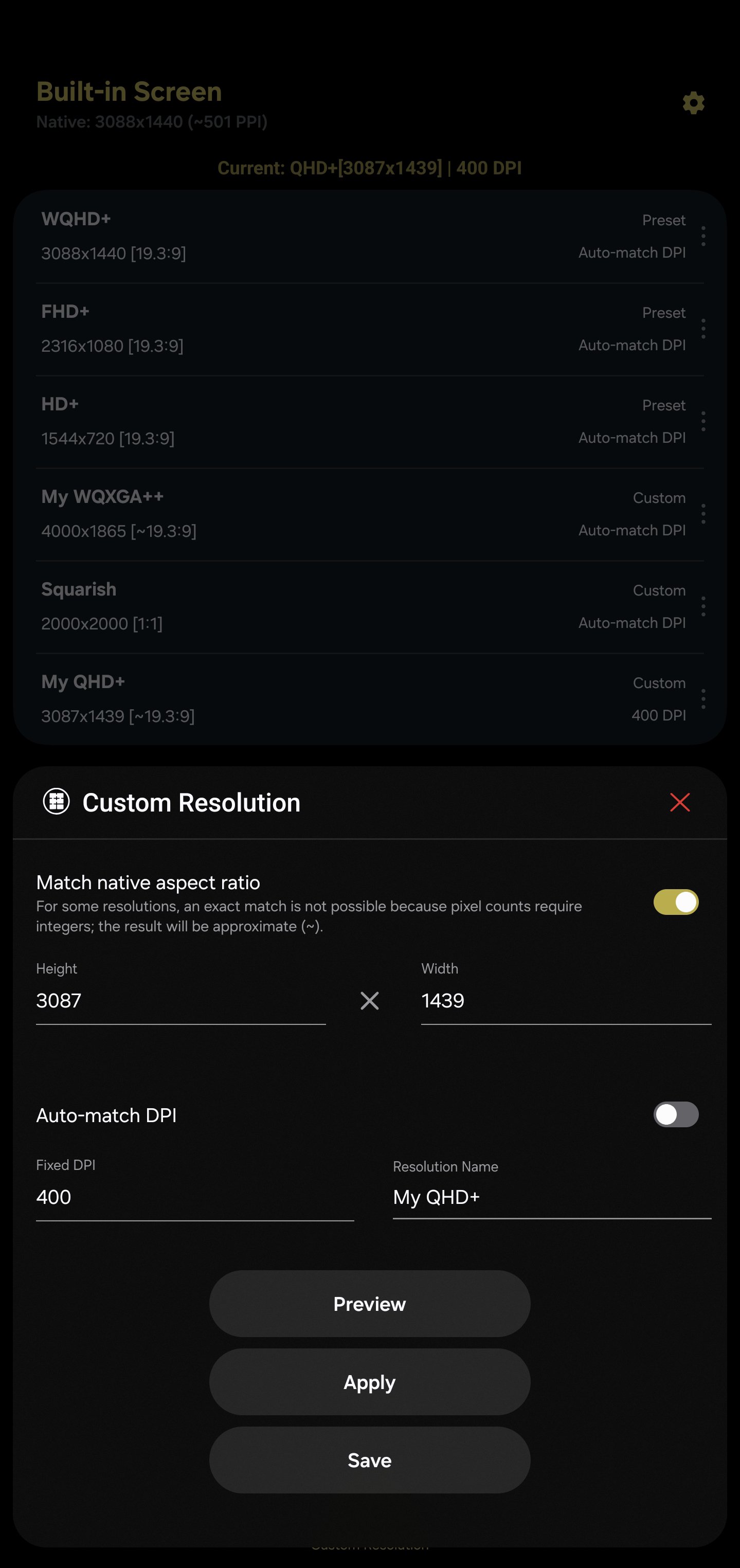
✅ Test & apply your own custom display resolution and density (DPI)
✅ Auto-calc the other side (height or width) from one input using your display’s aspect ratio (optional)
✅ Auto-calc matching DPI for a chosen resolution using trigonometric adjustments (optional)
✅ Smart naming suggestions when saving custom resolutions to presets
✅ Reads your device’s stock resolutions so you can switch back anytime
✅ One-tap reset to factory resolution and DPI
✅ Save multiple presets for quick reuse (premium; free tier can save up to 2 custom resolutions)
✅ App shortcuts to easily apply resolutions (premium).
✅ Integration with Tasker and Automate (premium).
Permission & Setup:
- A one-time WRITE_SECURE_SETTINGS grant via ADB is required. This is not root. This can be also be granted using Shizuku. You can grant it instantly if you have a rooted device. Step-by-step instructions is provided.
Avance
Etiquetas
HerramientasPersonalizaciónInformación
Desarrollador
tribalfs
La última versión
3.60
Última actualización
2026-04-19
Categoría
Herramientas
Disponible en
Google Play
Mostrar más
Cómo jugar Pixels: Resolution+DPI Changer con GameLoop en PC
1. Descargue GameLoop desde el sitio web oficial, luego ejecute el archivo exe para instalar GameLoop.
2. Abra GameLoop y busque "Pixels: Resolution+DPI Changer", busque Pixels: Resolution+DPI Changer en los resultados de búsqueda y haga clic en "Instalar".
3. Disfruta jugando Pixels: Resolution+DPI Changer en GameLoop.
Minimum requirements
OS
Windows 8.1 64-bit or Windows 10 64-bit
GPU
GTX 1050
CPU
i3-8300
Memory
8GB RAM
Storage
1GB available space
Recommended requirements
OS
Windows 8.1 64-bit or Windows 10 64-bit
GPU
GTX 1050
CPU
i3-9320
Memory
16GB RAM
Storage
1GB available space