
IE Stopwatch - Auto Time Study para PC
Decompile Lab
Descarga IE Stopwatch - Auto Time Study en PC con GameLoop Emulator
IE Stopwatch - Auto Time Study en PC
IE Stopwatch - Auto Time Study, proveniente del desarrollador Decompile Lab, se ejecuta en el sistema Android en el pasado.
Ahora, puedes jugar IE Stopwatch - Auto Time Study en PC con GameLoop sin problemas.
Descárgalo en la biblioteca de GameLoop o en los resultados de búsqueda. No más mirar la batería o llamadas frustrantes en el momento equivocado nunca más.
Simplemente disfrute de IE Stopwatch - Auto Time Study PC en la pantalla grande de forma gratuita!
IE Stopwatch - Auto Time Study Introducción
IE Stopwatch - Auto Time Study
Industrial engineering is a branch of engineering which is used to eliminate waste of time, money, materials, machine time, energy, person-hours, and other resources that do not generate value. Industrial engineers devise efficient systems that integrate workers, machines, materials, information, and energy to make a product or provide a service.
This Industrial engineering calculator offers
1. Stopwatch System
2. Loop Timing
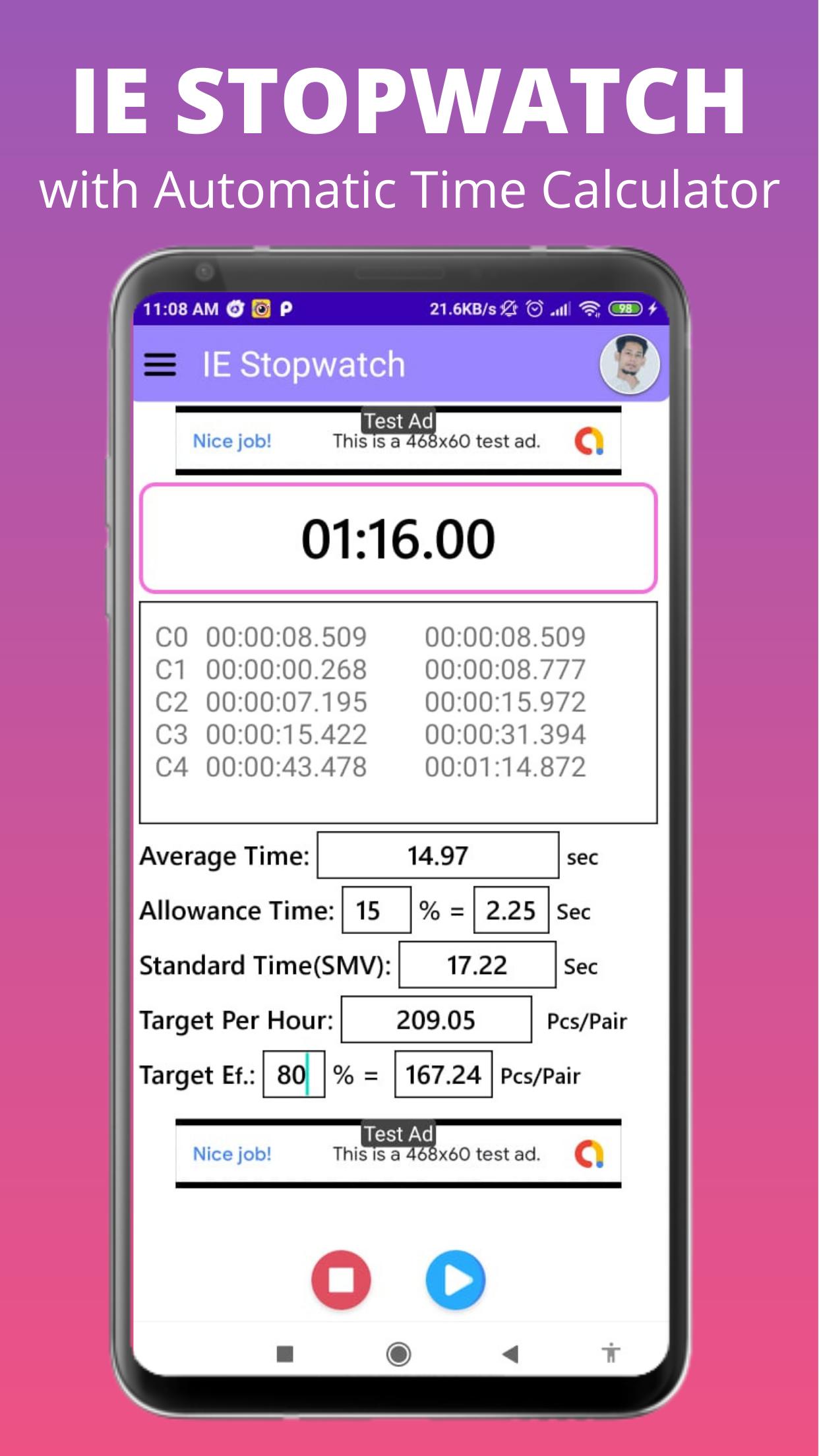
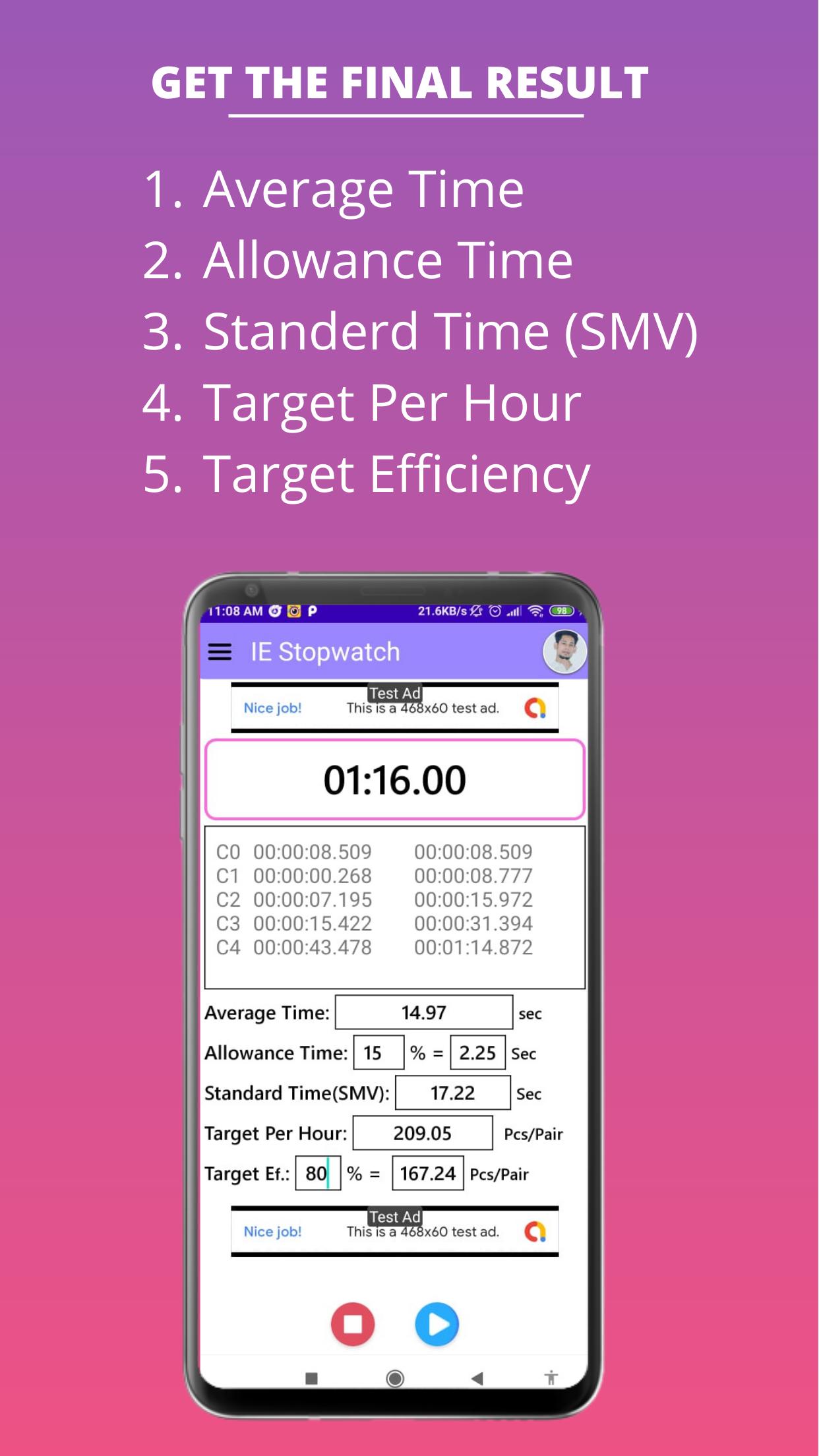
3. Auto Loop Average Time Calculation
4. Allowance Calculation
5. Standard Time (SMV) Calculation
6. Target Per Hour Calculation
7. Target Efficiency Calculation
• Stopwatch System:
This app has a stopwatch. Using our stopwatch you can take timing on individual work.
• Loop Timing:
After clicking the loop button this app will store the loop time temporarily to find and calculate the loop average time.
• Auto Loop Average Time Calculation:
When you will click the loop button this app will calculate the loop average time automatically.
• Allowance Calculation:
In this app, there has an edit text field to input the Allowance in percent. After inputting the Allowance value then this app will calculate the Allowance Time automatically.
• Standard Time (SMV) Calculation:
After inputting the Allowance value this app will automatically calculate the Standard Time or SMV.
• Target Per Hour Calculation:
After inputting the Allowance value this app will automatically calculate the Target Per Hour.
• Target Efficiency Calculation:
This app also there has an edit text field to input the Target Efficiency in percent. After inputting the Target Efficiency value then this app will calculate the Target Efficiency automatically.
Hope this app will help all Industrial Engineers.
Avance
Etiquetas
HerramientasInformación
Desarrollador
Decompile Lab
La última versión
1.01.2.14
Última actualización
2024-08-07
Categoría
Herramientas
Disponible en
Google Play
Mostrar más
Cómo jugar IE Stopwatch - Auto Time Study con GameLoop en PC
1. Descargue GameLoop desde el sitio web oficial, luego ejecute el archivo exe para instalar GameLoop.
2. Abra GameLoop y busque "IE Stopwatch - Auto Time Study", busque IE Stopwatch - Auto Time Study en los resultados de búsqueda y haga clic en "Instalar".
3. Disfruta jugando IE Stopwatch - Auto Time Study en GameLoop.
Minimum requirements
OS
Windows 8.1 64-bit or Windows 10 64-bit
GPU
GTX 1050
CPU
i3-8300
Memory
8GB RAM
Storage
1GB available space
Recommended requirements
OS
Windows 8.1 64-bit or Windows 10 64-bit
GPU
GTX 1050
CPU
i3-9320
Memory
16GB RAM
Storage
1GB available space