Alarm sensor on your desktop para PC
graphtoweb.com
Descarga Alarm sensor on your desktop en PC con GameLoop Emulator
Alarm sensor on your desktop en PC
Alarm sensor on your desktop, proveniente del desarrollador graphtoweb.com, se ejecuta en el sistema Android en el pasado.
Ahora, puedes jugar Alarm sensor on your desktop en PC con GameLoop sin problemas.
Descárgalo en la biblioteca de GameLoop o en los resultados de búsqueda. No más mirar la batería o llamadas frustrantes en el momento equivocado nunca más.
Simplemente disfrute de Alarm sensor on your desktop PC en la pantalla grande de forma gratuita!
Alarm sensor on your desktop Introducción
Android sensors are virtual devices that provide data coming from a set of physical sensors: accelerometers, gyroscopes, magnetometers, barometer, humidity, pressure, light, proximity and heart rate sensors. This application is providing an easy access to these data inside your favorite’s browser on your desktop. Once the service is started the main window is showing a web link to write inside any browser on the network. The access is protected by a login credentials. The default credentials value are (root, admin).
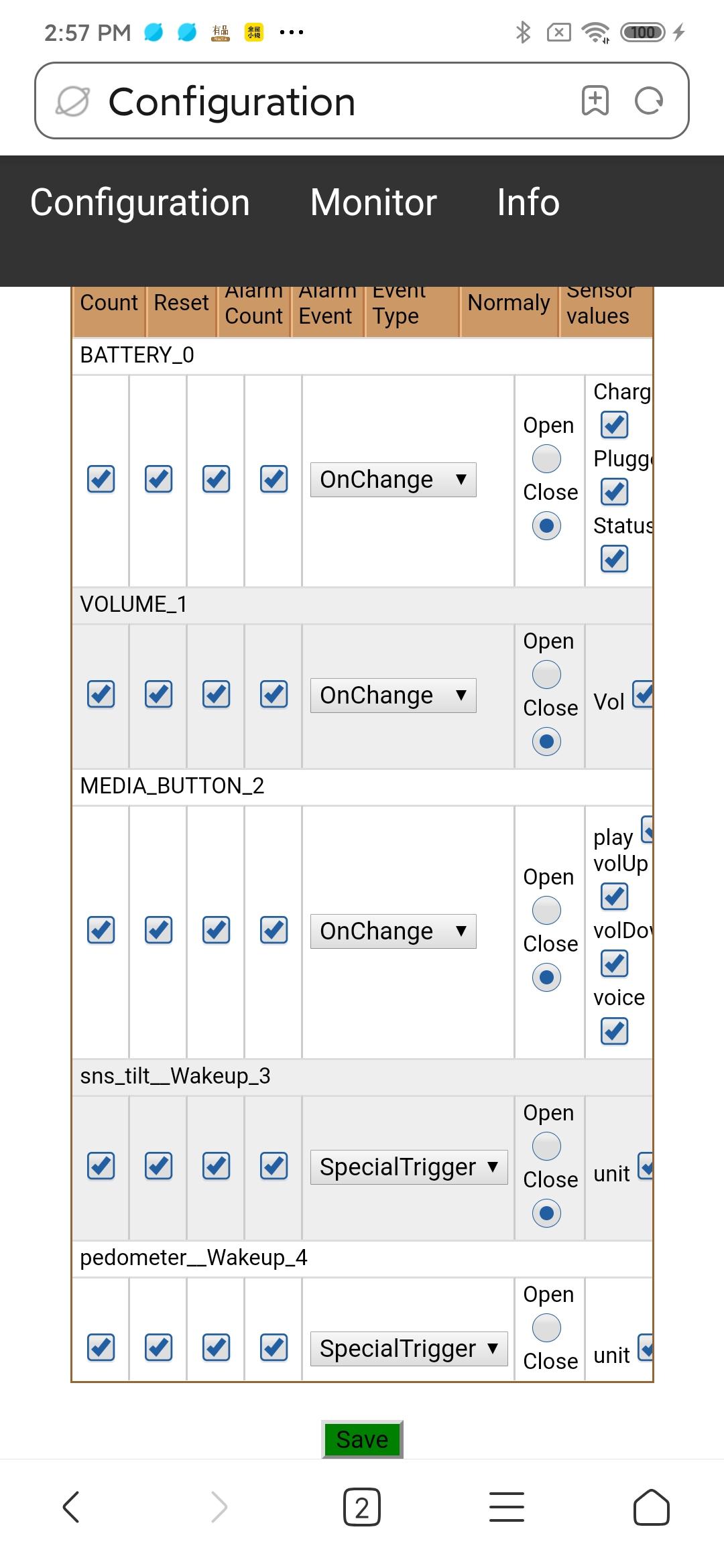
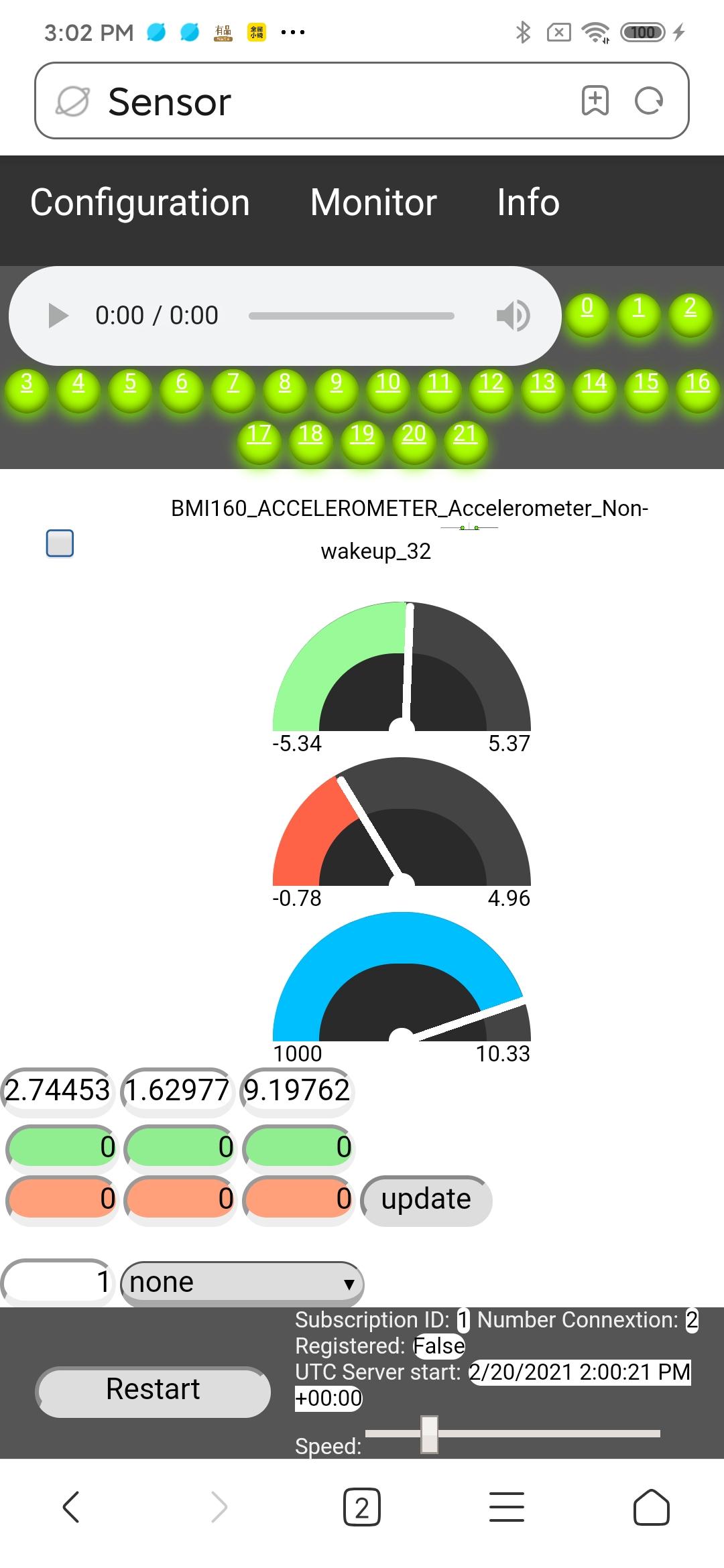
From any modern web browser it’s easy to monitor live value from all the sensors. In addition a trigger level can be set for every sensor. These trigger are used to activate an alarm. These alarms are computed inside the phone and will propagate to every opened browser. Therefore alarms are absolutely not affected by low bandwidth. Each sensors field is showing the total number of alarm as well as the last alarm level. Remember that you might have several browsers open but you got only one piece of hardware. So change in configuration will be automatically reflected in all the browsers. But every browser connected can setup individual and different alarm sound.
This tool might be useful to test if all the sensor hardware of you phone work correctly. Sensor might react differently from different Mobile producer. So I leave one configuration parameter open to the user of this app: The event type “OnChange” is sometime not really what it means. For these sensors it is possible to change the Event Type to “Continous”. In order to know which one should be used simply watch the sensor on the “Monitor” page and look if the last field is continuously updated or not.
Product features:
✅ Display automatically all sensor available on the connected smartphone.
✅ Sensor can be configured individually.
✅ Monitor sensor data on a user friendly web page even when phone is sleeping.
✅ Configuration changes are global and automatically reflected on all browser.
✅ Setup up global alarm level for each sensor.
✅ Alarm signal will never be missed even on low bandwidth.
✅ LED row show sensor with alarm and provide a quick access.
✅ Each browser can configure alarm sound individually.
✅ Connection to the smartphone is protected by a password.
✅ Provide assistance to disable the power saver which might stop the sensor.
Avance
Etiquetas
HerramientasInformación
Desarrollador
graphtoweb.com
La última versión
1.1
Última actualización
2024-05-06
Categoría
Herramientas
Disponible en
Google Play
Mostrar más
Cómo jugar Alarm sensor on your desktop con GameLoop en PC
1. Descargue GameLoop desde el sitio web oficial, luego ejecute el archivo exe para instalar GameLoop.
2. Abra GameLoop y busque "Alarm sensor on your desktop", busque Alarm sensor on your desktop en los resultados de búsqueda y haga clic en "Instalar".
3. Disfruta jugando Alarm sensor on your desktop en GameLoop.
Minimum requirements
OS
Windows 8.1 64-bit or Windows 10 64-bit
GPU
GTX 1050
CPU
i3-8300
Memory
8GB RAM
Storage
1GB available space
Recommended requirements
OS
Windows 8.1 64-bit or Windows 10 64-bit
GPU
GTX 1050
CPU
i3-9320
Memory
16GB RAM
Storage
1GB available space